Most SaaS projects don’t fail because of bad code. They fail because nobody treated development as a series of deliberate decisions — each one testable, each one reversible. The SaaS development process isn’t a checklist you follow blindly. It’s a framework that keeps you from building the wrong thing perfectly. This guide walks through every stage of the SaaS development process, from validating the idea to scaling post-launch, with the kind of specificity that actually helps you ship.

Stage 1: Ideation and Market Research
An idea without validation is just an expensive guess. Before you write a line of code, you need to know three things: who has the problem, whether they’ll pay to solve it, and whether you can reach them.
Start with competitor research. Not to copy — to understand what already exists and where it’s weak. Use tools like SimilarWeb or BuiltWith to see what tech stack competitors use, how much traffic they get, and where their users come from. Look at their pricing pages. Read their support forums. The complaints are free product research.
Then talk to potential users. Not a survey — actual conversations. Ask what they’re using now, what frustrates them, and what they’ve tried to fix it. If they’re not frustrated enough to have tried something, they won’t pay for yours.
The output of this stage should be a one-sentence description of the problem and the person who has it. If you can’t write that sentence, you’re not ready to build. Most founders skip this and realise six months in that they built for the wrong persona. MVP development for startups starts here, not in the code editor.
Stage 2: Planning and Requirements Definition for SaaS Development
This is where most projects go wrong. Founders confuse a feature list with a plan. A plan answers: what is the smallest thing that proves this idea works?
Write down every feature you think you need. Then cut it in half. Then cut it in half again. What’s left is your MVP. If your MVP has user roles, admin dashboards, analytics, integrations, and a mobile app, it is not an MVP — it’s three products pretending to be one.
Define your core workflow. One user, one problem, one solution. If you’re building project management software, the core workflow might be: create a task, assign it, mark it done. Everything else — notifications, file uploads, time tracking — comes later, after you know people will use the core thing.
Write user stories in this format: “As a [role], I want to [action] so that [outcome].” Not “the system shall allow users to” — that’s spec document language, and it leads to bloat. User stories force you to think about why a feature exists.
Scope it properly before pricing it. We’ve seen founders get quotes that vary by £40,000 for the same brief because nobody defined what “dashboard” or “reporting” actually meant. At Inqodo, we scope during the first conversation. If we can’t give you a rough price after 30 minutes, that’s on us.

Stage 3: UI/UX Design and Prototyping
Design is not how it looks. Design is whether someone can use it without reading a manual. A beautiful interface that confuses users is a failure.
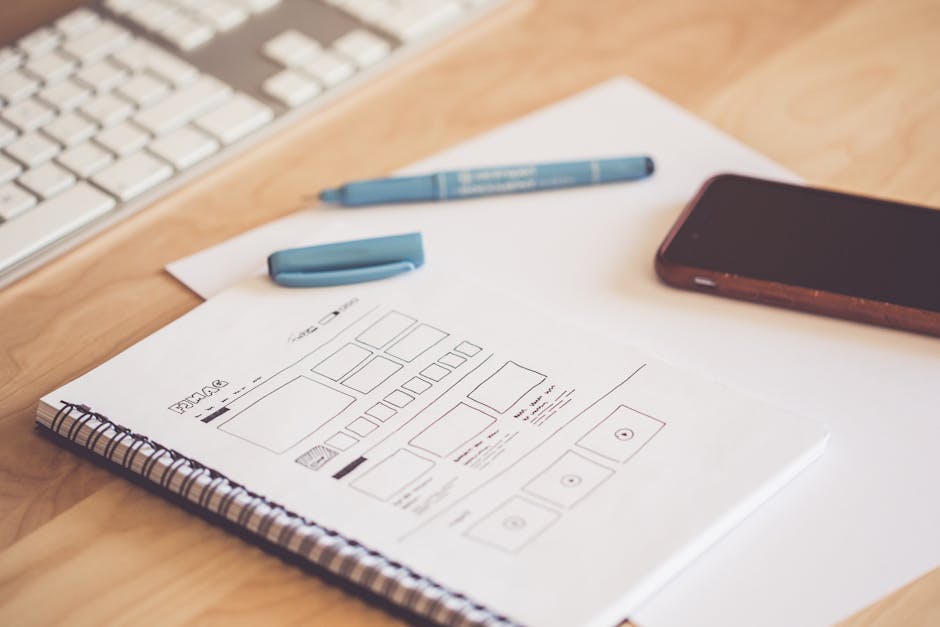
Start with wireframes — low-fidelity sketches that show layout and flow. Tools like Figma or Excalidraw work. The goal is to test the logic of the interface before you commit to visual design. Can a user complete the core workflow in three clicks or fewer? If not, rethink the flow.
Then move to high-fidelity mockups. This is where you define colours, typography, spacing, and component behaviour. Use a design system if you can — Material Design or Tailwind UI are solid starting points. Custom design is expensive and rarely worth it for an MVP.
Prototype the key interactions. A clickable prototype in Figma lets you test whether users understand the flow before you build it. Show it to five people. If three of them get stuck in the same place, that’s not a user problem — it’s a design problem.
Design handoff should include component specs, spacing rules, and interaction states (hover, active, disabled, error). Developers shouldn’t have to guess. A good design file has annotations. A great one has a design system.

Stage 4: Development and Technical Implementation
This is where the plan becomes a product. Development should be iterative — build one feature, test it, then build the next. Waterfall development (build everything, then test everything) is how you end up rebuilding half the product in month four.
Pick a stack that matches your team’s skills and your product’s needs. For most SaaS products, Next.js and Supabase are a strong default — fast to build with, easy to scale, and well-documented. If you’re adding AI features, Claude’s API is predictable and transparent, which matters when you’re building something a business depends on.
Set up version control (Git), a staging environment, and a CI/CD pipeline from day one. Deploying manually is fine for a weekend project. For a SaaS product, it’s a liability. Use Vercel or Railway — both handle deploys automatically when you push code.
Build authentication and billing early. Not because they’re exciting — because they’re foundational. If you wait until the end to add Stripe or user roles, you’ll be refactoring half your app to make them work. We integrate auth and billing in week one of every project.
According to the Standish Group’s CHAOS Report, the average software project runs 45% over budget and 7% over time — most often because scope wasn’t fixed before development started.
Write tests for critical paths. Not every function needs a test, but your signup flow, payment processing, and data exports do. A bug in your homepage is annoying. A bug in your billing logic is a legal problem.

Stage 5: Testing, Deployment, and Launch
Testing is not something you do at the end. It’s something you do continuously. But pre-launch testing is where you catch the things that would embarrass you in front of real users.
Run functional tests on every user-facing feature. Can a user sign up, log in, complete the core workflow, and log out? Test on multiple browsers (Chrome, Safari, Firefox) and devices (desktop, mobile, tablet). A form that works on Chrome desktop and breaks on mobile Safari is a half-finished form.
Load test if you expect traffic spikes. Tools like Artillery or k6 let you simulate 1,000 concurrent users and see where your app breaks. Most MVPs don’t need this. If you’re launching with press coverage or a Product Hunt feature, you do.
Security audit the basics: SQL injection protection, CSRF tokens, rate limiting on API endpoints, and proper authentication checks. Run your app through OWASP’s checklist. If you’re handling payment data, make sure you’re PCI compliant (or use Stripe, which handles this for you).
Deploy to production at least 48 hours before launch. This gives you time to catch DNS issues, SSL certificate problems, or environment variable misconfigurations. Launching and deploying on the same day is how you spend launch day fixing server errors instead of talking to users.
Check out our SaaS product launch checklist for a full breakdown of what to verify before you go live.

Stage 6: Post-Launch Monitoring and Iteration
Launch is not the finish line. It’s the start of the real work. The first 30 days post-launch tell you whether you built the right thing.
Set up analytics before launch. Google Analytics or Plausible for traffic. Hotjar or Microsoft Clarity for session recordings. PostHog or Mixpanel for event tracking. You need to know: where users drop off, which features they use, and which ones they ignore.
Monitor errors in real time. Use Sentry or LogRocket to catch JavaScript errors and server exceptions as they happen. If your app throws an error for 10% of users and you don’t know about it until someone emails you, you’ve already lost those users.
Talk to your first 20 users. Not a survey — actual calls. Ask what they expected, what confused them, and what they wish it did. Early users are forgiving if you’re responsive. They’re gone forever if you ignore them.
Ship updates weekly for the first month. Not big features — fixes and small improvements based on what you’re seeing in the data and hearing in conversations. A product that improves visibly every week feels alive. A product that stays static for a month feels abandoned.
Plan your roadmap based on usage data, not opinions. If 80% of users never touch a feature, don’t build more like it. If 90% of users hit a friction point in the same place, that’s your next sprint.
Cost, Timeline, and Team Considerations
Most guides skip this part. We won’t. A SaaS development process is useless if you don’t know what it costs or how long it takes.
A typical MVP timeline is 4–6 weeks if the scope is clear and the team is focused. That assumes you’re building one core workflow, not a full-featured product. If someone quotes you 12 weeks for an MVP, ask what they’re building — it’s probably not an MVP.
Cost depends on scope. At Inqodo, MVPs start from $2,000 for a single workflow product that proves the idea. A full MVP with auth, billing, and 3–4 core features typically runs $8,000–$15,000. If you’re adding AI features, complex integrations, or multi-tenancy, expect more. Read our full cost breakdown for building a SaaS product.
Team roles matter. A solo developer can build an MVP. A scalable SaaS product needs a frontend developer, a backend developer, and a designer. Trying to save money by skipping design is how you end up with a product that works but nobody wants to use.
Monetization strategy should be decided before launch. Will you charge per user, per feature tier, or usage-based? Stripe supports all three, but your pricing model affects your product architecture. Usage-based billing requires metering. Tiered pricing requires feature flags. Decide early.
Legal and compliance basics: if you’re handling EU users, you need GDPR compliance (cookie consent, data export, right to deletion). If you’re in healthcare or finance, expect additional regulations. Budget for legal review — it’s cheaper than a lawsuit.
Ready to Start Your SaaS Development Process?
Building a successful SaaS product requires more than following steps — it requires a partner who understands the entire development process from validation to scale. At Inqodo, we’ve helped dozens of founders turn ideas into profitable SaaS products. We handle the technical complexity so you can focus on your users. Book a free consultation today and let’s build something that works.
Leave a Reply