Author: Inqodo

  • SaaS Onboarding Best Practices: 12 Proven Strategies

    SaaS Onboarding Best Practices: 12 Proven Strategies

    Most SaaS products lose half their signups in the first session. Not because the product is bad, but because the onboarding is. A founder spends six months building the product and six minutes planning how new users will figure it out. The result is a signup form followed by a dashboard full of empty states and a user who closes the tab.

    SaaS onboarding best practices focus on creating a deliberate path from signup to value. Good onboarding is not a product tour or a welcome email. It is the structured experience that takes someone from “I just signed up” to “I got value from this.” That path determines whether they stay or leave. This guide covers twelve proven strategies that actually work, based on what we have built for production SaaS products and what the data shows keeps users around.

    A person using a laptop to browse stock photo websites. Freelancing work in a cozy setting.

    Personalize Onboarding by Role, Goal, or Use Case

    A project manager and a developer signing up for the same tool need different things. The project manager wants to see how teams collaborate. The developer wants API access and integration options. Showing both of them the same generic walkthrough wastes their time and yours.

    Ask one question during signup that segments users by role, team size, or primary goal. Use that answer to customize what they see first. A CRM might ask whether someone is in sales, support, or management. A sales user sees lead tracking. A support user sees ticket workflows. Same product, different entry point.

    This is not complicated to build. It is a conditional screen in your onboarding flow. Most founders skip it because they assume everyone wants to see everything. They do not. They want to see the part that solves their specific problem, and they want to see it immediately.

    We built this for a B2B scheduling tool where enterprise admins needed compliance features and individual users needed calendar sync. The onboarding split based on team size. Completion rates went up 40% because people stopped abandoning a flow that felt irrelevant.

    • Ask one segmentation question during signup
    • Show different first steps based on the answer
    • Let users skip or change their path if they want to explore
    • Track completion by segment to see which paths work

    A laptop displaying an online checkout form, highlighting technology and e-commerce.

    Reduce Friction in Signup and First Steps

    Every field you add to your signup form costs you users. Email and password is enough for most SaaS products. Company name, phone number, and job title can wait until later, or not exist at all if you do not genuinely need them.

    The same applies to the first session. If your product requires 20 minutes of setup before someone can try it, most people will not finish. They came to see if this solves their problem, not to configure settings. Let them use a working version first, even if it is limited or uses placeholder data.

    One analytics platform we worked with required users to install tracking code before they could see any interface. Activation rate was 18%. We added a demo dataset option so users could explore the dashboard immediately. Activation jumped to 52%. Some still installed the code. Others saw the value first and then committed to setup.

    According to a 2025 study by Appcues, reducing signup fields from five to three increased conversion rates by an average of 26%, and products that allowed users to experience core value before requiring configuration saw 2.3x higher activation rates.

    • Use email and password only for initial signup
    • Offer a demo mode or sample data to skip setup
    • Delay non-essential configuration until after first value
    • Remove fields you are collecting but not using

    Close-up of a smartphone displaying an app interface with a blurred bokeh background for a modern tech feel.

    Use In-App Guidance Like Tooltips, Checklists, or Product Tours

    Most users will not read your documentation. They will click around until something makes sense or until they give up. In-app guidance meets them where they are, explaining features at the moment they encounter them instead of in a separate help center they will never visit.

    Tooltips work for highlighting individual features. A small overlay that says “This is where you invite team members” next to the relevant button is enough. Checklists work for multi-step workflows. Show progress, let users check off tasks, and give them a clear next action. Product tours work for first-time users who need orientation, but keep them short. Three steps, not twelve.

    The mistake is over-explaining. A tooltip that contains three paragraphs is not helpful. It is a manual disguised as a tooltip. One sentence. If you need more, link to a help article for people who want depth.

    We added a five-item checklist to a project management SaaS during onboarding: create a project, add a task, invite a teammate, set a due date, mark something complete. Completion rate for that checklist was 68%, and users who finished it had 3x higher retention at 30 days. The checklist gave them a clear path instead of an empty dashboard.

    • Use tooltips for single actions, one sentence each
    • Use checklists for multi-step onboarding workflows
    • Keep product tours under four steps
    • Let users dismiss or skip guidance without penalty

    Close-up of a calendar and to-do list on a desk, emphasizing planning and organization.

    Drive Early Activation or a Quick Win

    Activation is the moment a user experiences the core value of your product. For a design tool, it is creating their first design. For a CRM, it is adding their first contact. For an email platform, it is sending their first campaign. That moment matters more than anything else in onboarding because it answers the question “does this actually help me?”

    Most products bury activation behind setup steps. You have to configure integrations, import data, invite teammates, and set preferences before you can do the thing you signed up to do. By the time you get there, you are tired of the product and you have not used it yet.

    Flip that. Let users reach activation in the first session, even if it means skipping optional setup. A scheduling tool should let someone book a test appointment in two minutes, not after 20 minutes of calendar syncing. Sync the calendar later. Prove the value first.

    One invoicing SaaS we built let users generate and preview their first invoice in under 90 seconds using placeholder client data. They could see exactly what their customers would receive before entering real information. That preview was activation. Users who reached it in session one had 4x higher conversion to paid than users who started with account setup. When you are deciding between building an MVP or a full product, designing for fast activation should be part of your core MVP.

    • Define what activation means for your product
    • Design onboarding to reach that moment in under five minutes
    • Use sample or placeholder data to remove setup friction
    • Measure time to activation and optimize it

    Successful businessman exults in front of a stock market display.

    Follow Up with Onboarding Emails or Other Support Touchpoints

    Not everyone finishes onboarding in one session. They sign up, look around, and leave. That is normal. What matters is whether you bring them back.

    Send a sequence of onboarding emails over the first 7 to 14 days. The first email should remind them what they signed up for and give them one clear next step. Not five tips, one action. “Finish setting up your account” or “Create your first project.” Subsequent emails can introduce features, share use cases, or offer help, but each email should have a single focus.

    Timing matters. Send the first email within an hour of signup if they did not complete onboarding. Send the second email 24 hours later if they still have not activated. After that, space emails two to three days apart. Too frequent feels like spam. Too infrequent and they forget why they signed up.

    We also recommend offering a live onboarding call for higher-value products or enterprise plans. A 15-minute call where someone walks a new user through setup and answers questions can be the difference between activation and churn. Not every product needs this, but if your average contract value is over $500 per year, it is worth it. For more complex products, especially those involving multi-tenant architecture, a human touchpoint during onboarding often pays for itself in retained revenue.

    • Send the first email within one hour if onboarding is incomplete
    • Focus each email on one action, not multiple tips
    • Space emails two to three days apart after the first two
    • Offer a live onboarding call for enterprise or high-value plans

    A woman in a white tank top holding a smartphone and a coffee cup indoors.

    Build Onboarding for Teams, Not Just Individuals

    Most SaaS onboarding is designed for one person. That works for solo tools. It breaks for team products. A project management tool is not useful if only one person on the team is using it. A collaboration platform with one user is not collaborating with anyone.

    Team onboarding means designing for the person who signs up and the people they need to invite. Make inviting teammates part of the onboarding checklist. Explain why it matters. “Invite your team to start collaborating” is vague. “Add at least two teammates to assign tasks and track progress” is specific.

    Once teammates join, onboard them separately. Do not assume they know what the first user knows. They did not go through your marketing site. They got an email invite. Show them what the product does and what their role is. A new team member joining a workspace should see a tailored intro, not an empty screen.

    For enterprise products, onboarding includes stakeholder management. The person using the product day-to-day is not always the person who approved the purchase. That executive wants to see ROI, usage stats, and proof that the team is adopting it. Build a simple admin dashboard that shows who is active, what features are being used, and how often. That visibility keeps the buyer confident and reduces the risk of churn at renewal. If you are working with a development team, understanding how to hire the right SaaS developers is essential for building these team-focused features correctly.

    • Include team invites as a core onboarding step
    • Onboard new team members separately with role-specific guidance
    • Provide admin dashboards for enterprise buyers to monitor adoption
    • Explain why team features matter, not just how they work

    Use Adaptive or Behavior-Based Onboarding Paths

    Static onboarding assumes every user follows the same path. Adaptive onboarding changes based on what the user actually does. If someone skips a step, the system adjusts. If they use a feature heavily, it suggests related features. If they get stuck, it offers help.

    This is where AI-driven onboarding makes sense. Track user behavior in real time and respond. Someone who uploads a file but does not share it might see a tooltip about collaboration features. Someone who creates five projects in their first session might see advanced workflow options. Someone who has not logged in for three days gets a re-engagement email with a specific suggestion based on what they did last time.

    Most products do not do this because it requires more than a standard onboarding tool. You need event tracking, conditional logic, and a system that can trigger different flows based on user actions. It is not complicated to build, but it is not a plug-in solution either.

    We built adaptive onboarding for a content management SaaS where different users had different goals: some wanted to publish quickly, others wanted granular control over permissions and workflows. The system tracked which features they used first and adjusted the onboarding checklist accordingly. Users who wanted speed saw publishing steps. Users who explored settings saw governance features. Completion rates improved because the onboarding felt relevant instead of generic. If you are exploring how to build a SaaS product with AI, adaptive onboarding is one of the highest-value AI applications you can implement.

    • Track which features users engage with first
    • Adjust onboarding steps based on behavior, not assumptions
    • Trigger contextual help or suggestions when users get stuck
    • Use re-engagement emails with personalized next steps

    SaaS Onboarding Best Practices: Measure Success with the Right Metrics

    You cannot improve onboarding if you are not measuring it. The metrics that matter are activation rate, time to activation, onboarding completion rate, and feature adoption during onboarding.

    Activation rate is the percentage of signups who reach your defined activation event. If 100 people sign up and 35 complete their first meaningful action, your activation rate is 35%. That number tells you whether your onboarding is working. Anything below 25% means most users are leaving before they see value.

    Time to activation measures how long it takes users to reach that first value moment. Faster is better. If it takes 45 minutes on average, find out why and cut it in half. Every extra step costs you users.

    Onboarding completion rate tracks how many users finish your onboarding flow, whether that is a checklist, a tutorial, or a setup wizard. If 60% start and 20% finish, the flow is too long or too confusing. Break it into smaller steps or remove unnecessary ones.

    Feature adoption during onboarding shows which features new users actually use. If you are promoting five features and everyone only uses two, focus onboarding on those two. The others can come later. Founders often overload onboarding because they want to show everything the product can do. Users want to solve one problem first. For a deeper look at common pitfalls, see our guide on SaaS startup mistakes to avoid.

    • Track activation rate as your primary onboarding metric
    • Measure time to activation and optimize for speed
    • Monitor onboarding completion and drop-off points
    • Analyze which features users adopt first and prioritize those

    Frequently Asked Questions

    What are the best practices for SaaS onboarding?

    The best SaaS onboarding practices focus on reducing friction, personalizing the experience by role or goal, driving users to an early activation moment, and using in-app guidance like tooltips or checklists. Follow up with targeted emails and measure activation rate and time to value to continuously improve the flow.

    How do you improve SaaS customer onboarding?

    Improve onboarding by identifying where users drop off and removing unnecessary steps before activation. Personalize the flow based on user type, let people experience value before requiring full setup, and use behavior-based triggers to guide users contextually. Measure time to activation and optimize for speed.

    What should a SaaS onboarding checklist include?

    A SaaS onboarding checklist should include three to seven clear, actionable steps that lead directly to activation. Typical items are account setup, completing a core action, inviting teammates if relevant, and exploring one key feature. Each step should have a single focus and take under five minutes to complete.

    How long should SaaS onboarding take?

    Effective SaaS onboarding should take under 10 minutes for a user to reach their first moment of value. The full onboarding experience, including secondary features and team setup, can extend over 7 to 14 days through emails and in-app prompts, but the first session should deliver a quick win in five minutes or less.

    How do you measure SaaS onboarding success?

    Measure onboarding success using activation rate (percentage of signups who complete a core action), time to activation (how quickly users reach value), onboarding completion rate (how many finish the flow), and feature adoption during onboarding. Track drop-off points to identify friction and improve conversion at each step.

    What is the difference between onboarding and activation in SaaS?

    Onboarding is the full process of introducing new users to your product, including signup, setup, and feature education. Activation is the specific moment within onboarding when a user completes a meaningful action that delivers core value, such as creating their first project or sending their first message. Activation is the goal of onboarding.

    Should SaaS onboarding be different for free and paid users?

    Yes. Free users need faster onboarding that proves value immediately to encourage conversion. Paid users, especially on enterprise plans, benefit from more detailed onboarding including live calls, admin dashboards, and team setup guidance. Tailor the depth and support level to the user’s commitment and plan tier.

    Ready to Get Started?

    Good onboarding is not a feature you add at the end. It is part of the product architecture from the start. If you are building a SaaS product and want onboarding designed into the flow, not bolted on afterward, we can help. We build production-ready SaaS products with onboarding, activation tracking, and user flows that actually convert.

    We have built onboarding systems for B2B tools, AI-powered platforms, and multi-tenant SaaS products used by thousands of users. We know what works because we have shipped it. If you want to talk through your onboarding strategy or need a team to build it properly, get in touch with our SaaS development experts at Inqodo to start implementing these best practices in your product today.


  • SaaS Pricing Models: Which One Is Right for Your Product?

    SaaS Pricing Models: Which One Is Right for Your Product?

    You built the product. You have early users. Now you need to figure out how to charge them. The pricing model you choose is not just a revenue decision, it is a product decision. It affects who signs up, how they use your product, and whether they stay.

    Most founders treat pricing as something they will figure out later. That is a mistake. Your pricing model shapes your customer acquisition cost, your churn rate, and your ability to scale. A product priced per-user behaves differently than one priced on usage. A tiered model attracts different buyers than a flat-rate one.

    We have built SaaS products across different pricing models. Some worked. Some needed rethinking after launch. The right model is not the one that sounds clever, it is the one that aligns with how your customers get value from your product.

    Hands organizing business documents and pricing formula papers on an office desk.

    The Core SaaS Pricing Models You Need to Know

    There are five pricing models that cover most SaaS products. Each one works well for specific product types and customer behaviours. None of them is universally better than the others.

    Per-user pricing charges a fixed amount for each user on the account. Slack, Notion, and most team collaboration tools use this model. It is simple to explain and scales with team size. The problem: it penalises growth. Companies start removing inactive users or sharing logins to avoid higher bills.

    Tiered pricing offers fixed packages at different price points, usually based on feature access or usage limits. HubSpot and Mailchimp use tiers. This model works when customers have predictable needs and you can clearly segment them by company size or use case. The risk is that customers get stuck between tiers, either overpaying for features they do not use or hitting limits too soon.

    Usage-based pricing charges customers based on what they consume: API calls, storage, compute time, emails sent. AWS, Twilio, and Stripe use this model. It aligns cost directly with value. The downside: revenue is unpredictable, and customers worry about surprise bills.

    Flat-rate pricing is a single price for full access. Basecamp charges $299 per month regardless of users or usage. It is the simplest model to communicate and removes friction at signup. The trade-off: you leave money on the table from larger customers who would pay more.

    Freemium offers a free tier with paid upgrades. Dropbox, Figma, and Canva use freemium to drive adoption. It works when your product has low marginal cost per user and a clear upgrade path. The challenge: most free users never convert, and supporting them costs money.

    Detailed view of a financial analysis chart on a monitor with cryptocurrency trading data.

    How to Choose the Right Pricing Model for Your Product

    The right pricing model is the one that matches how your customers measure value. If they care about the number of users, charge per user. If they care about volume, charge for usage. If they care about access to specific capabilities, use tiers.

    Start by asking: what metric do customers use to justify the cost internally? A CRM is justified by the size of the sales team, so per-user pricing makes sense. An email API is justified by the number of emails sent, so usage-based pricing fits. A project management tool used by an entire company is justified by the outcome, not the headcount, so flat-rate pricing can work.

    The second question: does your product have high or low marginal cost per customer? If adding a customer costs you almost nothing (a collaboration tool with cheap hosting), freemium or flat-rate pricing works. If each customer consumes meaningful resources (video processing, AI inference, data storage), usage-based pricing protects your margins.

    The third question: how predictable is customer usage? If usage is stable month-to-month, tiered or per-user pricing gives customers budget certainty. If usage spikes unpredictably, usage-based pricing is fairer but harder to forecast.

    We worked with a founder who wanted to charge per-user for an AI document generation tool. The problem: companies used it in bursts. Some months they generated 500 documents, other months zero. Per-user pricing meant they paid every month regardless of usage. We switched to usage-based pricing. Revenue became less predictable, but churn dropped because customers only paid when they got value.

    According to a 2025 OpenView Partners study, SaaS companies using usage-based pricing grew 38% faster than those using subscription-only models, but also experienced 20% higher revenue volatility in the first 18 months.

    Man multitasking with a smartwatch and laptop analyzing stock market charts at the office.

    Tiered Pricing: When It Works and When It Fails

    Tiered pricing works when you can segment customers by size, sophistication, or needs, and when the difference between tiers is obvious. A basic tier for solo users, a professional tier for small teams, and an enterprise tier for large organisations. Each tier should feel like a natural progression, not an arbitrary feature gate.

    The most common mistake with tiered pricing is creating too many tiers. Three tiers is usually enough. Five tiers forces customers to spend 20 minutes comparing features before they can make a decision. That is friction you do not need.

    The second mistake is gating features that should be in every tier. If a feature is core to the product’s value, do not lock it behind the top tier. Security features, API access, and integrations are often mistakenly treated as premium add-ons when they are table stakes for any serious customer.

    Tiered pricing also creates an anchoring problem. If your middle tier is priced at $99 per month and your top tier is $999, most customers will pick the middle tier even if they need the top one. The solution is not to hide the top tier, it is to make the value difference between tiers proportional to the price difference.

    We see tiered pricing work well for products where customers self-select by company size. A CRM with a $29 tier for solo consultants, a $99 tier for small sales teams, and a $499 tier for larger sales organisations makes sense. The tiers map to real customer segments with different budgets and needs.

    Tiered pricing fails when usage patterns do not correlate with company size. A video transcription tool priced by team size makes no sense. A five-person company might transcribe 500 hours per month. A 50-person company might transcribe 10 hours. In that case, usage-based pricing is the better fit.

    Hands analyzing stock market trends on laptop and tablet, indoors setting.

    Usage-Based Pricing: The Trade-Offs Founders Miss

    Usage-based pricing sounds fair. Customers pay for what they use. No waste. No overpaying for seats that go unused. In practice, it is more complicated than that.

    The first problem is billing complexity. You need infrastructure to track usage accurately, calculate bills, handle proration, and explain charges to customers who dispute them. Stripe Billing and Chargebee can handle this, but it is still more work than flat subscription billing. If you are building an MVP, usage-based pricing adds engineering and support overhead you might not be ready for.

    The second problem is customer anxiety. Customers worry about runaway costs. They want to know what they will pay each month. Usage-based pricing removes that certainty. You can mitigate this with spending caps, usage alerts, and predictable pricing tiers within the usage model, but it is still a psychological barrier.

    The third problem is revenue forecasting. Subscription revenue is predictable. Usage-based revenue is not. That makes it harder to plan hiring, infrastructure spend, and runway. Investors often discount usage-based revenue because of this volatility.

    Despite these trade-offs, usage-based pricing works extremely well for products where value scales directly with consumption. Twilio charges per API call. AWS charges per compute hour. Postmark charges per email sent. In each case, the customer’s willingness to pay increases with usage because the value they get increases proportionally.

    If you are considering usage-based pricing, the best approach is hybrid: a base subscription fee plus usage charges. This gives you predictable revenue while aligning pricing with value. Stripe does this. You pay a monthly fee for access, then a percentage per transaction. It works because the base fee covers infrastructure, and the usage fee scales with value delivered.

    For more on how billing infrastructure affects product decisions, see our guide on Stripe integration for SaaS founders.

    A programmer working on code with a laptop and monitor setup in an office.

    Value-Based Pricing and Customer Segmentation

    Value-based pricing means charging based on the value your product delivers, not the cost to build it. A tool that saves a company £50,000 per year can be priced at £10,000 per year. A tool that saves them £500 per year cannot.

    The mistake most founders make is pricing based on competitor benchmarks or gut feel. The right approach is to talk to customers and ask: what would you pay for this, and how do you justify that cost internally? The answer tells you what metric to anchor your pricing to.

    Customer segmentation is how you apply value-based pricing in practice. Different customer segments get different value from the same product, so they should pay different amounts. A solo consultant and a 500-person enterprise both use the same CRM, but the enterprise gets 100x the value. Tiered pricing or custom enterprise pricing captures that difference.

    The challenge with value-based pricing is quantifying value. Some products have obvious ROI: a tool that automates invoicing saves X hours per month, and you can calculate the cost of those hours. Other products have softer value: better collaboration, faster decision-making, improved customer experience. Those are harder to price because the value is real but difficult to measure.

    When value is hard to quantify, anchor pricing to a proxy metric. For collaboration tools, that is often team size. For analytics tools, it is data volume or number of reports. For AI tools, it is often API calls or generated outputs. The proxy should correlate with value even if it does not measure it directly.

    We built an AI SaaS product for a founder who was pricing it at $49 per month because that felt reasonable. We asked her customers what the tool saved them. The answer: 10 hours per month of manual work. At a £30 per hour labour cost, that is £300 per month in value. We repriced the product at $199 per month. Conversion rate stayed the same. Revenue per customer quadrupled.

    Business professionals collaborating on project in bright modern office space.

    Pricing Best Practices: What Works in 2026

    The best pricing strategy is one you can change. Do not lock yourself into annual contracts and complex pricing structures in the first six months. You will get pricing wrong initially. Everyone does. Build flexibility into your pricing so you can adjust as you learn.

    Publish your pricing. Hiding pricing behind a “contact sales” form costs you customers. Founders want to see a number before they book a call. If your pricing varies by customer, publish starting prices and explain what affects the final cost. Transparency builds trust.

    Offer annual discounts. A 20% discount for annual prepayment improves cash flow and reduces churn. Customers who pay annually are more committed and less likely to cancel after three months. The trade-off is that you collect revenue upfront but deliver value over 12 months, which affects revenue recognition if you care about GAAP accounting.

    Do not offer free trials longer than 14 days. A 30-day trial sounds generous, but most customers either know within a week or never activate at all. Shorter trials create urgency and force customers to engage with the product immediately. If you need more time for onboarding, offer a 14-day trial with an option to extend for customers who ask.

    Avoid custom pricing for small customers. Custom pricing makes sense for enterprise deals above $50,000 per year. For customers paying $100 per month, it wastes time and creates support overhead. Standardised pricing scales better.

    Test pricing changes carefully. If you are changing pricing for existing customers, grandfather them into the old pricing or give them 90 days’ notice. Surprise price increases are the fastest way to lose trust and spike churn. New customers can pay the new price immediately.

    If you are deciding between two pricing models and genuinely unsure, pick the simpler one. Complexity costs you customers at signup and costs you time in support. A simple pricing model you can explain in one sentence will outperform a clever model that takes a spreadsheet to understand.

    For early-stage founders figuring out what to build first, see our breakdown of SaaS MVP vs full product.

    Implementation Pitfalls: Billing Complexity and Migration

    Choosing a pricing model is one thing. Implementing it is another. Billing infrastructure is not glamorous, but it is the difference between a pricing model that works and one that creates support tickets and revenue leakage.

    The most common implementation mistake is underestimating billing complexity. Per-user pricing sounds simple until you have to handle mid-month upgrades, downgrades, proration, and refunds. Usage-based pricing sounds fair until you have to track usage accurately across distributed systems, handle billing disputes, and explain invoices to confused customers.

    Use a billing platform. Stripe Billing, Chargebee, or Paddle handle proration, dunning, tax compliance, and invoicing. Building billing logic from scratch takes months and introduces edge cases you will not catch until customers complain. The cost of a billing platform is worth it.

    The second pitfall is migrating from one pricing model to another. If you launch with flat-rate pricing and later want to switch to usage-based pricing, you have to migrate existing customers. Some will pay more under the new model. Some will pay less. The ones who pay more will be unhappy. The ones who pay less will not tell you.

    Grandfathering solves this but creates two-tier customer bases. You have legacy customers on old pricing and new customers on new pricing. That is fine in the short term. Long term, it complicates support, reporting, and financial forecasting. Plan for this before you launch.

    Revenue recognition is another pitfall. If you collect annual payments upfront, you cannot recognise that revenue immediately under GAAP accounting. You recognise it monthly over the contract term. If you are raising investment or planning an exit, this matters. If you are bootstrapped and do not care about GAAP compliance, it matters less, but your accountant will still have opinions.

    We have seen founders launch with freemium pricing, realise free users cost more to support than they are worth, and try to convert them to paid plans. Conversion rates are brutal. Most free users signed up because it was free. Asking them to pay retroactively does not work. If you are considering freemium, plan your free-to-paid conversion path before you launch, not after.

    For more on the technical decisions that affect pricing and scalability, see our guide on multi-tenant SaaS architecture.

    A Decision Framework: Product-to-Model Fit

    Here is a practical framework for matching your product to a pricing model. This is not a formula. It is a starting point based on what we have seen work.

    • Per-user pricing: Use this if value scales with team size and usage per user is roughly equal. Examples: team collaboration tools, CRMs, project management software.
    • Tiered pricing: Use this if you can segment customers by company size or feature needs, and if customers have predictable usage. Examples: marketing automation, analytics platforms, HR software.
    • Usage-based pricing: Use this if value scales with consumption and usage varies significantly between customers. Examples: API platforms, infrastructure tools, transactional services.
    • Flat-rate pricing: Use this if your product delivers the same value regardless of team size or usage, and if simplicity is a competitive advantage. Examples: all-in-one tools, niche vertical SaaS.
    • Freemium: Use this if your product has low marginal cost per user, strong network effects, and a clear upgrade trigger. Examples: design tools, developer platforms, consumer SaaS.

    If your product fits multiple models, test the simplest one first. You can always add complexity later. You cannot easily remove it.

    Another lens: look at your target customer’s budget process. If they have a fixed software budget and prefer predictable monthly costs, avoid usage-based pricing. If they have a variable budget tied to business outcomes (revenue, transactions, customer volume), usage-based pricing aligns better with how they think about cost.

    Finally, consider your own business model. If you are bootstrapped and need predictable revenue to manage cash flow, subscription models (per-user or tiered) are safer. If you are venture-backed and optimising for growth over predictability, usage-based pricing can accelerate adoption by lowering the barrier to entry.

    If you are trying to estimate what it will cost to build the billing and product infrastructure to support your pricing model, our SaaS cost calculator gives you a realistic range based on your feature set.

    Frequently Asked Questions

    What is the best SaaS pricing model?

    There is no universally best model. The right pricing model is the one that aligns with how your customers measure value. Per-user pricing works for team tools where value scales with headcount. Usage-based pricing works for products where value scales with consumption. Tiered pricing works when you can segment customers by size or needs. The best model is the one your customers understand and are willing to pay for.

    How do I choose a SaaS pricing model?

    Start by asking what metric your customers use to justify the cost internally. If they care about team size, use per-user pricing. If they care about volume, use usage-based pricing. If they care about specific features, use tiered pricing. Then consider your product’s marginal cost per customer and whether usage is predictable or variable. Match the pricing model to how customers get value and how they prefer to budget for software.

    What are the most common SaaS pricing models?

    The five most common models are per-user pricing (charge per seat), tiered pricing (fixed packages at different price points), usage-based pricing (charge based on consumption), flat-rate pricing (single price for full access), and freemium (free tier with paid upgrades). Most SaaS products use one of these or a hybrid approach combining a base subscription with usage charges.

    Is usage-based pricing better than subscription pricing?

    Usage-based pricing aligns cost directly with value, which can reduce friction and improve conversion. However, it creates revenue unpredictability and customer anxiety about surprise bills. Subscription pricing provides budget certainty for customers and predictable revenue for you, but it can feel unfair if usage varies significantly. Hybrid models that combine a base subscription with usage charges often work best, giving you predictable revenue while scaling with customer value.

    What is value-based pricing in SaaS?

    Value-based pricing means charging based on the value your product delivers to customers, not the cost to build it. A tool that saves a company £50,000 per year can be priced at £10,000 per year because the ROI is clear. To implement value-based pricing, talk to customers and ask what they would pay and how they justify that cost internally. Use their answer to anchor your pricing to a metric that correlates with value, such as team size, transaction volume, or time saved.

    Which SaaS pricing models are right for your product if you are just starting?

    If you are launching an MVP, start with the simplest pricing model that makes sense for your product. Flat-rate or simple tiered pricing is easier to implement and explain than usage-based pricing. Avoid freemium unless you have a clear free-to-paid conversion path and low marginal cost per user. You will get pricing wrong initially, so choose a model you can adjust as you learn. Complexity costs you customers and time.

    How do I migrate from one SaaS pricing model to another?

    Migrating pricing models is harder than it sounds. Grandfather existing customers into old pricing or give them 90 days’ notice before changes take effect. New customers can start on the new pricing immediately. Be prepared for some customers to churn if they pay more under the new model. Use a billing platform like Stripe Billing or Chargebee to handle proration and invoicing complexity. Plan the migration before you launch, not after you realise the current model does not work.

    Ready to Get Started?

    Pricing is not something you figure out once and forget. It evolves as your product and customers evolve. The founders who get pricing right are the ones who treat it as a product decision, not just a revenue decision.

    If you are building a SaaS product and need help implementing billing infrastructure, handling multi-tenancy, or structuring pricing logic into your architecture, we can help. We have built SaaS products across different pricing models and know what works and what creates problems six months in.

    At Inqodo, we build production-ready SaaS products from database to deployment. We work with founders who want honest advice and working software, not prototypes. Most MVPs ship in 4 to 6 weeks. Pricing starts at $2,000 for validation builds.

    If you want to talk through your pricing model and how it affects your product architecture, get in touch. We will tell you what we think, even if that means recommending something simpler than what you had in mind.

  • How to Hire SaaS Developers for Your Startup in 2026

    How to Hire SaaS Developers for Your Startup in 2026

    Most startup founders hire their first developer the same way they hire a marketing consultant or a designer. They post a job description, review portfolios, maybe run a technical interview, and hope for the best. Then six months later, they’re dealing with a codebase nobody else can read, a product that breaks under 50 users, or a developer who built everything in a framework the rest of the industry abandoned two years ago.

    Hiring a SaaS developer is not the same as hiring a generalist engineer. SaaS products have specific requirements that most developers never touch: multi-tenant architecture, subscription billing, role-based permissions, API rate limiting, background job queues, database migrations that don’t cause downtime. A great frontend developer can still be the wrong hire if your product needs someone who understands how to structure data for thousands of tenants.

    This guide walks through how to hire SaaS developers for your startup in 2026, from defining what you actually need to onboarding them in a way that doesn’t waste the first month. We’ll cover the hiring models, the technical skills that matter, the questions that separate real SaaS experience from adjacent experience, and the budget realities most founders underestimate.

    Focused young professional working on a laptop in a modern office environment.

    Define Your Project Requirements and Tech Stack First

    Most founders start by looking for “a good developer.” That’s like looking for “a good doctor” without knowing whether you need a surgeon or a dermatologist. SaaS products vary wildly in what they need built, and the developer who can build a B2B analytics dashboard is not the same person who should build a real-time collaboration tool.

    Start by writing down the core workflows your product needs to support. Not features, workflows. “Users can invite team members” is a feature. “Admin creates account, invites users via email, users accept invite and join workspace with role-based permissions” is a workflow. The second version tells a developer what they’re actually building.

    Then define your tech stack, or at least the constraints. If you already have a Next.js frontend and a Supabase backend, you need someone who knows those tools. If you’re starting from scratch, you need someone who can recommend a stack and justify why. In 2026, most SaaS startups are built on React or Next.js for the frontend, Node.js or Python for the backend, and Postgres for the database. Supabase and Firebase are common for startups that want auth and database management handled. If your developer suggests something wildly different, they should be able to explain why in one sentence.

    Write down what you’re not building yet. Founders who skip this step end up with developers who spend three weeks building a feature that wasn’t needed until month six. Your requirements doc should include a “not in scope” section that’s longer than the “in scope” section.

    • List the 3-5 core workflows your MVP needs to support
    • Define your tech stack or the constraints (e.g., must integrate with Stripe, must run on AWS)
    • Write a “not in scope” list to prevent feature creep
    • Decide whether you need frontend, backend, or full-stack expertise

    If you’re not technical, this step is harder but not optional. Most founders skip it and then wonder why the developer built something adjacent to what they wanted. A non-technical founder should spend an hour with a technical advisor or a development agency like Inqodo to turn their product idea into a scoped technical brief before hiring anyone.

    A software developer working on code at a dual monitor setup in a modern office.

    Choose the Right Hiring Model for Your Stage

    There are three ways to hire SaaS developers: in-house employees, freelancers, or an agency. Most founders pick based on budget, which is backwards. The right model depends on what stage you’re at and what you’re trying to prove.

    In-house employees make sense when you have product-market fit, recurring revenue, and a roadmap longer than six months. Hiring a full-time developer costs $80,000 to $150,000 per year depending on location and seniority, plus benefits, equity, and onboarding time. You get someone who knows your codebase deeply and can move fast once they’re up to speed. You also get someone who needs management, direction, and enough work to justify full-time employment. If you’re pre-revenue and still figuring out what to build, a full-time hire is expensive validation.

    Freelancers work well for short-term projects or specific technical gaps. You need a Stripe integration built, or a bug fixed, or a feature added to an existing codebase. Freelancers cost $50 to $150 per hour depending on experience and location. The upside is flexibility. The downside is that most freelancers are juggling multiple clients, which means your project gets 10-20 hours per week at best. If your product needs someone who can move fast and stay consistent, freelancers are a gamble.

    Agencies are the right model when you need a full product built, from database to deployment, and you don’t have the time or expertise to manage it yourself. A good agency delivers a scoped, fixed-price product in 4-6 weeks. A bad agency charges for discovery phases, drags timelines, and hands you a half-finished product with no documentation. We’ve written about how much SaaS development costs in the UK and Europe, including what you should expect to pay at each stage.

    According to a 2025 report by CodinGame, 60% of startups that hired freelancers for their MVP had to rebuild the product within 12 months due to technical debt or lack of documentation.

    The decision framework is simple. If you’re pre-revenue and need to ship an MVP fast, hire an agency. If you have revenue and a validated product, hire in-house. If you need a specific feature built and you already have a technical team, hire a freelancer. Mixing these up is how founders end up paying twice.

    Woman smiling and shaking hands at a business office, signaling a successful job interview.

    Screen for SaaS-Specific Technical Skills

    Most technical interviews test whether someone can code. That’s necessary but not sufficient. A developer can pass a LeetCode interview and still have no idea how to build a SaaS product that handles 10,000 users across 500 different accounts.

    Here are the technical skills that separate SaaS developers from general software engineers, and the questions that reveal whether they have them.

    Multi-tenant architecture. This is the foundation of every SaaS product. Your database needs to isolate data between customers, your application needs to enforce access control, and your queries need to scale without leaking data across tenants. Ask: “How would you structure a database for a B2B SaaS product where each customer has their own team, users, and data?” A good answer includes row-level security, tenant ID columns, and a discussion of trade-offs between shared databases and isolated schemas. A weak answer is “I’d just add a company_id field to every table.”

    Subscription billing and payments. If your product charges money, your developer needs to understand how Stripe or a similar provider works. Ask: “How would you handle a user downgrading from a paid plan to a free plan mid-cycle?” The answer should include prorated refunds, webhook handling, and edge cases like what happens if the webhook fails. If they’ve never integrated Stripe, that’s fine for a junior hire, but they should admit it rather than guess.

    Authentication and role-based permissions. Every SaaS product has users with different permission levels. Ask: “How would you implement a system where admins can invite users, and those users have different roles like viewer, editor, and admin?” The answer should mention JWT tokens or session-based auth, a roles table, and middleware that checks permissions before every request. If they suggest hardcoding roles into the frontend, they don’t understand security.

    Background jobs and queues. SaaS products often need to send emails, process uploads, generate reports, or sync data without blocking the user. Ask: “How would you handle sending 1,000 onboarding emails when a company signs up?” The answer should include a job queue like Sidekiq, Bull, or AWS SQS. If they suggest doing it synchronously in the request, they’ve never built something that scales.

    • Multi-tenant data isolation and row-level security
    • Subscription billing, webhooks, and payment edge cases
    • Role-based access control and authentication patterns
    • Background job processing and asynchronous workflows
    • API design, rate limiting, and versioning

    These skills matter more than the specific framework they know. A developer who understands multi-tenant SaaS architecture can learn Next.js in two weeks. A developer who only knows Next.js but has never built multi-tenant systems will take six months to learn the patterns that matter.

    Close-up of a laptop screen with code and a coffee mug, perfect for tech abstract themes.

    Run a Take-Home Test That Mirrors Real Work

    Most technical interviews are bad at predicting whether someone can build a SaaS product. Whiteboard algorithms test whether someone studied computer science. Live coding tests measure how well someone performs under pressure. Neither tells you whether they can structure a database, write maintainable code, or ship a feature from spec to production.

    A better approach is a take-home test that mirrors the actual work they’d be doing. Give them a small, realistic feature to build, with the same constraints they’d face on your product. Pay them for their time. Two to four hours is reasonable. Anything longer is disrespectful.

    Here’s an example: “Build a simple API endpoint that allows a user to create a new project within their team. The endpoint should check that the user is authenticated, that they belong to the team, and that the team hasn’t exceeded their plan’s project limit. Return appropriate error messages for each case. Use any stack you’re comfortable with, and include a README explaining how to run it.”

    This test reveals more than a dozen interview questions. You see how they structure code, whether they handle edge cases, whether they write documentation, and whether they understand the business logic behind a SaaS product. A candidate who hardcodes the project limit is thinking like a freelancer. A candidate who pulls it from a database and suggests where the plan limits should be stored is thinking like a product engineer.

    Review their code for these things specifically:

    • Do they validate inputs and return clear error messages?
    • Do they handle authentication and authorization correctly?
    • Is the code readable, or would another developer need to rewrite it?
    • Did they write tests, or at least mention where tests would go?
    • Did they include a README with setup instructions?

    If you’re non-technical, have someone technical review the test. If you don’t have anyone, agencies like Inqodo offer technical vetting as a standalone service. Hiring the wrong developer costs more than paying for a code review.

    A diverse group of colleagues discussing ideas during a team meeting in a modern office setting.

    Budget for the Full Cost, Not Just the Salary

    Most founders budget for a developer’s salary and forget everything else. Then they’re surprised when the actual cost is 40% higher than the number on the job listing.

    If you’re hiring in-house in the UK or Europe, expect to pay $80,000 to $120,000 per year for a mid-level full-stack SaaS developer. Senior developers with 5+ years of SaaS experience cost $120,000 to $150,000. That’s base salary. Add 20-30% for taxes, benefits, and equipment. Add another 10-20% for recruitment fees if you’re using an agency to find them. Add equity if you’re a startup, which dilutes your cap table but doesn’t show up as a line item until later.

    Then add onboarding time. A new developer takes 4-8 weeks to become productive, longer if your codebase is messy or undocumented. During that time, they’re costing you money and not shipping features. If you’re paying $100,000 per year, that’s $8,000 to $16,000 in onboarding cost before they’ve contributed anything.

    Freelancers cost $50 to $150 per hour depending on location and experience. A full-time freelancer working 40 hours per week costs $8,000 to $24,000 per month. That sounds cheaper than an employee until you account for the fact that most freelancers are part-time, inconsistent, or juggling other projects. You’re also responsible for managing them, which takes time.

    Agencies price by project, not by hour. A typical SaaS MVP costs $8,000 to $15,000 and takes 4-6 weeks to build and deploy. That includes scoping, development, testing, and deployment. No surprises, no hourly overruns, no onboarding lag. The trade-off is that you’re paying for expertise and speed, not just hands on keyboards. For founders who want to validate an idea without hiring a team, it’s often the fastest path to revenue. You can estimate your project cost using our SaaS cost calculator.

    The decision comes down to how much you’re building and how fast you need it. If you’re building a single MVP to validate an idea, an agency is cheaper and faster than hiring. If you’re building a product roadmap that spans 12 months, hire in-house. If you’re somewhere in between, hire an agency for the MVP and bring a developer in-house once you have revenue.

    Business team engaging in a brainstorming session, showcasing teamwork and creativity in a modern office space.

    Onboard Developers with Context, Not Just Tasks

    Most founders onboard a new developer by handing them a task list and a link to the repo. Then they wonder why the developer built the feature wrong, asked a dozen clarifying questions, or took twice as long as expected.

    Developers need context, not just tasks. They need to understand what problem the product solves, who the users are, what the core workflows are, and what the business priorities are. A developer who understands why a feature exists will build it better than a developer who’s just following instructions.

    Here’s what a good onboarding process looks like for a SaaS developer:

    • Day 1: Walk them through the product as a user. Show them the signup flow, the core features, the edge cases. Let them click around and ask questions.
    • Day 2: Walk them through the codebase. Show them where the key files are, how the database is structured, how the API is organized. If you don’t have documentation, this is the time to create it.
    • Day 3: Give them a small, low-risk task. Something that touches multiple parts of the codebase but won’t break anything if it’s wrong. A bug fix, a UI tweak, a small feature. The goal is to get them comfortable committing code.
    • Week 2: Give them a real feature to build, with context. Not “add a settings page” but “users have been asking for a way to update their email address without contacting support, build a settings page where they can do that.”

    If you’re non-technical, pair them with someone who is, even if it’s a contractor or advisor for the first week. A developer onboarding alone into a codebase with no documentation is going to spend half their time guessing and the other half asking questions you can’t answer.

    Document everything as you go. Every question a new developer asks is a question the next developer will ask. Turn those answers into a wiki, a README, or a Notion doc. After three hires, you’ll have an onboarding process that takes two days instead of two weeks.

    We’ve seen founders make the mistake of hiring a developer and then leaving them to figure it out. That works if you hired a senior engineer with 10 years of experience. It doesn’t work if you hired a mid-level developer who’s never seen your stack before. Even senior developers need context. The difference is they’ll ask for it instead of guessing.

    Avoid These Common Hiring Mistakes

    Most startup founders make the same hiring mistakes, and most of them are expensive. Here are the ones we see most often.

    Hiring for speed instead of skill. A founder needs a developer yesterday, so they hire the first person who’s available. Three months later, they’re rewriting everything because the code doesn’t scale, the architecture is wrong, or the developer used a framework nobody else knows. Hiring fast is fine if you’re hiring well. Hiring fast and hiring poorly costs more than waiting an extra two weeks.

    Hiring generalists for specialist work. A great mobile developer is not the same as a great SaaS backend engineer. A frontend developer who builds landing pages is not the same as a frontend developer who builds complex dashboards with real-time data. Founders who hire “a developer” instead of “a SaaS full-stack developer with experience in multi-tenant systems” end up with someone who’s learning on the job.

    Skipping the technical evaluation. Non-technical founders often skip the technical interview because they don’t know what to ask. That’s like hiring a CFO without checking whether they know accounting. If you’re not technical, hire someone who is to vet candidates. A $500 technical vetting call will save you $50,000 in wasted salary.

    Not defining success in the first 90 days. A developer who doesn’t know what success looks like will default to whatever they think is important, which is often not what the business needs. Define what “good” looks like in the first 30, 60, and 90 days. “Ship the user invite feature” is better than “make progress on the product.”

    We’ve written a full guide on SaaS startup mistakes to avoid in 2026, including hiring mistakes that cost founders months of runway.

    When to Hire an Agency Instead of a Developer

    Most founders assume they need to hire a developer. Sometimes the better move is to hire an agency, ship the MVP, validate the idea, and then hire a developer once you have revenue and a roadmap.

    Here’s when an agency makes more sense than a developer:

    • You’re pre-revenue and need to validate the idea before committing to a full-time salary
    • You’re non-technical and don’t have the time or expertise to manage a developer
    • You need a product built in 4-6 weeks, not 4-6 months
    • You want a fixed price and a fixed scope, not an hourly rate that could double
    • You need a team (frontend, backend, DevOps, QA) but can’t afford to hire four people

    The trade-off is that you’re paying for speed and expertise, not just labor. A $12,000 MVP from an agency costs more per hour than a $100,000 developer, but it ships in six weeks instead of six months, and you’re not responsible for managing it.

    At Inqodo, we build production-ready SaaS MVPs from $8,000, with most projects shipping in 4-6 weeks. We’ve worked with founders who tried to hire developers first, spent three months recruiting, and then came to us because they needed to move faster. We’ve also worked with founders who built with us first, validated their idea, raised money, and then hired a team to scale it. Both paths work. The wrong path is spending six months hiring for a product you haven’t validated yet.

    If you’re trying to decide between hiring a developer and hiring an agency, the question is simple: do you need someone to build with you, or do you need someone to build for you? If you have time, technical knowledge, and a long roadmap, hire a developer. If you need to ship fast and prove the idea works, hire an agency.

    Frequently Asked Questions

    How do I hire a SaaS developer?

    Start by defining your project requirements and tech stack, then choose a hiring model (in-house, freelance, or agency) based on your stage and budget. Screen candidates for SaaS-specific skills like multi-tenant architecture, subscription billing, and role-based permissions. Run a take-home test that mirrors real work, and onboard them with context about your product and users, not just a task list.

    How much does it cost to hire SaaS developers?

    In-house SaaS developers cost $80,000 to $150,000 per year depending on experience and location, plus 20-30% for taxes and benefits. Freelancers charge $50 to $150 per hour, which translates to $8,000 to $24,000 per month for full-time work. Agencies typically charge $8,000 to $15,000 for a full MVP delivered in 4-6 weeks with fixed scope and pricing.

    Should I hire in-house, freelance, or an agency for my startup?

    Hire in-house if you have product-market fit, recurring revenue, and a roadmap longer than six months. Hire a freelancer if you need a specific feature built and already have a technical team. Hire an agency if you’re pre-revenue, need to ship an MVP fast, or don’t have the time or expertise to manage developers yourself.

    What skills should a SaaS developer have?

    A SaaS developer should understand multi-tenant architecture, subscription billing and payment webhooks, role-based authentication and permissions, background job processing, and API design. They should also know how to structure databases for data isolation, handle asynchronous workflows, and write maintainable code that other developers can work with. Framework knowledge matters less than understanding these core SaaS patterns.

    Where can I find SaaS developers for hire?

    You can find SaaS developers on platforms like LinkedIn, AngelList, and Wellfound for in-house roles, or Upwork and Toptal for freelancers. For agencies, look for development studios that specialize in SaaS products and publish their pricing and timelines upfront. Ask for examples of multi-tenant products they’ve built, not just general portfolio work.

    How long does it take to hire a SaaS developer for a startup?

    Hiring an in-house developer typically takes 4-8 weeks from posting the job to onboarding, plus another 4-8 weeks before they’re fully productive. Freelancers can start faster, often within 1-2 weeks, but may only work part-time. Agencies can start immediately and typically deliver a working MVP in 4-6 weeks from kickoff.

    Do I need a technical co-founder or can I hire developers instead?

    You don’t need a technical co-founder if you’re willing to learn enough technical context to manage developers or hire an agency to build the first version. A technical co-founder is valuable if you want someone who’s equally invested in the business and can make technical decisions long-term. If you’re purely non-technical and don’t want to learn, either find a co-founder or work with an agency that can guide technical strategy, not just write code.

    Ready to Get Started?

    Hiring SaaS developers for your startup in 2026 comes down to knowing what you need, choosing the right hiring model for your stage, and evaluating candidates for the skills that actually matter. Most founders either hire too early, hire the wrong skill set, or spend months recruiting when they should be validating their idea.

    If you’re pre-revenue and need to ship an MVP fast, hiring an agency is often faster and cheaper than hiring a developer. If you already have traction and need someone to own the product long-term, hire in-house. If you’re somewhere in between, start with an agency and bring a developer in-house once you have revenue and a clear roadmap.

    At Inqodo, we build production-ready SaaS MVPs for startups, from scoping to deployment, with fixed pricing and realistic timelines. Most projects ship in 4-6 weeks. If you’re trying to figure out whether to hire a developer or build with an agency first, get in touch. We’ll tell you which path makes sense for your stage, your budget, and what you’re trying to prove.

  • Cursor vs Windsurf: AI Coding Tools for SaaS Development 2026

    Cursor vs Windsurf: AI Coding Tools for SaaS Development 2026

    If you’re building a SaaS product in 2026, you’re probably using AI to write code. The question is which tool makes you faster without turning your codebase into something you can’t maintain. Cursor and Windsurf are the two editors that developers building production SaaS actually use. Both integrate Claude, GPT-4, and other models. Both promise to understand your entire codebase and write code that fits. The difference is how they do it, and whether that difference matters when you’re trying to ship auth, billing, and a working product in six weeks instead of six months.

    We’ve used both at Inqodo while building MVPs for founders who need production-ready SaaS, not prototypes. Here’s what actually matters when you’re choosing between them.

    A programmer with headphones focuses on coding at a computer setup with dual monitors.

    What Cursor and Windsurf Actually Are

    Cursor is a fork of VS Code built specifically for AI-assisted development. It keeps the familiar interface, adds native AI chat, and integrates context from your codebase directly into the editor. You write a prompt, it suggests code, you accept or reject. It’s designed to feel like VS Code with AI built in, not bolted on.

    Windsurf is Codeium’s AI-native editor. It’s built from scratch around what they call “agentic coding”, where the AI doesn’t just suggest lines of code but can autonomously edit multiple files, run commands, and execute multi-step workflows. The interface is less familiar if you’re coming from VS Code, but the autonomy is the selling point.

    Both tools let you use the same underlying models. Claude 3.5 Sonnet, GPT-4, and others. The model isn’t the differentiator here. The differentiator is how much of your codebase the tool can see at once, and how much it can do without you manually confirming every change.

    Professional analyzing data infographics on a laptop at an office desk, featuring documents and a pen.

    Codebase Context: How Much Does the AI Actually See?

    An AI that only sees the file you’re editing is basically autocomplete. An AI that sees your entire project structure, your database schema, your API routes, and your component library can write code that actually fits.

    Cursor’s Context Handling

    Cursor uses what it calls “Codebase Indexing”. It scans your project, builds an index, and pulls relevant files into the AI’s context window when you ask a question. You can manually add files using @-mentions, or let Cursor decide what’s relevant based on your prompt.

    In practice, this works well for projects up to medium complexity. If you’re building a SaaS MVP with 20–30 files, a few API routes, and a database schema, Cursor reliably pulls in the right context. When projects grow past 100 files or include multiple services, you start needing to manually specify which files matter. That’s not a dealbreaker, but it’s friction.

    Cursor also lets you reference documentation URLs directly in prompts. If you’re integrating Stripe or Supabase, you can point Cursor at the official docs and it will generate code that matches current API patterns. This matters more than it sounds like it would.

    Windsurf’s Context Handling

    Windsurf’s approach is more aggressive. It uses what Codeium calls “Cascade”, which is designed to understand the entire codebase structure and maintain that context across long conversations. Instead of re-indexing on every prompt, it keeps a persistent map of your project and updates it as you work.

    The advantage shows up in large codebases. If you’re working on a SaaS product with multiple services, shared libraries, or a monorepo structure, Windsurf is better at understanding how changes in one file affect another. It’s also better at multi-file edits, where a single prompt needs to update your API route, your database migration, your frontend component, and your TypeScript types.

    The downside is that Windsurf’s autonomy means it sometimes edits files you didn’t expect it to touch. That’s powerful when it’s right, and annoying when it’s not. You need to review diffs more carefully than you do with Cursor.

    Developers using AI-assisted coding tools report a 30–55% reduction in time spent on repetitive tasks like boilerplate generation, API integration, and CRUD operations, according to a 2026 GitHub survey of 500+ professional developers.

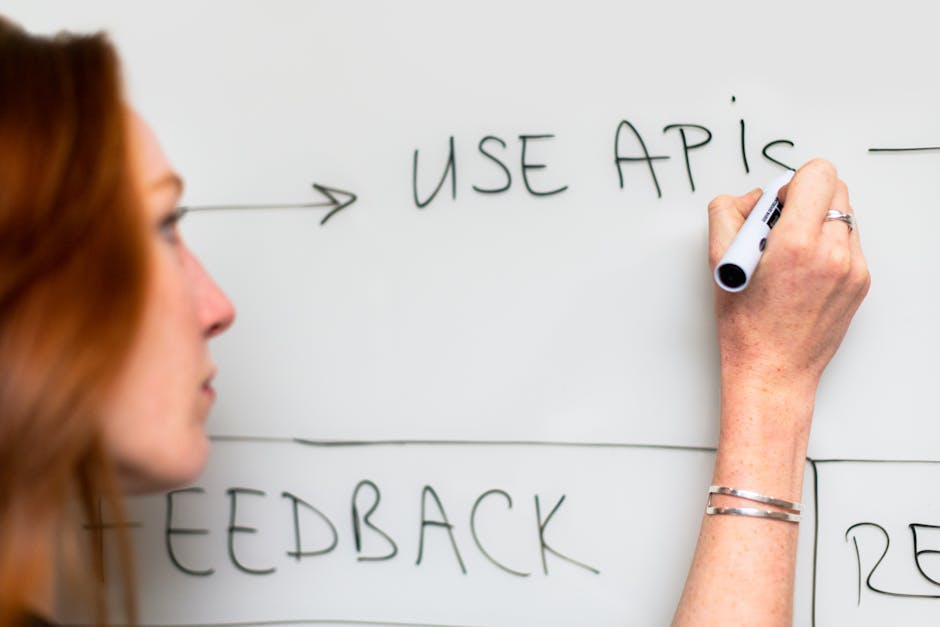
    A woman writes 'Use APIs' on a whiteboard, focusing on software planning and strategy.

    Autonomy: How Much Does the AI Do Without You?

    This is the biggest difference between the two tools, and it maps directly to how you work.

    Cursor: Suggest, Review, Accept

    Cursor’s default mode is suggestion-based. You write a prompt, it generates code, you review it, you accept or reject. It can write entire functions, but it doesn’t autonomously edit multiple files or run terminal commands unless you explicitly tell it to.

    This is safer. You’re always in control. The AI never does something you didn’t see coming. For solo founders building their first SaaS product, or developers who want to understand every line that goes into production, this is the right model.

    Cursor also has a Composer mode (added in late 2025) that allows multi-file edits in a more agentic way, but it’s still more manual than Windsurf’s default behaviour. You’re approving changes file by file, not letting the AI run loose across your project.

    Windsurf: Agentic by Default

    Windsurf is built around autonomous workflows. You give it a high-level task like “add user authentication with email and password”, and it will create the API route, update the database schema, build the frontend form, add error handling, and write the TypeScript types. All in one go.

    When this works, it’s faster than anything else available in 2026. When it doesn’t, you’re untangling changes across six files that you didn’t ask for. The model isn’t perfect, and neither is the tool’s ability to predict what you actually wanted.

    Windsurf also has a terminal integration that lets the AI run commands. It can install packages, run migrations, start dev servers, and execute tests. Cursor can do this too, but Windsurf makes it the default behaviour. That’s powerful if you trust it. It’s risky if you don’t.

    For small teams or agencies like Inqodo building multiple SaaS products in parallel, Windsurf’s autonomy is a net win. For founders who are still learning how their codebase works, Cursor’s review-first model is safer.

    A top-down view of analytical data sheets and a laptop, ideal for business analysis themes.

    Pricing: What You Actually Pay

    Both tools charge monthly subscriptions. Both let you bring your own API keys if you want to use your own Claude or GPT-4 credits. The difference is in how much you pay for the built-in model access.

    Cursor Pricing

    Cursor offers a free tier with limited AI requests, then charges $20/month for the Pro plan. That gets you 500 “fast” requests per month using GPT-4 or Claude 3.5 Sonnet, plus unlimited “slow” requests that use slightly older models or rate-limited access.

    If you run out of fast requests, you can either wait until next month, pay for additional credits, or bring your own API key from OpenAI or Anthropic. Most developers building a SaaS MVP full-time hit the 500-request limit within two weeks. After that, you’re either paying extra or using your own API key.

    For a solo founder building an MVP over 4–6 weeks, expect to spend $20–40 total on Cursor, plus another $30–50 on API credits if you’re using Claude heavily. That’s roughly $70–90 for the entire build. Not expensive, but not free either.

    Windsurf Pricing

    Windsurf is free during its beta period as of early 2026, but Codeium has indicated they’ll introduce a paid tier similar to Cursor’s pricing model. The free tier currently has no hard request limits, but does throttle heavy users during peak hours.

    Once pricing launches, expect something close to $20–30/month for unlimited access to fast models. Codeium’s business model historically relied on enterprise sales rather than individual subscriptions, so the free tier may remain more generous than Cursor’s.

    For now, Windsurf is the cheaper option. That won’t last, but if you’re trying to ship an MVP in the next few months, it’s worth considering.

    Software developer analyzing code on a tablet in a modern office workspace.

    SaaS-Specific Workflows: What Actually Matters When You’re Building a Product

    Most comparisons treat these tools like generic code editors. They’re not. If you’re building a SaaS product, you’re doing specific things repeatedly: setting up authentication, integrating Stripe, building admin panels, connecting APIs, writing database migrations. The tool that makes those tasks faster is the tool you should use.

    Authentication and User Management

    Both tools handle this well, but Cursor’s documentation integration gives it an edge. You can point Cursor at Supabase’s auth docs or NextAuth’s setup guide, and it will generate code that matches the current API. Windsurf can do this too, but you’re more likely to get boilerplate that needs manual adjustment.

    For a typical SaaS MVP, setting up auth with Cursor takes 20–30 minutes including email verification and password reset flows. Windsurf is faster if you’re comfortable reviewing multi-file changes, but the time savings are marginal.

    Stripe Integration and Billing

    Stripe integration is where Windsurf’s multi-file editing shines. A working billing system needs a webhook handler, a database table for subscriptions, frontend components for plan selection, and API routes for checkout sessions. Windsurf can scaffold all of this from a single prompt. Cursor will do it too, but you’re approving each file individually.

    We’ve built Stripe integrations with both tools. Windsurf is faster for the initial setup. Cursor is better when you’re debugging webhook failures or adding custom subscription logic, because you’re working file by file and the AI isn’t making assumptions about what else needs to change.

    Admin Panels and Internal Tools

    Admin panels are repetitive. User lists, search, filtering, role management, activity logs. Both tools generate this kind of CRUD interface quickly, but Windsurf’s autonomy means you can describe the entire panel in one prompt and get a working version in minutes.

    Cursor requires more back-and-forth. You’ll prompt for the user list, then the search functionality, then the role editor. It’s slower, but you’re less likely to end up with an admin panel that looks right but has broken state management or missing error handling.

    API Integrations and External Services

    If your SaaS connects to external APIs like Slack, HubSpot, or Google Calendar, both tools handle this, but context matters. Cursor’s ability to reference live documentation means it’s better at generating code that matches the current version of an API. Windsurf is faster at scaffolding the integration, but you’re more likely to need to fix deprecated endpoints or changed response formats.

    For a SaaS product that relies heavily on third-party integrations, Cursor’s doc-aware context is worth the extra manual approval steps.

    Three young people working on computers in a creative office with vibrant graffiti walls.

    Who Should Use Which Tool?

    This isn’t about which tool is better. It’s about which tool matches how you work and what you’re building.

    Use Cursor If:

    • You’re a solo founder building your first SaaS product and want to understand every line of code that goes into production.
    • You’re working on a project with complex business logic where autonomous edits across multiple files would create more problems than they solve.
    • You’re integrating third-party APIs frequently and need the AI to reference current documentation, not outdated examples.
    • You prefer a suggestion-based workflow where you review and approve changes file by file.
    • You’re coming from VS Code and don’t want to relearn keyboard shortcuts or lose your existing extensions.

    Use Windsurf If:

    • You’re building multiple SaaS products in parallel and need to move faster, even if that means reviewing diffs more carefully.
    • You’re working on a large codebase or monorepo where changes in one file often require updates in several others.
    • You’re comfortable with agentic AI workflows and trust yourself to catch mistakes in multi-file edits.
    • You want the AI to handle terminal commands, package installation, and migrations without manual approval.
    • You’re in the early prototyping phase and speed matters more than control.

    At Inqodo, we use both depending on the project. For MVPs where the founder is learning alongside us, Cursor’s review-first model makes collaboration easier. For internal tools or projects where we’re moving fast and the team knows the stack well, Windsurf’s autonomy saves hours per day.

    The choice isn’t permanent. Both tools work with the same codebases, and you can switch between them mid-project if your needs change. Most developers we know who build SaaS full-time in 2026 have both installed and use whichever fits the task.

    What About Other AI Coding Tools?

    GitHub Copilot, Tabnine, and Replit’s Ghostwriter all exist. They’re fine for autocomplete and single-file suggestions. They’re not competitive with Cursor or Windsurf for codebase-aware, multi-file SaaS development in 2026.

    Copilot is still the best inline autocomplete tool, and many developers use it alongside Cursor or Windsurf for line-level suggestions. But if you’re trying to scaffold an entire feature, integrate a payment provider, or refactor your database schema, Copilot isn’t built for that workflow.

    Replit is a different category entirely. It’s a browser-based IDE with AI built in, and it’s excellent for prototyping or learning. It’s not where you build a production SaaS product that needs to scale, handle real user data, or integrate with your own infrastructure.

    The two tools that matter for serious SaaS development in 2026 are Cursor and Windsurf. Everything else is either too limited or solving a different problem.

    The Real Cost: Time, Not Subscription Fees

    A $20/month tool that saves you 10 hours per week is worth $2,000/month if your time is worth $50/hour. The subscription cost is noise. The question is whether the tool makes you faster at the things that matter.

    For SaaS development, the things that matter are: setting up auth, integrating billing, building admin interfaces, connecting APIs, writing migrations, and deploying updates. Both Cursor and Windsurf make all of these faster than writing code manually. The difference is whether you value control or speed more.

    In our experience building MVPs for founders, AI coding tools reduce the time from idea to deployed product by 30–40%. That’s the difference between shipping in six weeks instead of ten, or spending $8,000 instead of $15,000 on development.

    If you’re trying to estimate what your SaaS will cost to build, the tool you use matters less than whether you’re building the right features. Most founders overestimate what they need in an MVP. A cost calculator helps, but an honest conversation about scope helps more.

    How to Choose: A Practical Framework

    Try both for a week. Build the same feature in both editors. Set up a simple CRUD interface, add authentication, integrate one external API. You’ll know within three days which workflow feels faster.

    Here’s what to test specifically:

    • Context accuracy: Ask both tools to generate code that references an existing function or component. Which one gets the details right without you manually specifying the file?
    • Multi-file edits: Prompt both tools to add a new database table and update the API routes, types, and frontend components that depend on it. Which one handles this in fewer steps?
    • Documentation integration: Try integrating a third-party API you haven’t used before. Which tool generates code that matches the current API documentation?
    • Error recovery: Introduce a bug intentionally and ask the AI to fix it. Which tool identifies the root cause faster?

    Most developers building SaaS products in 2026 end up preferring one tool by day three. The preference is usually obvious once you’ve used both on real work, not toy examples.

    If you’re a founder without a technical background, this matters less than finding a development partner who knows how to use these tools well. The tool doesn’t write good code by itself. A developer who knows what to ask for, how to review the output, and when the AI is confidently wrong is what makes these tools valuable.

    Frequently Asked Questions

    Which is better, Cursor or Windsurf for coding?

    Cursor is better if you want control and prefer reviewing changes file by file. Windsurf is better if you value speed and are comfortable with autonomous multi-file edits. Both use the same AI models, so the difference is workflow, not intelligence. Most developers building SaaS products full-time in 2026 have both installed and switch depending on the task.

    Is Windsurf better than Cursor for large codebases?

    Yes. Windsurf’s Cascade context system is designed for large codebases and maintains a persistent understanding of your project structure. It handles multi-file edits and cross-service changes better than Cursor, which requires more manual file specification as projects grow past 100 files. For monorepos or microservice architectures, Windsurf is the stronger choice.

    What is the difference between Cursor and Windsurf?

    Cursor is a VS Code fork with AI chat and codebase indexing built in. It suggests code and waits for your approval. Windsurf is an AI-native editor built around autonomous workflows, where the AI can edit multiple files and run terminal commands without manual confirmation. Cursor prioritises control, Windsurf prioritises speed. Both integrate Claude, GPT-4, and other models.

    Which AI code editor is best for SaaS development?

    Cursor and Windsurf are the two tools that matter for production SaaS development in 2026. Cursor is better for founders who want to understand every change and are integrating third-party APIs frequently. Windsurf is better for experienced developers or agencies building multiple products in parallel. GitHub Copilot is good for autocomplete but not codebase-aware feature development.

    Can Cursor and Windsurf work with the same AI models?

    Yes. Both tools support Claude 3.5 Sonnet, GPT-4, and other leading models. You can use the built-in model access included in their subscriptions, or bring your own API keys from OpenAI or Anthropic. The model isn’t the differentiator, the context handling and autonomy are. Switching between tools mid-project is possible without losing model access.

    How do cursor windsurf ai coding tools for saas development 2026 compare on pricing?

    Cursor charges $20/month for 500 fast AI requests, with additional costs if you exceed that or bring your own API keys. Windsurf is currently free during beta but will likely introduce a $20–30/month paid tier in 2026. For a typical SaaS MVP built over 4–6 weeks, expect to spend $70–90 total on Cursor including API costs. Windsurf is cheaper now, but that advantage is temporary.

    Do AI coding tools reduce SaaS development costs?

    Yes. AI coding tools reduce development time by 30–40% for repetitive tasks like authentication setup, API integrations, CRUD interfaces, and boilerplate generation. For a SaaS MVP, that translates to shipping in 4–6 weeks instead of 8–10 weeks, or spending $8,000 instead of $12,000 on development. The cost of the tool itself is negligible compared to the time saved.

    Ready to Get Started?

    Choosing between Cursor and Windsurf matters, but it matters less than choosing the right features to build. Most SaaS MVPs fail because they built the wrong thing, not because they used the wrong editor.

    If you’re a founder trying to figure out what to build first, or whether your feature list is realistic for your budget and timeline, we’ll tell you honestly. Before we write a line of code. That’s the conversation that actually determines whether your SaaS succeeds, not which AI tool wrote the authentication logic.

    We build production-ready SaaS products and MVPs for founders who want to ship quickly without cutting corners on architecture. Most MVPs ship in 4–6 weeks. Pricing starts at $2,000 for validation builds, $8,000–$15,000 for full MVPs with auth, billing, and core features.

    Get in touch at inqodo.com if you want to talk through what you’re building and whether it’s scoped correctly. We’ll tell you if it’s not.

  • Multi-Tenant SaaS Architecture Explained: Complete Guide

    Multi-Tenant SaaS Architecture Explained: Complete Guide

    Multi-tenant SaaS architecture explained: it’s a design pattern where a single application instance serves multiple customers (tenants) from shared infrastructure. Each tenant’s data is logically isolated. None of them know the others exist. That’s multi-tenancy, and it’s the architectural pattern that makes SaaS economics work. Without it, you’d need to deploy separate infrastructure for every customer. With it, you share the cost across everyone and scale without rebuilding the product for each new signup.

    If you’re building a SaaS product in 2026, you’re almost certainly building a multi-tenant one. The question isn’t whether to use multi-tenancy. It’s how to implement it without creating security holes, performance bottlenecks, or a deployment nightmare six months in.

    A programmer working on code with a laptop and monitor setup in an office.

    What Is Multi-Tenant SaaS Architecture Explained?

    Multi-tenant SaaS architecture is a design pattern where a single application instance serves multiple customers (tenants) from shared infrastructure. Each tenant’s data is logically isolated, but the underlying database, application servers, and codebase are shared.

    The word “tenant” comes from property rental. Multiple tenants live in the same building, use the same utilities, but have separate locked apartments. In SaaS, multiple companies use the same software, run on the same servers, but see only their own data.

    This is different from single-tenant architecture, where each customer gets their own dedicated instance of the application. Slack, Notion, and most modern SaaS products are multi-tenant. Enterprise software sold as “private cloud” is often single-tenant.

    The core technical challenge is isolation. You need to ensure that Tenant A can never see, modify, or delete Tenant B’s data, even though both are stored in the same database and processed by the same application code. Get this wrong and you have a data breach. Get it right and you have a scalable SaaS business.

    We build multi-tenant architectures for every SaaS product we ship at Inqodo. It’s not optional. It’s the foundation that makes the rest of the product work.

    Steel framework cabinets housing servers networking devices and cables in contemporary equipped data center

    How Multi-Tenancy Works: Shared Infrastructure with Logical Isolation

    Multi-tenant architecture works by adding a tenant identifier to every piece of data and every request. When a user logs in, the system identifies which tenant they belong to. Every database query, every API call, every file upload is scoped to that tenant ID. The application enforces this boundary in code.

    Here’s what happens when a user from Company A logs into your SaaS product:

    • They authenticate. The system checks their email against the users table and finds their tenant ID (say, tenant_123).
    • The session stores that tenant ID. Every subsequent request includes it.
    • When they request a list of projects, the query filters by tenant_123. They see only their company’s projects.
    • When they create a new project, the system automatically assigns tenant_123 to that record.
    • If they try to access a project from tenant_456 (Company B), the query returns nothing. The application doesn’t throw an error. It just filters them out.

    This pattern repeats for every feature. Invoices, users, files, API keys. Everything is scoped by tenant. The database doesn’t care that it’s storing data for 500 companies. It’s just rows with a tenant_id column. The application code enforces the boundaries.

    The alternative is single-tenant architecture, where each customer gets their own database, their own application instance, sometimes their own server. That model works for enterprise customers who demand it (and pay for it). For most SaaS products, it’s too expensive to operate and too slow to scale. If you’re building a SaaS product with AI or targeting small-to-midsize businesses, multi-tenancy is the default.

    Hands holding financial documents with calculator and laptop on office desk, business analysis scene.

    Why Multi-Tenant Architecture Matters: Cost and Scale

    Multi-tenant architecture exists because it’s cheaper to run and faster to scale than single-tenant alternatives. The economics are simple. One database costs less than 100 databases. One deployment pipeline is faster than 100 deployment pipelines. One codebase is easier to maintain than 100 forks.

    Here’s what that looks like in practice. A single-tenant SaaS product with 50 customers might require 50 separate database instances, 50 sets of environment variables, 50 deployments every time you push a bug fix. A multi-tenant product with 50 customers requires one database, one deployment, one set of infrastructure. The operational cost difference is not 50x, but it’s significant.

    This model also makes scaling predictable. When you add customer 51, nothing changes. The same database handles the new tenant. The same application servers process their requests. You don’t provision new infrastructure until you hit actual resource limits, which typically happens in the hundreds or thousands of tenants, not the tens.

    According to the 2025 SaaS Infrastructure Benchmark Report by Bessemer Venture Partners, multi-tenant SaaS companies achieve 60% lower infrastructure costs per customer than single-tenant equivalents at scale.

    The cost savings matter most in the early stages. When you’re building your MVP or trying to reach your first 100 customers, you don’t have the revenue to justify dedicated infrastructure per customer. Multi-tenancy lets you serve 10 customers or 1,000 customers from the same architecture. That’s why nearly every SaaS MVP we build is multi-tenant from day one.

    A living room setup featuring a tablet, smartphone, and TV with remote control.

    Single-Tenant vs Multi-Tenant: When to Use Each

    Single-tenant architecture makes sense in three situations. First, when a customer requires it for compliance or security reasons. Healthcare, finance, and government customers often demand isolated infrastructure. Second, when a customer is large enough to justify the operational cost. If one customer represents 40% of your revenue, giving them a dedicated instance is a reasonable trade. Third, when you’re selling to enterprises who expect customisation at the infrastructure level, not just the application level.

    For everyone else, multi-tenant is the right choice. It’s faster to build, cheaper to run, and easier to maintain. The tradeoff is complexity. You need to design for isolation from the start. You need to test that a bug in Tenant A’s account doesn’t affect Tenant B. You need to handle noisy neighbour problems, where one tenant’s heavy usage slows down everyone else.

    Here’s a practical comparison:

    • Multi-tenant: Shared database, shared application, logical isolation. Lower cost per customer, faster to deploy, harder to customise per tenant. Best for most SaaS products targeting SMBs or mid-market.
    • Single-tenant: Dedicated database, dedicated application, physical isolation. Higher cost per customer, slower to deploy, easier to customise per tenant. Best for enterprise customers with compliance requirements or large contracts.
    • Hybrid: Some tenants on shared infrastructure, some on dedicated. Common in mature SaaS companies. Adds operational complexity but lets you serve both markets.

    Most founders don’t need to choose on day one. Start multi-tenant. If an enterprise customer demands single-tenant later, that’s a good problem. It means you have revenue to justify the complexity. Optimising for that scenario too early is one of the common SaaS startup mistakes we see repeatedly.

    Close-up view of a computer screen displaying code in a software development environment.

    How to Implement Multi-Tenant Architecture: Database Design Patterns

    There are three common ways to implement multi-tenancy at the database level. Each has tradeoffs. The right choice depends on your isolation requirements, scale expectations, and how much operational complexity you’re willing to manage.

    Row-level tenancy (shared schema): All tenants share the same database and the same tables. Every table has a tenant_id column. Queries filter by tenant_id. This is the simplest model and the one we use for most projects. It scales well into the thousands of tenants, keeps infrastructure costs low, and makes migrations straightforward. The risk is a missing WHERE tenant_id = clause in a query, which could expose data across tenants. That’s preventable with good testing and query abstractions.

    Schema-level tenancy: Each tenant gets their own database schema within a shared database instance. Tenant A’s data lives in schema_tenant_a, Tenant B’s in schema_tenant_b. This provides stronger isolation than row-level tenancy and makes it easier to restore a single tenant’s data without affecting others. The tradeoff is operational complexity. Migrations need to run across every schema. Monitoring needs to track per-schema metrics. This model works well when you have tens or low hundreds of tenants, not thousands.

    Database-level tenancy: Each tenant gets their own dedicated database instance. This is the strongest isolation model and the most expensive to operate. It’s effectively single-tenant infrastructure with a multi-tenant application layer. Use this only when compliance requires it or when you’re serving very large enterprise customers who demand it contractually.

    For most SaaS products, row-level tenancy is the right starting point. It’s what we use at Inqodo unless a project has specific requirements that justify the added complexity of schema- or database-level isolation. You can always migrate to a more isolated model later if a customer demands it. Starting there is premature optimisation.

    A group of coworkers engaged in a creative brainstorming session with colorful Post-it notes and a digital display.

    Operational Concerns: Noisy Neighbours, Quotas, and Observability

    The hardest part of multi-tenant architecture isn’t building it. It’s operating it. You need to prevent one tenant from degrading performance for everyone else, enforce usage limits fairly, and diagnose problems at the tenant level without exposing cross-tenant data.

    The “noisy neighbour” problem is real. One tenant runs a bulk import that locks the database. Another tenant’s user writes an API script that hits your endpoints 10,000 times per minute. A third tenant uploads 50GB of files in an hour. If you don’t design for this, one tenant’s behaviour affects everyone else’s experience. The fix is rate limiting, resource quotas, and query timeouts. Every API endpoint should have per-tenant rate limits. Every background job should have execution time limits. Every file upload should check against a per-tenant storage quota.

    Observability in a multi-tenant system means tagging everything by tenant. Logs, metrics, traces. When a customer reports a bug, you need to filter your monitoring dashboard to their tenant ID and see exactly what happened. When query performance degrades, you need to identify which tenant’s queries are slow. When an error rate spikes, you need to know if it’s affecting all tenants or just one. Without tenant-scoped observability, debugging multi-tenant systems is guesswork.

    Tenant provisioning is another operational concern. When a new customer signs up, what happens? In a well-designed multi-tenant system, nothing. The application creates a new tenant record, assigns a tenant ID, and the user starts working. No manual setup, no infrastructure provisioning, no deployment. If onboarding a new tenant requires engineering work, your architecture isn’t truly multi-tenant yet.

    These concerns don’t appear in the first week of building a SaaS product. They appear in month three when you have 20 customers and one of them is using 80% of your database connections. Planning for them early is cheaper than retrofitting them later. When we scope a SaaS project, we factor in rate limiting, tenant quotas, and observability from the start. It’s not optional infrastructure. It’s how you keep a multi-tenant product running reliably as it scales.

    Is Multi-Tenant Architecture Secure?

    Multi-tenant architecture is secure if you design it to be secure. The risk isn’t the pattern itself. The risk is a missing tenant filter in a query, a broken access control check, or a poorly scoped API key. These are implementation problems, not architectural ones.

    The most common security mistake in multi-tenant systems is a query that forgets to filter by tenant_id. A developer writes SELECT * FROM projects WHERE user_id = 123 instead of SELECT * FROM projects WHERE user_id = 123 AND tenant_id = ‘tenant_abc’. That query returns projects across all tenants, not just the user’s tenant. If that data reaches the frontend, you have a data leak.

    The fix is to enforce tenant scoping at the framework level, not the query level. Use an ORM or database abstraction layer that automatically adds tenant filters to every query. In our projects, we use row-level security policies in Supabase or middleware in Next.js that injects the tenant context into every request. That way, forgetting to add the tenant filter isn’t possible. The framework enforces it.

    Another risk is cross-tenant data exposure through shared resources. If two tenants upload files to the same S3 bucket without proper key prefixing, one tenant could theoretically guess another tenant’s file URL. The fix is to scope every shared resource by tenant. Files go into /tenant_abc/filename.pdf, not /filename.pdf. API keys include the tenant ID. Sessions store the tenant ID and validate it on every request.

    Multi-tenant SaaS products are used by millions of businesses globally. Slack, Notion, Salesforce, and most modern SaaS tools are multi-tenant. The architecture is proven. The security concerns are real but solvable. If you’re deciding between custom software development and no-code tools, one advantage of custom development is that you control the tenant isolation logic. No-code platforms handle it for you, which is fine until you need custom isolation rules or compliance certifications.

    Choosing the Right Multi-Tenant Model for Your SaaS

    If you’re building a SaaS product that serves multiple customers, you need multi-tenancy. The question is which implementation model fits your product, your customers, and your operational capacity.

    Start with row-level tenancy unless you have a specific reason not to. It’s the simplest to build, the cheapest to run, and the easiest to maintain. If you’re building an MVP or trying to reach product-market fit, this is the right choice. You can always migrate to schema-level or database-level tenancy later if a customer demands it or compliance requires it.

    Plan for tenant-scoped observability from day one. Tag your logs, metrics, and traces by tenant ID. When a customer reports a bug, you need to see what happened in their account without exposing data from other accounts. This isn’t a feature you add later. It’s infrastructure you build into the foundation.

    Enforce tenant isolation at the framework level, not the application level. Use middleware, ORM policies, or database-level row security to ensure every query is scoped by tenant. Relying on developers to remember to add tenant filters is how data leaks happen.

    The cost difference between multi-tenant and single-tenant architecture matters most in the early stages. If you’re trying to figure out how much SaaS development costs, multi-tenancy reduces your infrastructure spend significantly. That lets you focus budget on product features instead of operational overhead.

    We’ve built multi-tenant SaaS products for 30+ founders. The architecture works. The tradeoffs are predictable. The mistakes are avoidable if you design for isolation from the start. If you’re not sure which model fits your product, use our SaaS cost calculator to estimate the cost of different approaches, or get in touch and we’ll scope it with you.

    Frequently Asked Questions

    What is multi-tenant SaaS architecture?

    Multi-tenant SaaS architecture is a design pattern where a single application instance serves multiple customers (tenants) from shared infrastructure. Each tenant’s data is logically isolated using tenant identifiers, but the database, application servers, and codebase are shared. This model reduces infrastructure costs and makes scaling predictable compared to single-tenant architectures where each customer gets dedicated resources.

    What is the difference between single-tenant and multi-tenant architecture?

    Single-tenant architecture gives each customer a dedicated instance of the application, including separate databases and servers. Multi-tenant architecture serves all customers from a shared instance with logical data isolation. Single-tenant costs more to operate but offers stronger physical isolation. Multi-tenant costs less and scales faster but requires careful design to prevent cross-tenant data exposure. Most modern SaaS products use multi-tenant architecture.

    How does multi-tenancy work in SaaS?

    Multi-tenancy works by adding a tenant identifier to every piece of data and every request. When a user logs in, the system identifies their tenant and scopes all database queries, API calls, and file operations to that tenant ID. The application enforces this boundary in code, ensuring users can only access data belonging to their tenant. This happens automatically through middleware or ORM-level filters that inject tenant context into every operation.

    What are the benefits of multi-tenant architecture?

    Multi-tenant architecture reduces infrastructure costs by sharing resources across customers, makes scaling predictable because adding new customers doesn’t require new infrastructure, and simplifies operations by maintaining a single codebase and deployment pipeline. According to Bessemer Venture Partners, multi-tenant SaaS companies achieve 60% lower infrastructure costs per customer than single-tenant equivalents at scale. This model is especially valuable for early-stage SaaS products where minimising operational overhead is critical.

    Is multi-tenant architecture secure?

    Multi-tenant architecture is secure when implemented correctly. The main risk is a missing tenant filter in a query that could expose data across tenants. This is preventable by enforcing tenant scoping at the framework level using middleware, ORM policies, or database row-level security. Major SaaS platforms like Slack, Notion, and Salesforce use multi-tenant architecture and serve millions of users securely. The architecture itself is proven, the security concerns are real but solvable through proper isolation design.

    How do you implement multi-tenant SaaS architecture explained for developers?

    Implementation typically uses one of three database patterns: row-level tenancy where all tenants share tables and every row has a tenant_id column, schema-level tenancy where each tenant gets a separate database schema, or database-level tenancy where each tenant gets a dedicated database. Row-level is simplest and most common for startups. The key is enforcing tenant filters automatically through your ORM or middleware so developers can’t accidentally write queries that leak data across tenants.

    When should you use single-tenant instead of multi-tenant architecture?

    Use single-tenant architecture when a customer requires it for compliance or security reasons (common in healthcare, finance, and government), when one customer is large enough to justify dedicated infrastructure costs, or when you’re selling to enterprises who expect infrastructure-level customisation. For most SaaS products targeting small-to-midsize businesses, multi-tenant is the right choice. You can always offer single-tenant as an enterprise option later once you have the revenue to support the operational complexity.

    Ready to Get Started?

    Building a multi-tenant SaaS product means making architectural decisions that affect security, cost, and scalability from day one. Get them right and you have a foundation that scales with your business. Get them wrong and you’re refactoring in production six

  • SaaS Startup Mistakes to Avoid in 2026: Expert Guide

    SaaS Startup Mistakes to Avoid in 2026: Expert Guide

    Most SaaS startups fail before they find their first ten paying customers. The code works. The product looks good. But somewhere between launch and month six, the runway runs out and nobody can explain why the thing nobody asked for took nine months to build. These common SaaS startup mistakes to avoid are predictable. Most of them happen before a single line of code is written.

    This guide covers the mistakes we see founders make repeatedly in 2026. These are the ones that cost months and tens of thousands in wasted spend. Some are strategic. Some are tactical. All of them are avoidable if you know what to look for before you start building.

    Stressed man at desk looking at declining stock charts on laptop, indicating financial loss.

    Building Before You Validate the Market

    The most expensive mistake is building the wrong product perfectly. We have worked with founders who spent £40,000 on a beautifully architected platform that nobody wanted. The problem was not the code. The problem was that nobody checked whether the problem they were solving was one people would pay to fix.

    Validation does not mean asking friends if your idea sounds good. It means finding ten people who will pay you money, today, for a solution that does not exist yet. If you cannot find ten people willing to pre-pay or commit to a pilot, you do not have a market. You have a hypothesis.

    Here is what real validation looks like:

    • Run a landing page with a waitlist and a clear description of what the product does. If 100 visitors produce zero email signups, that is data.
    • Sell the product before it exists. Take pre-orders, run a pilot, offer founding member pricing. If nobody converts, do not build it.
    • Talk to 20-30 people in your target market. Ask what they currently use, what they pay, and what would make them switch. If the answer is “nothing,” move on.

    Most founders skip this because validation feels slow. Building feels like progress. But building the wrong thing is slower than validating the right one. A two-week validation sprint costs you time. A six-month build that nobody uses costs you the business.

    If you are not sure whether your idea is worth building, we would recommend using a SaaS cost calculator to understand what you are committing to financially, then spending two weeks trying to sell it before you spend a penny on development.

    Two businessmen engaging in a discussion over coffee. Professional and focused atmosphere.

    Common SaaS Startup Mistakes to Avoid: Getting Pricing Wrong From Day One

    Founders either underprice out of fear or overprice because they added up the hours it took to build. Both are wrong. Pricing is not about cost. It is about value, positioning, and what the market will bear.

    The most common pricing mistake in 2026 is launching with a free tier that has no path to paid. Free users cost money to support, and if your product does not have a clear upgrade trigger, you end up with thousands of free accounts and no revenue. Free is a go-to-market strategy, not a business model.

    Here is what works:

    • Price based on the value you deliver, not the effort it took to build. If your tool saves a company £5,000 a month, charging £500 is defensible. Charging £50 is leaving money on the table.
    • Start higher than feels comfortable. You can always discount or add a cheaper tier later. Raising prices on existing customers is harder and burns goodwill.
    • Use usage-based pricing if your cost scales with usage. Per-seat pricing works for collaboration tools. Per-transaction works for payment platforms. Pick the model that aligns your revenue with customer success.
    • Test pricing before launch. Show three pricing tiers to 20 potential customers and ask which they would pick. If everyone picks the cheapest, your middle tier is your new entry price.

    According to ProfitWell’s 2025 SaaS pricing benchmarks, companies that test pricing with customers before launch see 30% higher revenue per customer in year one compared to those that guess.

    We have worked with founders who launched at £29/month because that is what competitors charged, only to realize six months in that their target customers were enterprises with £10,000 budgets. The product was right. The pricing left 95% of the revenue on the table. For more on what development costs actually look like and how that should inform your pricing strategy, see our breakdown of SaaS development costs in the UK and Europe.

    Business professional drawing graph during office presentation with colleague

    Overbuilding the MVP

    An MVP is not a cheaper version of your full product. It is the smallest thing that proves people will pay for the core value you are offering. If your MVP has 14 features, it is not an MVP. It is a full product you are pretending is an MVP to justify the scope.

    The goal of an MVP is to answer one question: will people pay for this? Everything else is noise. We have seen founders add user roles, advanced analytics, integrations, and mobile apps to their MVP because “users will expect it.” No they will not. They will expect the product to solve the problem you promised to solve. If it does that, they will pay. If it does not, the extra features do not matter.

    Here is how to scope an MVP properly:

    • Identify the one workflow that delivers the core value. If you are building invoicing software, the MVP is creating and sending an invoice. Not recurring billing, not multi-currency, not reporting. Just the one thing.
    • Cut everything that is not essential to that workflow. User roles can wait. A mobile app can wait. If the product works without it, it is not in the MVP.
    • Ship it in 4-6 weeks, not 6 months. If your MVP timeline is longer than two months, you are building too much.

    Most agencies will say yes to the full feature list because yes wins the project. We tell founders when their scope is three products, not one. A properly scoped MVP costs $8,000-$15,000 and ships in 4-6 weeks. An overbuilt one costs $40,000, takes six months, and launches to silence because by the time it is ready, the market has moved on. For a deeper look at what you should actually build first, read our guide on SaaS MVP vs full product.

    Close-up of a person coding on a laptop, showcasing web development and programming concepts.

    Ignoring Customer Onboarding and Support

    A user who does not understand your product in the first five minutes will not become a paying customer. Onboarding is not a nice-to-have. It is the difference between a 10% conversion rate and a 60% conversion rate.

    The mistake founders make is assuming the product is intuitive because they built it. It is not. You know where every button is because you put it there. A new user is looking at your interface for the first time, trying to figure out whether this thing is worth their time. If the path to value is not obvious, they leave.

    Here is what good onboarding looks like in 2026:

    • Show value in the first session. Do not make users fill out a profile, connect six integrations, and read a tutorial before they see the product work. Let them complete one meaningful action in under two minutes.
    • Use progressive disclosure. Do not explain every feature upfront. Show users the next step when they are ready for it.
    • Offer human support early. A chatbot is fine for FAQs. A real conversation in the first week closes deals. We have seen founders close 40% of trial users just by offering a 15-minute onboarding call.
    • Measure where users drop off. If 60% of signups never complete setup, your onboarding is broken. Fix that before you spend another pound on ads.

    Support is not just about answering questions. It is about learning why users are confused, what they expected, and what you need to fix. Every support ticket is product feedback. Founders who treat it as an interruption miss half the insights they need to improve the product.

    Friendly female call center agent with headset smiling in office setting.

    Failing to Solve the Customer Acquisition Problem

    Building the product is half the problem. Getting people to use it is the other half. Most founders treat marketing as something they will figure out after launch. By the time they realize nobody knows the product exists, they have three months of runway left and no distribution strategy.

    The most common acquisition mistake is trying to do everything at once. Founders launch with a content strategy, a paid ads budget, cold outreach, partnerships, and an affiliate program. None of them work because none of them get enough focus to generate results. You need one channel that works before you add a second.

    Here is how to pick your first acquisition channel:

    • If you are B2B and selling to a specific industry, start with cold outreach. Build a list of 200 target companies, write a short email that leads with the problem you solve, and send 20 emails a day. If you cannot get five meetings in two weeks, your positioning is wrong.
    • If you are selling to developers or technical users, content and SEO work. Write about the problem your product solves, publish it where your audience already reads, and link to your product as the solution. This takes three months to work, so start early.
    • If you are consumer or prosumer, paid ads on Facebook or Google can work, but only if your lifetime value is at least 3x your cost per acquisition. If your product is £10/month and your CPA is £40, the math does not work.
    • If you have a network in your target market, use it. The fastest way to your first ten customers is people who already know you. Ask for intros, offer founding member pricing, close them personally.

    Do not spread your budget across five channels. Pick one, run it for 30 days, measure what happens, and double down if it works or kill it if it does not. For a step-by-step breakdown of how to close your first customers, see our guide on getting your first 100 SaaS customers.

    Bright yellow sticky note with holiday email marketing message clipped to a wireframe wall.

    Choosing the Wrong Tech Stack or Development Approach

    The tech stack you choose in month one will either accelerate your growth or become the reason you have to rebuild in year two. Founders make two mistakes here: picking tools they know instead of tools that fit the problem, or overengineering the stack because they are planning for scale they do not have yet.

    No-code tools like Bubble and Webflow are genuinely good for validation. They let you ship fast and test the idea without writing code. The problem comes when you try to scale, customize deeply, or own your data. We have worked with founders who built their MVP in Bubble, got traction, and then hit a wall when they needed custom workflows or enterprise features the platform could not support. Rebuilding cost them four months and £30,000.

    Here is when to use no-code and when to go custom:

    • Use no-code if you are testing an idea, need to launch in under two weeks, and are not sure people will pay yet. It is faster and cheaper than custom development for early validation.
    • Go custom if you are building something people are already paying for, need to scale beyond a few hundred users, or require features no-code platforms do not support well like complex permissions, custom APIs, or multi-tenancy.
    • Pick a modern stack that has a large developer community. Next.js, React, Node.js, and Supabase are solid choices in 2026 because they are well-documented, widely used, and you can hire developers who know them.

    The other mistake is building everything from scratch because you want full control. You do not need to write your own auth system, payment processing, or email infrastructure. Use Stripe for payments, Supabase for auth and database, and a service like Resend for transactional email. Your job is to build the thing that makes your product unique, not to rebuild Stripe. For more on choosing the right stack, read our guide on the best tech stack for SaaS startups in 2026, and for a comparison of custom vs no-code development, see custom software development for startups vs no-code.

    Mismanaging Runway and Burn Rate

    Running out of money is not a technical failure. It is a planning failure. Most founders know how much runway they have, but they do not track burn rate weekly or adjust spending when growth is slower than expected. By the time they realize the money is running out, it is too late to fix it.

    The mistake is treating your budget as fixed. If you raised £100,000 and planned for 12 months of runway, that assumes your revenue ramp happens on schedule. It will not. Revenue always takes longer than you expect, and if you do not adjust your burn rate when that happens, you will run out of money before you hit profitability.

    Here is how to manage runway properly:

    • Track your burn rate every week. Know exactly how much you are spending and how many months you have left at the current rate.
    • Set a trigger point. If you hit six months of runway with no clear path to revenue, cut spending immediately. Waiting until you have three months left is too late.
    • Separate must-have spending from nice-to-have. Your must-haves are product development, hosting, and the founder’s salary if they are full-time. Everything else, including paid ads, conferences, and additional hires, is discretionary. Cut discretionary spending first.
    • Revenue fixes everything. If you are burning £8,000/month and you add £5,000/month in revenue, your runway just doubled. Focus on getting to revenue faster than you focus on reducing costs.

    We have worked with founders who spent £50,000 on a product before they had a single customer conversation. That is not ambition. That is poor capital allocation. Build the smallest thing that proves the idea, charge for it, then use the revenue to fund the next phase. If you are not sure what that smallest thing costs, use a tool like our SaaS cost calculator to get a realistic estimate before you commit the budget.

    Frequently Asked Questions

    What are the biggest mistakes SaaS startups make?

    The biggest mistakes are building before validating the market, pricing too low or with no clear path to paid conversion, overbuilding the MVP with features that do not prove core value, and failing to solve customer acquisition early. Most SaaS failures happen because founders build something nobody wants or run out of money before they find product-market fit.

    How do you avoid SaaS startup failure?

    Validate demand before you build by pre-selling or running pilots with real customers. Scope your MVP to the smallest thing that delivers core value and ship it in 4-6 weeks, not six months. Pick one customer acquisition channel and make it work before adding others. Track your burn rate weekly and cut spending if revenue is slower than expected.

    What is the most common reason SaaS startups fail?

    Lack of product-market fit is the most common reason. Founders build a product based on assumptions, launch it, and discover nobody is willing to pay for it. The second most common reason is running out of money before reaching profitability, usually because they spent too much building the wrong thing or failed to solve customer acquisition fast enough.

    How do you validate a SaaS idea before building?

    Run a landing page with a clear description of the product and a waitlist or pre-order option. If you cannot get 50-100 signups or five pre-orders in two weeks, the demand is not there. Talk to 20-30 people in your target market and ask what they currently use, what they pay, and what would make them switch. If the answer is nothing, do not build it.

    How do SaaS startups get their first customers?

    The fastest way is through your existing network. Ask for introductions, offer founding member pricing, and close the first ten customers personally. If you are B2B, cold outreach works if your email leads with the specific problem you solve and includes a clear call to action. If you are targeting developers or technical users, write content that solves their problems and link to your product as the solution.

    What SaaS startup mistakes to avoid when choosing a tech stack?

    Do not pick a stack just because you know it or because it is trendy. Pick tools that fit the problem and have strong developer communities. Avoid overengineering for scale you do not have yet, and do not build infrastructure from scratch when reliable third-party services exist for auth, payments, and email. Use no-code for validation, but plan to rebuild in custom code if you get traction and need features no-code platforms cannot support.

    How much should a SaaS MVP cost to build?

    A properly scoped MVP with one core workflow, auth, and deployment typically costs $8,000-$15,000 and takes 4-6 weeks to build. If your MVP quote is over $30,000 or the timeline is longer than three months, you are building too much. The goal is to prove people will pay for the core value, not to build the full product on day one.

    Ready to Get Started?

    We have built 30+ SaaS products for founders who wanted to avoid these mistakes. Most MVPs ship in 4-6 weeks, and we scope every project before we price it so you know exactly what you are committing to before we write a line of code. If you are not sure whether your idea is ready to build, we will tell you. If it is, we will build it properly the first time.

    Get in touch at inqodo.com and we will walk you through what it takes to turn your idea into a working product people will pay for.

  • How to Get Your First 100 SaaS Customers in 2026

    How to Get Your First 100 SaaS Customers in 2026

    Most founders think getting their first 100 SaaS customers is about having the right marketing strategy. It’s not. It’s about having a real conversation with 100 people who have the problem you solve, and convincing them you’ve solved it well enough to pay. The marketing comes later. Right now, you need to talk to people.

    The difference between founders who get to 100 customers in three months and those still stuck at 12 after a year is not budget or connections. It’s whether they’re willing to do things that don’t scale. The playbook is unglamorous: find people with the problem, message them directly, get on a call, show them the product, ask for money. Repeat 100 times.

    This guide walks through exactly how to do that in 2026. No growth hacks. No viral loops. Just the direct path from zero to your first 100 paying customers.

    A man participates in a virtual meeting from his home workspace, focusing on remote work.

    Define Your Ideal Customer Profile Before You Do Anything Else

    You cannot get 100 customers if you don’t know who they are. Not “small businesses” or “SaaS founders.” Specific. What industry, what size, what role, what specific problem keeps them awake at 2am.

    Write down three things about your ideal first customer:

    • What they do for work (not just job title, the actual day-to-day)
    • What problem they have that your product solves (one sentence, no jargon)
    • Where they already spend time online (specific communities, not “social media”)

    Your first 100 customers should be nearly identical. Not because you’ll only serve this group forever, but because talking to 100 people with the same problem teaches you more than talking to 100 people with 100 different problems. You’re looking for pattern recognition, not diversity.

    If you’re building a SaaS product for restaurant managers who need better staff scheduling, your ICP is not “hospitality professionals.” It’s restaurant managers at independent restaurants with 15 to 40 staff, who currently use a spreadsheet or pen and paper, and who have complained about scheduling in the last six months. That level of specific.

    Most founders skip this step because it feels limiting. The real limit is trying to sell to everyone and converting no one. We’ve seen this firsthand with clients who come to us six months in, frustrated that nothing is working. The product is fine. The audience is too broad.

    A person writing calculations in a notebook on a wooden desk.

    Validate the Problem With Real Conversations Before You Scale Anything

    Before you spend money on ads or hire a growth person, talk to 20 people who match your ICP. Not a survey. Not a landing page. A conversation. Video call, phone call, or in person.

    Ask them three questions:

    • How do you currently solve this problem? (Listen for workarounds, manual processes, or competitors they’re unhappy with)
    • What would make you switch to something new? (This tells you what your product needs to do better, not just differently)
    • If I built this, would you pay for it? (Ask for a number. If they hesitate or say “it depends,” the problem isn’t painful enough yet)

    These conversations do two things. First, they confirm you’re solving a problem people will pay to fix. Second, they give you the exact language your customers use to describe the problem. Use that language everywhere, in your landing page, your emails, your demo. When a prospect reads your copy and thinks “how did they know exactly what I was thinking,” you’ve done this right.

    According to a 2025 First Round Capital study, startups that conducted at least 15 customer discovery interviews before launch were 2.5x more likely to reach product-market fit within 12 months than those who didn’t.

    If 15 out of 20 people say yes, they’d pay, and they can tell you a specific number, you’re ready to build and sell. If fewer than half are interested, the problem isn’t painful enough or your solution isn’t compelling. Rethink before you build more. This is the conversation that saves you six months and £30,000.

    Young adults enjoy a relaxed conversation and coffee in a stylish urban café.

    Use Direct Outreach to Get Your First 30 Customers

    Your first 30 customers will not find you. You need to find them. That means outbound, one person at a time. Email, LinkedIn, Twitter DMs, cold calls if your audience expects them. Personalized, specific, and honest about what you’re offering.

    Here’s the structure that works:

    • Line one: Reference something specific about them (a post they wrote, a problem they mentioned, a tool they said they use)
    • Line two: State the problem you solve in their words, not yours
    • Line three: One sentence about what your product does
    • Line four: Ask for 15 minutes to show them, with a specific benefit for their time

    Example: “Saw your post about scheduling chaos during peak season. We built a tool that auto-generates staff schedules based on your sales forecast and availability. Takes about four minutes to set up. Worth 15 minutes next week to see if it works for your restaurant?”

    Send 10 of these per day. Personalized, not templated. If you’re getting fewer than 2 responses out of 10, your targeting is wrong or your message isn’t specific enough. Adjust and send another 10.

    This does not scale. That’s the point. You’re not trying to reach 10,000 people. You’re trying to reach 100 people who will pay you. The ones who respond to a direct, honest message are the ones who become your best early customers. They’re also the ones who will tell you what’s broken and what to build next.

    Founders who are willing to send 300 personalized messages get to 30 customers faster than founders who spend three months building a content strategy. Both matter eventually. Right now, outbound matters more. If you’re not sure whether your product is ready for this, read this guide on what to build first.

    Person using a laptop to read an email indoors beside a potted plant.

    Build Trust With Personalization and Proof

    Nobody trusts a new SaaS product. Especially not one with zero customers, no reviews, and a founder they’ve never heard of. You need to give them a reason to take the risk. That reason is not your feature list.

    The three things that build trust fastest with early customers:

    • Specificity: Show them you understand their exact problem, not a general version of it
    • Speed: Offer to get them set up in one call, today if possible
    • A guarantee: Money back if it doesn’t work, cancel anytime, or free until they see value

    Early adopters are not buying your product. They’re buying your commitment to making it work for them. That means being available, responsive, and willing to build the one feature they need to say yes. Within reason. If they’re asking for a feature that benefits one person, probably not. If they’re asking for a feature that ten other prospects also mentioned, build it.

    One tactic that works surprisingly well: offer to set up their account for them. Onboarding is where most SaaS trials die. If you remove that friction entirely by doing it yourself, on a call, walking them through it, they’re far more likely to convert. This doesn’t scale to 10,000 customers. It absolutely works for your first 30.

    Proof matters too, but at this stage you don’t have much. Use what you have. One testimonial from a beta user is worth more than a feature comparison chart. A 30-second screen recording of the product working is worth more than a landing page with stock photos. Show the thing working. That’s the proof.

    Minimalist laptop showing an online checkout screen on a white background, ideal for tech context.

    Design Your Pricing and Offer for Early Adopters

    Your pricing for your first 100 customers does not need to be your forever pricing. It needs to be low enough that the risk feels acceptable, and high enough that they take it seriously. Free trials are fine. Free forever is a mistake.

    Here’s what works for most early-stage B2B SaaS products:

    • Charge something. Even if it’s $29/month. Paying customers behave differently than free users. They give feedback. They stick around. They tell you when something is broken.
    • Offer a founder’s discount. “First 100 customers get 50% off for life” or “locked in at this price forever.” This creates urgency and rewards the people taking a risk on you.
    • Make cancellation trivial. No hoops, no calls, no guilt trips. Let them cancel in two clicks. The ones who stay are the ones who see value.

    Avoid long free trials for your first 100. A 14-day trial forces them to evaluate quickly. A 30-day trial gets forgotten. If they’re not sure after two weeks, they’re not your customer yet. Follow up in three months when their current solution breaks again.

    Pricing is also a filter. If someone says your product is too expensive at $49/month, they’re either not feeling the pain acutely enough, or they’re not your ICP. Both are useful signals. Don’t drop your price to win them. Find the people who see $49/month as cheap compared to the problem you’re solving.

    We’ve worked with founders who underpriced their MVP at $9/month and attracted customers who churned at 60% within three months. We’ve also worked with founders who charged $199/month from day one and kept 90% of their first 50 customers past six months. The second group built a business. The first group built a leaky bucket. If you’re still figuring out what to charge, use this calculator to understand what your product actually costs to run.

    High-tech trading setup featuring digital charts on multiple devices, ideal for finance professionals.

    Use a Channel-by-Channel Execution Plan With Real Timelines

    Most guides tell you to “try multiple channels.” That’s not helpful. Here’s what actually works for getting your first 100 SaaS customers in 2026, with realistic timelines for each channel.

    Weeks 1 to 4: Direct outreach (target: 20 to 30 customers)

    • Send 10 personalized emails or LinkedIn messages per day
    • Goal: 3 to 5 demos per week, 30% close rate
    • This gets you your first 15 to 25 paying customers if your ICP is right

    Weeks 5 to 8: Community engagement (target: 15 to 25 customers)

    • Join 3 to 5 online communities where your ICP already hangs out (Slack groups, Discord servers, niche subreddits, industry forums)
    • Answer questions, share what you’re learning, mention your product only when directly relevant
    • Goal: 2 to 3 signups per week from people who saw you helping others

    Weeks 9 to 12: Referrals and word of mouth (target: 20 to 30 customers)

    • Ask your first 30 customers for intros to one other person with the same problem
    • Offer an incentive: one month free for every referral that converts, or a flat £50 credit
    • Goal: 30% of your early customers refer at least one other customer

    Weeks 13 to 16: Content and inbound (target: 10 to 20 customers)

    • Write one blog post per week answering the exact questions your first 50 customers asked you
    • Share those posts in the communities you’ve been active in
    • Goal: start generating 3 to 5 inbound leads per week by week 16

    Notice what’s missing: paid ads, SEO, influencer partnerships, PR. Those all work later. For your first 100 customers, the highest-leverage channels are the ones where you talk to people directly. Outreach, communities, and referrals will get you to 100 faster than any ad campaign with a £5,000 budget.

    If you’re a technical founder without a cofounder to handle this, you need to do it anyway. The product does not sell itself at this stage. If the idea of sending 300 cold emails makes you want to hire an agency, don’t. Do the first 50 yourself. Learn what works. Then decide if you need help. Most founders who outsource this too early waste money on messages that don’t convert because the agency doesn’t understand the customer as well as the founder does.

    For context on whether you even need a cofounder for this stage, this post covers the trade-offs.

    Collect Feedback and Iterate Based on What Customers Actually Do

    Your first 100 customers will tell you what to build next. Not with feature requests, though those matter. With behaviour. What they use, what they ignore, where they get stuck, and when they churn.

    Instrument your product to track this from day one:

    • Activation: What percentage of signups complete the core workflow within 7 days?
    • Engagement: How often do paying customers log in per week?
    • Churn: Which customers cancel in the first 30 days, and what did they have in common?

    If fewer than 40% of signups are completing your core workflow, your onboarding is broken. If paying customers log in fewer than twice per week, your product isn’t sticky enough yet. If 30% of customers churn in the first month, you’re either attracting the wrong people or the product isn’t delivering on the promise.

    The fix is not more features. The fix is talking to the people who churned and asking them one question: what were you hoping this would do that it didn’t? Their answer tells you whether you have a positioning problem, a product problem, or an ICP problem.

    We worked with a founder who had 60 customers in month three and a 50% churn rate. The product worked. The problem was that half the people signing up thought it did something it didn’t, because the landing page was vague. We rewrote the landing page to be brutally specific about what the product did and didn’t do. Signups dropped by 30%. Churn dropped to 12%. Revenue went up. Specificity filters out the wrong people before they waste your time and theirs.

    Run a feedback call with every customer who’s been using your product for 30 days. Ask them what’s working, what’s frustrating, and what would make them recommend it to a colleague. The last question is the most important. If they can’t answer it clearly, you haven’t delivered enough value yet.

    If you’re planning to scale this product past 100 customers and you’re not sure your architecture can handle it, read this guide on scaling an MVP.

    What This Actually Costs and How Long It Takes

    Most founders get to 100 customers in 3 to 6 months if they follow this plan. The ones who do it in 3 months are sending 15 outreach messages per day and running 5 demos per week from week one. The ones who take 6 months are doing this part-time or spending too much time on things that don’t directly lead to customer conversations.

    Here’s the cost breakdown if you’re doing this yourself:

    • Product development: £8,000 to £15,000 for a working MVP with auth, billing, and core features (if you’re outsourcing to a team like Inqodo, who build production-ready SaaS products without low-code shortcuts)
    • Tools: £100 to £200/month (email tool, CRM, analytics, hosting)
    • Your time: 20 to 30 hours per week on outreach, demos, and customer calls

    If you’re pre-revenue and trying to keep costs low, you can get your first 30 customers with a simpler version of the product and scale up as you prove demand. We’ve seen founders validate their idea with a £2,000 MVP, get 20 paying customers, and then invest in the full build once they knew it worked. That’s the smart way to do it if you’re bootstrapping.

    The mistake is spending £30,000 on a fully-featured product before you’ve had a single customer conversation. We’ve had clients come to us after doing exactly that, asking us to fix a product nobody wants. The product is fine. The problem is they built the wrong thing. If you’re not sure what to build first, this guide walks through the full process.

    Time-wise, expect to spend 60% of your time on customer acquisition and 40% on product in the first three months. That ratio flips once you hit 100 customers and start focusing on retention and scale. But right now, talking to customers is the product work.

    Frequently Asked Questions

    How do I get my first 100 SaaS customers?

    You get your first 100 SaaS customers by defining a narrow ICP, validating the problem with 20 direct conversations, and then using outbound outreach to find and message people who match that profile. Send 10 personalized emails per day, run demos with everyone who responds, and close 30% of those demos. Repeat for 12 weeks. Most founders who do this consistently hit 100 customers in 3 to 6 months.

    What is the best SaaS customer acquisition strategy for a new startup?

    The best acquisition strategy for a new SaaS startup is direct outreach combined with community engagement. Outbound gets you your first 30 customers in weeks 1 to 4. Community engagement in niche Slack groups, forums, and Discord servers gets you the next 20 to 30 by week 8. Referrals from those first 50 customers get you to 100. Paid ads and content marketing work later, but they’re too slow and too expensive when you’re at zero.

    How do you validate a SaaS idea before launching?

    Validate a SaaS idea by talking to 20 people who match your ideal customer profile and asking them how they currently solve the problem, what would make them switch, and whether they’d pay for your solution. If 15 out of 20 say yes and can name a price, you’ve validated demand. If fewer than half are interested, rethink the problem or the solution before you build anything. This takes 2 to 3 weeks and costs nothing except your time.

    How long does it take to get the first 100 SaaS customers?

    It takes 3 to 6 months to get your first 100 SaaS customers if you’re doing outbound outreach, community engagement, and asking for referrals consistently. Founders who send 10 to 15 personalized messages per day and run 5 demos per week get there in 3 months. Founders who do this part-time or spend too much time on branding and content take closer to 6 months. The timeline depends entirely on how much time you spend having direct conversations with prospects.

    What channels should I use to get my first customers?

    Use direct outreach (email, LinkedIn, Twitter DMs) for your first 30 customers, community engagement (Slack groups, niche forums, Discord) for the next 20 to 30, and referrals from early customers for the next 20 to 30. Paid ads and SEO are too slow and too expensive at this stage. The highest-leverage channels for your first 100 customers are the ones where you talk to people directly and build trust one conversation at a time.

    Should I offer a free trial to get my first 100 SaaS customers?

    Offer a short free trial (7 to 14 days) but charge something after that, even if it’s only £29 per month. Paying customers give better feedback, stick around longer, and take your product seriously. Free users rarely convert and rarely tell you what’s actually broken. If you want to reduce risk for early adopters, offer a founder’s discount (50% off for the first 100 customers) or a money-back guarantee, but don’t give the product away for free.

    How much does it cost to get your first 100 SaaS customers?

    Getting your first 100 SaaS customers costs £8,000 to £15,000 if you’re building a production-ready MVP, plus £100 to £200 per month for tools like email, CRM, and hosting. The biggest cost is your time (20 to 30 hours per week on outreach and demos). If you’re bootstrapping, you can start with a simpler MVP for around £2,000, validate demand with your first 20 to 30 customers, and then invest in the full build once you’ve proven people will pay.

    Ready to Get Started?

    Getting your first 100 SaaS customers is not a marketing problem. It’s a conversation problem. The founders who get there fastest are the ones willing to send 300 personalized messages, run 100 demos, and ask for money 100 times. The product matters, but the product doesn’t sell itself at this stage.

    If you’ve validated demand and you’re ready to build the MVP, we can help. Inqodo builds production-ready SaaS products for founders who need something that works, scales, and ships in 4 to 6 weeks. No low-code templates. No prototypes. A real product that real customers can pay for.

    We’ve worked with founders who came to us with a validated idea and 20 customer conversations, and we built the MVP that got them to 100 customers in 10 weeks. We’ve also worked with founders who came to us with a feature list and no customers, and we told them to go have 20 conversations first. Both are the right answer depending on where you are.

    If you’re ready to build, get in touch. If you’re not sure yet, go talk to 20 people first. We’ll still be here when you’re ready.

  • How Much Does SaaS Development Cost in UK & Europe? 2026

    How Much Does SaaS Development Cost in UK & Europe? 2026

    If you’re planning to build a SaaS product, understanding how much SaaS development cost in UK Europe will be is critical. Most pricing guides give you a range so wide it’s useless. “Anywhere from £10,000 to £500,000” doesn’t help you budget. It doesn’t tell you what you’re getting at £10,000 versus £50,000. And it definitely doesn’t explain why a UK agency quotes £80,000 while a team in Poland quotes £35,000 for what looks like the same thing.

    This guide breaks down SaaS development costs in the UK and Europe with actual numbers, real timelines, and the trade-offs that matter. We’ll cover what drives cost, where Europe sits versus the UK, what you get at each price tier, and the hidden costs most founders don’t budget for until month three.

    Bearded male developer in headphones coding on a laptop in a modern office setting.

    How Much Does SaaS Development Cost in UK Europe by Complexity

    SaaS development pricing breaks into three tiers based on scope, not quality. A £10,000 product is not a worse version of a £100,000 product. It’s a different product solving a different problem.

    MVP / Validation Product: £2,000 to £15,000

    This is the smallest thing that proves your idea works. One core workflow, deployed and usable by real users. Authentication, a single feature set, basic UI. No admin dashboard, no integrations, no mobile app. Timeline: 3 to 6 weeks. In the UK, expect £8,000 to £15,000. In Poland, Portugal, or Romania, closer to £5,000 to £10,000. At Inqodo, we build MVPs from £2,000 because we scope them properly. If your MVP has 14 features, it is not an MVP.

    Mid-Range SaaS Product: £20,000 to £80,000

    This is a full product with multiple user roles, third-party integrations, payment processing, and a proper admin panel. Think Stripe billing, email notifications, role-based permissions, API access. Timeline: 2 to 4 months. UK agencies typically quote £50,000 to £80,000. Eastern European teams quote £25,000 to £50,000. The difference is not always quality. It’s labour cost and communication overhead.

    Enterprise / Complex SaaS: £100,000+

    Multi-tenancy, white-labelling, advanced security, compliance with GDPR or SOC 2, custom integrations with enterprise tools. Timeline: 6 to 12 months. UK pricing starts at £100,000 and climbs quickly. European teams start closer to £60,000. At this level, team quality matters more than geography.

    Team analyzing business reports and charts during a collaborative meeting.

    Key Cost Drivers in SaaS Development

    SaaS development cost is not random. It comes down to five variables. Understanding them means you can control your budget instead of watching it spiral.

    Feature Scope

    Every feature adds cost. Authentication, user roles, payment processing, email workflows, dashboards, reporting, integrations. A product with Stripe billing costs more than one without. A product with five user roles costs more than one with two. Most founders underestimate their MVP scope by roughly half. The fix is not better developers. It’s an honest scoping conversation before you write a line of code.

    Integrations

    Connecting to Stripe, Mailchimp, Slack, Zapier, or a custom API adds time. Simple integrations take a few days. Complex ones, especially with poorly documented APIs, can take weeks. Budget £1,000 to £5,000 per major integration depending on complexity.

    Design Complexity

    A custom design costs more than a pre-built UI kit. If your product needs a unique interface, expect to add 20% to 30% to the build cost. If you can work with a clean, component-based design system like Tailwind or Shadcn, you’ll save time and money without sacrificing quality.

    Team Location

    UK developer rates average £400 to £700 per day. In Western Europe (Germany, Netherlands, France), expect £300 to £500 per day. In Eastern Europe (Poland, Romania, Portugal), rates drop to £200 to £350 per day. Offshore teams in India or Southeast Asia quote £100 to £200 per day, but communication lag and time zone differences often add hidden costs.

    Compliance and Security Requirements

    GDPR compliance is table stakes in Europe. SOC 2, ISO 27001, or healthcare compliance (HIPAA equivalent in the UK) adds cost. Budget an extra 15% to 25% if your product handles sensitive data or serves regulated industries.

    Financial document with a calculator, pen, and glasses symbolizing data analysis.

    UK vs Europe Cost Comparison: What You Actually Get

    Geography affects cost, but not in the way most founders expect. A cheaper team is not always a better deal. Here’s what the trade-offs actually look like.

    Region Hourly Rate Communication Delivery Speed Quality
    UK £50–£90/hour Same timezone, fluent English Fast iteration cycles Consistently high
    Western Europe £40–£65/hour 1–2 hour time difference, strong English Fast with minor delays High
    Eastern Europe £25–£45/hour 2–3 hour difference, good English Slightly slower feedback loops High when vetted properly
    Offshore (India, Asia) £15–£30/hour Significant timezone gap Slower, async-heavy Variable, requires strong vetting

    The real cost is not just the hourly rate. It’s how many hours you waste in miscommunication, rework, and delayed feedback. A UK team at £70/hour that ships in 6 weeks often costs less than an offshore team at £20/hour that takes 14 weeks and requires constant clarification calls.

    We work with UK-based and European developers depending on the project. The decision is not about saving money. It’s about matching the team structure to the founder’s involvement level and timeline.

    A close-up view of vintage clocks and antique items on a shelf, creating a nostalgic feel.

    Timeline Estimates Tied to Project Scope

    Cost and timeline are linked. A faster timeline does not mean a better team. It usually means a smaller scope. Here’s what realistic timelines look like for each tier.

    • MVP / Validation Product (£2,000 to £15,000): 3 to 6 weeks. This assumes a tightly scoped feature set, no custom integrations, and a founder who responds quickly to design and feature questions.
    • Mid-Range SaaS (£20,000 to £80,000): 2 to 4 months. Includes payment processing, user roles, integrations, and a proper admin panel. Timeline stretches if you add features mid-build or if third-party APIs are poorly documented.
    • Enterprise SaaS (£100,000+): 6 to 12 months. Multi-tenancy, compliance, white-labelling, and enterprise integrations take time. Cutting corners here creates technical debt that costs more to fix later than to build right the first time.

    According to the Standish Group CHAOS Report, the average software project runs 45% over budget and 7% over time, most often due to scope creep and unclear requirements at the start.

    The fix is not a better developer. It’s a better scoping process. We scope every project before pricing it. If we can’t tell you roughly what something costs after 30 minutes, that’s on us, not you. Most agencies stretch this into a six-week discovery phase that costs £10,000 and produces a document nobody reads again.

    If you want to estimate your own project timeline and cost, try our SaaS Cost Calculator. It breaks down cost by feature, integration, and team location in about two minutes.

    Focused view of a modern data server rack with blinking lights in a blue-lit environment.

    Hidden Costs Beyond Development

    Most founders budget for development and forget everything else. Then month three arrives and the invoices start piling up. Here’s what you actually need to budget for after the product is built.

    Hosting and Infrastructure

    Expect £50 to £500 per month depending on traffic and database size. A small MVP on Vercel or Railway costs £20 to £50/month. A product with 10,000 users and heavy database usage costs £200 to £500/month. If you’re using AWS or Google Cloud, budget more. Serverless setups like Supabase keep costs predictable.

    Third-Party Services

    Stripe charges 1.5% + 20p per transaction in the UK. Email services like Postmark or SendGrid cost £10 to £100/month depending on volume. If you’re using AI features, API costs add up fast. Claude API usage costs roughly $0.01 to $0.10 per request depending on model and input size.

    Maintenance and Updates

    Budget 15% to 20% of the original build cost per year for maintenance. This covers bug fixes, security patches, dependency updates, and minor feature tweaks. If you skip maintenance, your product becomes a security risk within 12 months.

    Compliance and Security

    GDPR compliance is not optional in Europe. Budget for a privacy policy, cookie consent, data processing agreements, and regular security audits. If you’re handling payments, PCI compliance applies. If you’re in healthcare or finance, add another layer of regulatory cost.

    Post-Launch Support

    Users will find bugs. Features will need tweaking. Integrations will break when third-party APIs change. Budget £1,000 to £3,000 per month for ongoing support, or plan to handle it yourself if you have a technical co-founder. Not every founder needs a technical co-founder, but someone on the team needs to own the product after launch.

    Overhead view of a person analyzing business charts and graphs on paper.

    A Step-by-Step Budgeting Framework for Founders

    Most founders approach budgeting backwards. They pick a number they can afford, then try to fit the product into it. That’s how you end up with a half-built product that can’t ship. Here’s how to budget properly.

    Step 1: Define the One Thing Your Product Must Prove

    Your MVP is not your full product. It’s the smallest thing that answers the question: will people pay for this? Write down the one workflow that proves your idea works. Everything else is a distraction.

    Step 2: List the Features That Workflow Requires

    Authentication? Payment processing? A dashboard? An admin panel? Write them all down. Then cross out half of them. If your MVP still works without a feature, you don’t need it yet. We’ve written a full guide on MVP vs full product if you’re stuck on this step.

    Step 3: Get Three Quotes

    One from a UK agency, one from a Western European team, one from Eastern Europe. Compare not just the price, but the timeline, the team structure, and how they handle scope changes. A fixed-price quote with clear deliverables is better than an hourly rate with vague milestones.

    Step 4: Add 20% for Contingency

    Something will change. A feature will take longer than expected. An integration will be more complex than it looked. Budget an extra 20% and you’ll sleep better.

    Step 5: Budget for Post-Launch Costs

    Hosting, maintenance, third-party services, support. Add these up and multiply by 12. That’s your first-year operational cost. If you can’t afford it, your product is not viable yet.

    We’ve seen founders spend £50,000 on a beautifully coded product that nobody wanted. The fix is not better developers. It’s this framework, applied honestly, before you write a line of code.

    Cost-Saving Strategies That Don’t Sacrifice Quality

    Cutting cost is not the same as cutting corners. Here’s how to build a great product without burning through your budget.

    Use Proven Tech Stacks

    Next.js, Supabase, Stripe, Vercel. These tools are popular because they work. Custom-built authentication costs £5,000. Supabase Auth costs £0 and works better. We’ve written a full guide on the best tech stack for SaaS startups if you want specifics.

    Start with a UI Kit

    A custom design costs 20% to 30% more than a component library. Tailwind UI, Shadcn, or Chakra give you a professional-looking product without the custom design cost. Save the bespoke design for version two when you have paying users.

    Build Features After Launch, Not Before

    Most MVPs ship with features nobody uses. Build the core workflow, launch it, get feedback, then build what users actually ask for. This is not lazy. It’s how good products get built.

    Negotiate Fixed-Price Milestones

    Hourly billing is fine for ongoing work. For a fixed-scope project, negotiate a flat fee. You’ll know exactly what you’re spending and the agency has an incentive to work efficiently.

    Hire for the Right Geography

    If your product is complex and needs constant iteration, hire UK or Western Europe. If your scope is clear and you can work asynchronously, Eastern Europe delivers high quality at a lower cost. We’ve compared custom development versus no-code if you’re still deciding whether to build custom at all.

    Frequently Asked Questions

    How much does it cost to build a SaaS product in the UK?

    A basic MVP costs £8,000 to £15,000 in the UK, while a mid-range SaaS product with integrations, payment processing, and user roles costs £50,000 to £80,000. Enterprise-level SaaS with compliance, multi-tenancy, and advanced features starts at £100,000. The exact cost depends on feature scope, integrations, and timeline.

    What factors affect SaaS development cost in Europe?

    The main cost drivers are feature scope, integrations, design complexity, team location, and compliance requirements. A product with Stripe billing, multiple user roles, and GDPR compliance costs more than a simple single-feature MVP. Developer rates range from £25/hour in Eastern Europe to £90/hour in the UK, but communication overhead and timeline also affect total cost.

    How long does it take to develop a SaaS application?

    An MVP takes 3 to 6 weeks, a mid-range SaaS product takes 2 to 4 months, and an enterprise SaaS takes 6 to 12 months. Timeline depends on feature complexity, number of integrations, and how quickly the founder responds to design and scoping questions. Scope creep is the most common reason projects run over time.

    Is it cheaper to build SaaS in the UK or Eastern Europe?

    Eastern Europe is cheaper on hourly rates, typically £25 to £45/hour compared to £50 to £90/hour in the UK. However, total cost depends on communication efficiency and timeline. A UK team that ships in 6 weeks at £70/hour often costs less than an offshore team at £20/hour that takes 14 weeks due to miscommunication and rework.

    How much does an MVP SaaS cost?

    An MVP SaaS costs £2,000 to £15,000 depending on scope and team location. At the lower end, you get one core workflow with basic authentication and no integrations. At the higher end, you get a more polished product with payment processing and a simple admin panel. The key is scoping the MVP to prove one specific idea, not building a miniature version of the full product.

    How much does SaaS development cost in UK and Europe compared to offshore teams?

    UK teams charge £50 to £90/hour, Western Europe charges £40 to £65/hour, Eastern Europe charges £25 to £45/hour, and offshore teams in India or Asia charge £15 to £30/hour. The trade-off is not just cost but communication speed, timezone alignment, and quality consistency. Offshore teams often require more founder involvement to avoid miscommunication.

    What are the hidden costs of SaaS development?

    Beyond development, budget for hosting (£50 to £500/month), third-party services like Stripe and email (£50 to £200/month), maintenance (15% to 20% of build cost per year), compliance and security audits, and post-launch support (£1,000 to £3,000/month). These recurring costs are often overlooked and can double the first-year total cost of ownership.

    Ready to Get Started?

    SaaS development cost depends on what you’re actually trying to prove. A £10,000 MVP that gets you paying users is better than a £50,000 product that solves a problem adjacent to the one you have. We’ve built production-ready SaaS products from £2,000 because we scope them properly before we write a line of code.

    If you want an honest conversation about what your product will cost, get in touch with Inqodo today. We’ll tell you if your idea needs rethinking before you spend a penny.

  • Custom Software Development for Startups vs No-Code in 2026

    Custom Software Development for Startups vs No-Code in 2026

    A founder lands on Bubble’s homepage. Fifteen minutes later, they have a working signup form. No code written, no developers hired, no weeks spent configuring servers. That same founder messages us six months later asking how much it costs to rebuild the whole thing properly. This happens more than you’d think.

    The question is not whether no-code is faster upfront. It is. The question is whether speed now creates problems later, and whether those problems cost more to fix than they would have cost to avoid. That calculation changes depending on what you’re building, who you’re building it for, and how far you plan to take it.

    This post compares custom software development for startups against no-code platforms across the six dimensions that actually matter: speed, cost, flexibility, scalability, security, and longevity. We’ll tell you when no-code is the right call, when custom is worth the investment, and how to know which one applies to your situation before you commit.

    Group of young professionals working together in a modern office setting, using laptops and technology.

    Speed and Time to Market

    No-Code Platforms

    No-code tools like Bubble, Webflow, and Softr let non-technical founders ship working products in days, not months. You drag components onto a canvas, connect them to a database, and deploy. Most no-code MVPs go live in 2–4 weeks, sometimes faster if the workflow is simple.

    This speed matters when you’re validating an idea. If you need to test whether users will pay for something, waiting 8 weeks for custom development is often the wrong trade-off. A no-code MVP that proves demand in 10 days beats a custom-built product that launches perfectly three months later to discover nobody wanted it.

    The catch: speed applies to the first version. Changes get slower as the product grows. Adding a feature in week 2 takes an hour. Adding the same feature in month 6, after you’ve layered workflows and dependencies, can take days. No-code platforms optimise for the first build, not the tenth iteration.

    Custom Software Development

    Custom development is slower upfront. A typical MVP built with Next.js, React, and a proper backend takes 4–6 weeks minimum, longer if the workflow is complex. You’re writing code, configuring infrastructure, setting up CI/CD pipelines, and deploying to production. That takes time.

    The advantage shows up later. Changes are faster because the codebase is yours. Adding a feature means writing new code, not working around platform limitations. Refactoring a workflow takes hours, not days of reconfiguring visual logic. Custom code scales with the product instead of fighting it.

    If your timeline is “validate this week,” no-code wins. If your timeline is “build something that grows with the business,” custom development wins. Most founders should start with the first and migrate to the second once they have paying users.

    A freelancer writes notes on a sticky note while working on code in a home office.

    Cost and Budget Considerations

    No-Code Platforms

    No-code platforms cost less upfront because you’re not paying developers. A Bubble subscription starts at $29/month for a hobby project and scales to $349/month for a production app with custom domains and higher capacity. Webflow runs $23–$235/month depending on traffic and features. Softr charges $49–$249/month based on the number of users and integrations.

    These numbers look cheap until you add the hidden costs. Custom integrations often require paid plugins or third-party tools like Zapier, which adds $20–$600/month depending on usage. Hiring a no-code consultant to build something complex costs $50–$150/hour, and most non-trivial projects need at least 20–40 hours of work. A “free” no-code build can easily hit $5,000–$10,000 once you factor in subscriptions, plugins, and consultant time over six months.

    The bigger cost is migration. If the product works and you need to scale beyond what the platform supports, rebuilding in custom code costs $15,000–$50,000 depending on complexity. You’re paying twice: once for the no-code build, once for the replacement. That makes sense if the no-code version validated demand. It’s expensive if you knew from the start you’d outgrow it.

    Custom Software Development

    Custom development costs more upfront. A working MVP with authentication, a database, core workflows, and deployment typically runs $8,000–$15,000. That number goes up if you need payment processing, third-party API integrations, or complex multi-user workflows. A SaaS cost calculator can help estimate your specific build.

    The advantage is ownership. You’re not paying monthly platform fees that scale with usage. Hosting a custom app on Vercel or AWS costs $20–$200/month depending on traffic, but that cost grows predictably. You control the infrastructure, the data, and the logic. Adding features costs developer time, not new subscriptions.

    For founders with budget constraints, no-code is cheaper in month one. For founders building something they plan to scale, custom development is cheaper over 12–24 months. The break-even point is usually around month 8–12, depending on how much you’re spending on no-code subscriptions and plugins.

    According to a 2025 report by Gartner, 65% of application development will use low-code or no-code platforms by 2026, but 40% of those projects will require significant rework or migration to custom solutions within two years due to scalability and customization limitations.

    Minimalist office desk with a calculator, budget planning documents, and colorful pens.

    Customization and Flexibility

    No-Code Platforms

    No-code platforms give you the features they’ve built, not the features you need. If your workflow fits their templates, you’re fine. If it doesn’t, you’re stuck. Want to customise the checkout flow in a way Bubble doesn’t support? You can’t. Need a specific data structure that Webflow’s CMS doesn’t handle? You’re working around it.

    Plugins help, but they introduce dependencies. You’re relying on a third-party developer to maintain a plugin that your product depends on. If they stop updating it, or if it breaks after a platform update, your product breaks. We’ve seen founders spend weeks debugging issues caused by a plugin that worked fine until the platform pushed a new release.

    The real constraint is logic. No-code platforms use visual workflows, which are fine for simple processes. They become unmanageable when you need conditional logic, multi-step workflows, or integrations with external systems. You end up with spaghetti diagrams that are harder to debug than code.

    Custom Software Development

    Custom code gives you full control. If you need a specific workflow, you write it. If you need to integrate with an API that doesn’t have a pre-built connector, you build one. If your data model is complex, you design the database to match it instead of forcing it into someone else’s schema.

    This flexibility matters most when your product does something unusual. If you’re building a standard CRUD app with users, posts, and comments, no-code templates work fine. If you’re building a marketplace with custom matching logic, a B2B tool with role-based permissions, or a SaaS product with AI features, custom development is the only option that won’t fight you.

    The trade-off is complexity. Custom code requires developers who understand the stack. Changes take longer because you’re writing logic, not dragging boxes. But the logic you write does exactly what you need, not approximately what you need with three workarounds.

    Man standing at a whiteboard planning UX design concepts in a modern office setting.

    Scalability and Future Growth

    No-Code Platforms

    No-code platforms scale vertically, meaning you pay more as you grow. Bubble charges based on workload units, which means more users and more database queries cost more money. Webflow charges based on traffic and CMS items. Softr charges per user. These costs grow faster than infrastructure costs for custom apps.

    Performance is the bigger problem. No-code platforms are optimised for ease of use, not speed. A Bubble app with 10,000 users will be slower than a custom-built app with the same traffic because you’re running on shared infrastructure with abstraction layers between your logic and the server. You can’t optimise the database queries, cache API responses, or rewrite slow workflows. You’re stuck with the platform’s performance ceiling.

    Most no-code platforms work fine up to a few thousand users. Beyond that, you start hitting limits. Bubble recommends migrating to custom code once you’re processing more than 1 million workload units per month. At that point, you’re paying $500+/month for hosting and facing performance issues that custom infrastructure would solve for $100/month.

    Custom Software Development

    Custom apps scale horizontally. You add servers, optimise queries, implement caching, and rewrite bottlenecks. Hosting costs grow with usage, but they grow predictably. A custom SaaS app handling 50,000 users typically costs $200–$500/month to host on AWS or Vercel, depending on traffic patterns and database size.

    More importantly, you control performance. Slow database query? Rewrite it. API taking too long? Add caching. Frontend loading slowly? Optimise the bundle size. These are not hypothetical fixes. They’re standard optimisations that developers make when scaling a product. You can’t do any of them on a no-code platform.

    The guide on scaling an MVP to enterprise covers this in more detail, but the summary is simple: no-code gets you to 1,000 users. Custom code gets you to 1,000,000.

    From above contemporary server cable trays without wires located in modern data center

    Security and Compliance

    No-Code Platforms

    No-code platforms handle security for you, which is an advantage if you don’t have a technical team. They manage SSL certificates, encrypt data at rest, and patch vulnerabilities. Bubble, Webflow, and Softr are all SOC 2 compliant, meaning they meet baseline security standards for SaaS applications.

    The problem is control. You don’t own the infrastructure, so you can’t audit it. If your product handles sensitive data or needs to meet specific compliance requirements like GDPR, HIPAA, or SOC 2 for your own customers, you’re dependent on the platform’s certifications. If they don’t support a compliance standard you need, you’re stuck.

    Data ownership is murkier. Most no-code platforms let you export your data, but the export format is often JSON or CSV, not a production-ready database. If you need to migrate, you’re rebuilding the schema and re-importing everything. If the platform shuts down or changes terms, you’re scrambling.

    Custom Software Development

    Custom development gives you full control over security, which means you’re also fully responsible for it. You configure authentication, manage API keys, encrypt sensitive data, and monitor for vulnerabilities. This is harder than letting a platform handle it, but it’s also the only way to meet specific compliance requirements.

    If you’re building a B2B SaaS product that enterprises will actually pay for, custom development is non-negotiable. Enterprise buyers ask for SOC 2 reports, penetration test results, and data residency guarantees. No-code platforms can’t provide those. Custom infrastructure can.

    The trade-off is expertise. You need developers who understand security, or you need to hire a consultant to audit your setup. That costs money. But the alternative is building a product that can’t sell to the customers who pay the most.

    Close-up view of a mouse cursor over digital security text on display.

    When to Choose No-Code vs Custom Development

    Choose No-Code If:

    • You need to validate an idea in the next 2–4 weeks and have no technical co-founder
    • Your product is a standard workflow (directory, form builder, booking system) that fits existing templates
    • You expect fewer than 5,000 users in the first 12 months
    • Budget is under $5,000 and you need something working now
    • You’re comfortable rebuilding later if the idea works

    No-code is genuinely good for validation. A founder who builds a working MVP in Bubble, gets 50 paying customers, and then migrates to custom code has made the right call. The no-code version proved demand. The custom version scales it. That’s the ideal path.

    Choose Custom Development If:

    • Your product does something unusual that doesn’t fit templates
    • You need custom integrations, complex workflows, or role-based permissions
    • You’re building for enterprise customers who require compliance and security audits
    • You expect to scale beyond 10,000 users within 18 months
    • You have budget for $8,000–$15,000 upfront and want to avoid rebuilding later

    Custom development makes sense when the product is the business, not just a test. If you’re confident in the idea, have some validation already, or need features that no-code can’t deliver, start with custom. The upfront cost is higher, but you’re not paying twice.

    The Hybrid Path

    Most startups should start no-code and migrate to custom once they have revenue. Build the MVP in Bubble or Webflow, get your first 100 users, prove people will pay, then rebuild properly. The no-code version costs $2,000–$5,000 and takes a month. The custom rebuild costs $10,000–$20,000 and takes 6–8 weeks. Total cost is lower than building custom from day one and discovering the idea didn’t work.

    We’ve helped founders make this migration more times than we can count. The key is knowing when to switch. If you’re spending more time working around platform limitations than building features, it’s time. If your hosting costs are climbing faster than revenue, it’s time. If enterprise customers are asking questions your platform can’t answer, it’s definitely time.

    The MVP vs full product guide covers this decision framework in more depth, but the short version is: no-code for validation, custom for scale.

    Real Costs and Timelines Compared

    Here’s what each approach actually costs and how long it takes, based on 30+ projects we’ve built and migrated:

    No-Code MVP

    • Timeline: 2–4 weeks to launch
    • Upfront cost: $0–$2,000 (if you build it yourself) or $3,000–$8,000 (if you hire a no-code consultant)
    • Monthly cost: $50–$400 for platform subscriptions, plugins, and hosting
    • Migration cost: $10,000–$30,000 to rebuild in custom code later
    • Best for: Validation, simple workflows, non-technical founders

    Custom MVP

    • Timeline: 4–6 weeks to launch
    • Upfront cost: $8,000–$15,000 for a working product with auth, database, and core features
    • Monthly cost: $50–$200 for hosting, depending on traffic
    • Migration cost: $0 (you already own the code)
    • Best for: Complex workflows, scalability, compliance requirements

    The break-even point is around 8–12 months. If you stay on no-code for a year, you’ve spent $3,000–$8,000 on subscriptions and plugins, plus $10,000–$30,000 to rebuild. That’s $13,000–$38,000 total. Starting with custom costs $8,000–$15,000 and avoids the rebuild. The math favours custom if you’re confident the product will last beyond six months.

    If you’re not confident, start no-code. Spending $5,000 to learn your idea doesn’t work is smarter than spending $15,000 on the same lesson.

    What Happens When You Outgrow No-Code

    Most founders don’t plan for migration until they’re forced into it. The platform starts slowing down. A customer asks for a feature you can’t build. Your monthly bill hits $800 and you’re still on a “starter” plan. These are the signals that no-code has stopped being a shortcut and started being a constraint.

    Migration is not a rewrite. It’s a rebuild. You’re not copying the no-code app into custom code. You’re designing a new architecture, rebuilding the database schema, rewriting the logic, and redeploying. The no-code version gives you a working prototype to reference, but it doesn’t give you code you can reuse.

    The process typically takes 6–10 weeks and costs $10,000–$30,000 depending on complexity. You’ll need to maintain the no-code version while the custom version is being built, which means running two products in parallel for a month or two. That’s manageable if you plan for it. It’s painful if you’re scrambling because the platform can’t handle your traffic.

    We’ve done this migration enough times to know the common mistakes. Founders wait too long, try to rebuild everything at once instead of migrating in phases, and underestimate how much custom logic they’ve built into the no-code app. The best migrations happen when you still have runway, not when the platform is actively breaking.

    How Inqodo Handles Both Paths

    We don’t build no-code apps. We build the custom products that replace them. Most of our clients come to us after they’ve validated demand with Bubble or Webflow and need something that scales. We take what they’ve learned, rebuild it properly, and deploy it in 4–6 weeks.

    If you’re starting from zero and need validation first, we’ll tell you to start no-code. That’s the honest answer. Build it yourself in Bubble, get 50 paying users, then come back. We’ll rebuild it in Next.js and Supabase for $8,000–$15,000 and you’ll own the code.

    If you already have validation and need something custom from the start, we’ll scope it in the first call and give you a fixed price before we write a line of code. No discovery phase, no hourly billing, no surprises. Most MVPs cost $8,000–$15,000 and ship in 4–6 weeks. That includes authentication, database design, core workflows, and deployment.

    We also handle the migrations. If you’ve built something in no-code and need it rebuilt, we’ll audit what you have, scope the custom version, and give you a timeline. The rebuild typically costs less than you’d spend on another year of no-code subscriptions and platform limitations.

    Frequently Asked Questions

    Is no-code better than custom software development for startups?

    No-code is better for validation. Custom software development is better for scaling. If you need to test an idea in 2–4 weeks with no technical co-founder, start with no-code. If you’re building something complex, need custom workflows, or expect to scale beyond 10,000 users, start with custom. Most startups should use no-code to validate and migrate to custom once they have paying customers.

    When should a startup choose custom software over no-code?

    Choose custom software when your product does something unusual that doesn’t fit no-code templates, when you need custom integrations or complex logic, when you’re building for enterprise customers who require compliance audits, or when you expect to scale beyond 10,000 users within 18 months. If you have budget for $8,000–$15,000 upfront and want to avoid rebuilding later, custom is the right call.

    What are the disadvantages of no-code development?

    No-code platforms limit customization, scale poorly beyond a few thousand users, and create vendor lock-in. You can’t optimise performance, can’t meet specific compliance requirements, and can’t build workflows that don’t fit their templates. Monthly costs grow faster than custom hosting, and migrating to custom code later costs $10,000–$30,000. No-code is fast upfront but expensive long-term if the product succeeds.

    Is custom software worth it for an MVP?

    Custom software is worth it for an MVP if you’re confident in the idea, need features no-code can’t deliver, or plan to scale quickly. A custom MVP costs $8,000–$15,000 and takes 4–6 weeks, compared to $2,000–$5,000 and 2–4 weeks for no-code. The upfront cost is higher, but you avoid paying $10,000–$30,000 to rebuild later. If you’re still validating demand, start no-code and migrate once you have revenue.

    Can no-code apps scale for growing startups?

    No-code apps scale to a few thousand users, but performance and cost become problems beyond that. Platforms like Bubble charge based on usage, so hosting costs grow faster than revenue. You can’t optimise database queries, can’t add custom caching, and can’t rewrite slow workflows. Most no-code platforms recommend migrating to custom code once you’re processing more than 1 million workload units per month or handling more than 10,000 active users.

    How much does it cost to migrate from no-code to custom software?

    Migrating from no-code to custom software typically costs $10,000–$30,000 depending on complexity and takes 6–10 weeks. You’re rebuilding the database schema, rewriting the logic, and redeploying the product. The no-code version gives you a working prototype to reference, but you’re not copying code. The cost is lower than starting custom from scratch because you’ve already validated demand and know what works.

    What is the best approach for custom software development for startups vs no-code in 2026?

    The best approach in 2026 is to start with no-code for validation and migrate to custom software once you have paying customers. Build your MVP in Bubble or Webflow for $2,000–$5,000, get your first 100 users, prove demand, then rebuild in custom code for $10,000–$20,000. This costs less than building custom from day one and avoids wasting money on a validated idea. If you’re confident in the idea or need features no-code can’t deliver, start custom.

    Ready to Get Started?

    If you’ve validated demand with a no-code MVP and need to rebuild it properly, or if you’re ready to start with custom development from day one, we can help. We build production-ready SaaS products and MVPs in 4–6 weeks, with fixed pricing and no surprises.

    Most projects cost $8,000–$15,000 depending on scope. We’ll scope your project in the first call and give you a price before we start. No discovery phase, no hourly billing, no working around platform limitations. Just working software that you own.

    Get in touch at inqodo.com and we’ll tell you what it costs and how long it takes. If we think no-code is the right call for your situation, we’ll tell you that too.

  • How to Scale a MVP to Enterprise: Complete Guide 2026

    How to Scale a MVP to Enterprise: Complete Guide 2026

    You built an MVP that works. People are using it. Some are even paying for it. Now an enterprise prospect asks if your product supports SSO, SOC 2 compliance, and custom SLAs, and you realise the thing you built to validate demand is not the thing they need to sign a contract. This is not a failure. This is the point where most successful SaaS companies realise they need to rebuild parts of what got them here to get where they want to go.

    Scaling a MVP to enterprise readiness is not about adding features. It is about stabilising what you have, removing the shortcuts you took to ship fast, and building the operational and technical foundations that let you say yes to enterprise buyers without lying. Most founders underestimate how much of this is process, governance, and documentation, not code.

    A group of professionals engaged in a business meeting, discussing financial graphs on a whiteboard.

    How to Scale a MVP to Enterprise: Validate Repeatable Demand Before You Scale Anything

    The most expensive mistake is scaling a product nobody wants at enterprise scale. Before you invest in enterprise readiness, prove that enterprise buyers will pay for what you have. That means closing at least three enterprise deals, or having ten qualified enterprise prospects in active conversations, or seeing a pattern of inbound requests from companies with procurement processes.

    If your current customers are small businesses paying $50 a month, and you think enterprise buyers will pay $5,000 a month for the same product with SSO bolted on, you are guessing. Enterprise buyers do not pay 100x more for authentication. They pay more because the product solves a problem at a scale and complexity level that justifies the price. Validate that the problem exists at that level before you build for it.

    We have seen founders spend six months building enterprise features and then discover that enterprise buyers wanted a completely different workflow. The validation step is not optional. It saves you from building the wrong thing twice.

    • Close or nearly close at least three enterprise deals before committing to a full rebuild
    • Document what enterprise prospects are asking for, not what you assume they need
    • If the requests are consistent across prospects, that is signal. If every prospect wants something different, you do not have product-market fit at enterprise level yet
    Creative young man working on a strategy plan on a whiteboard at the office.

    Stabilise Your Architecture and Clear Technical Debt

    Your MVP probably has hardcoded values, missing error handling, a database schema that made sense three features ago, and at least one function with a comment that says “fix this later”. Later is now. Enterprise products cannot fail in ways that lose data, expose sensitive information, or require manual intervention to recover. The architecture that got you to 100 users will not get you to 10,000.

    Start with the database. If your schema is inconsistent, lacks proper indexing, or has no migration strategy, fix it now. Then audit your codebase for technical debt that creates risk. Missing validation, unhandled edge cases, and poorly structured code are not just quality issues at enterprise scale. They are security and compliance risks.

    Most MVPs are built on a single-server architecture. That is fine until it is not. Enterprise buyers will ask about uptime, redundancy, and disaster recovery. If your answer is “we have not thought about that yet”, you are not ready. You do not need Kubernetes and multi-region replication on day one, but you do need a plan for how you will get there, and your architecture needs to support that plan without a full rewrite.

    According to the Standish Group, the average software project runs 45% over budget and 7% over time, often due to unmanaged technical debt that compounds during scaling phases.

    • Refactor your database schema to support multi-tenancy, proper indexing, and data isolation
    • Implement structured error handling and logging so you can diagnose issues without guessing
    • Move from a monolithic single-server setup to a scalable architecture, even if you start with a single load balancer and two application servers
    • Document your architecture so new developers and enterprise buyers can understand how the system works

    If your MVP was built on no-code tools like Bubble or Webflow, this is where you hit the ceiling. You cannot refactor a no-code platform into an enterprise-grade architecture. You will need to rebuild on a proper stack. We typically recommend Next.js, Supabase, and a structured deployment pipeline for SaaS products that need to scale beyond the no-code layer. Choosing the right stack early avoids this problem, but if you are already here, the rebuild is unavoidable.

    Close-up of a person examining a credit card authorization form inside an office setting.

    Build Enterprise-Ready Processes, Governance, and Security

    Enterprise buyers do not just evaluate your product. They evaluate your company. They want to know how you handle data breaches, how you manage access control, whether you have a formal incident response process, and whether you can provide audit logs when their compliance team asks. If your answer to any of these questions is “we will figure it out”, you will not close the deal.

    Start with authentication and access control. Enterprise buyers expect SSO, role-based permissions, and audit trails. If your MVP uses email and password authentication with a single user role, you need to rebuild your auth layer. Supabase and Auth0 both support enterprise auth patterns, but you need to design your data model and UI to handle multiple roles, teams, and permission levels.

    Security is not a feature you add later. It is a foundation you build on. Enterprise buyers will ask for penetration testing reports, SOC 2 compliance, and GDPR documentation. If you do not have these, they will not sign. Getting SOC 2 certified takes 3 to 6 months and costs $15,000 to $50,000 depending on your complexity. Factor this into your timeline and budget.

    • Implement SSO using SAML or OAuth with support for Okta, Azure AD, and Google Workspace
    • Build role-based access control into your data model, not as an afterthought in your UI
    • Create audit logs that track who accessed what data and when
    • Document your security practices, incident response process, and data handling policies
    • Start the SOC 2 certification process if you are targeting regulated industries or Fortune 500 buyers

    Governance also means having a formal change management process. Enterprise buyers want to know how you release updates, how you communicate breaking changes, and whether they can test new features in a staging environment before they hit production. If your release process is “push to main and hope nothing breaks”, that will not work.

    A woman engineer focuses on software analysis using a laptop indoors.

    Expand Integrations, Infrastructure, and Team Capabilities

    Enterprise buyers use other enterprise software. They expect your product to integrate with Salesforce, Slack, Microsoft Teams, their internal CRM, and whatever other tools their teams depend on. If your MVP does not support integrations, you need to build an API and a webhook system that lets enterprise customers connect your product to their workflow.

    This is not just about having an API. It is about having a well-documented, versioned, stable API with proper authentication, rate limiting, and error handling. Enterprise developers will read your API docs before they talk to your sales team. If your docs are incomplete or your API is unreliable, they will move on.

    Infrastructure also needs to scale. Enterprise buyers will ask about uptime guarantees, data residency, and disaster recovery. If your product runs on a single server in a single region, you cannot offer the SLAs they need. You do not need to be on AWS with multi-region failover on day one, but you do need a plan for how you will get there, and your architecture needs to support it.

    • Build a REST or GraphQL API with versioning, authentication, and rate limiting
    • Document your API thoroughly, including example requests, error codes, and use cases
    • Add webhook support so enterprise customers can trigger workflows in their own systems
    • Move to a cloud provider with multi-region support and automated backups
    • Hire or contract a DevOps engineer if you do not have one. Infrastructure at enterprise scale is not something you can learn while you are building it

    Team capabilities matter too. Enterprise buyers want to know who is on call if something breaks at 2am. They want a dedicated account manager, a support SLA, and a point of contact who understands their business. If your team is two founders and a part-time developer, you need to expand before you can credibly sell to enterprise buyers.

    We have worked with founders who tried to sell enterprise deals before they had the team to support them. It does not work. Enterprise buyers can tell when you are not ready, and they will not take the risk. Build the team before you take their money.

    Team in a modern office discussing quarterly earnings with a presentation.

    Align Product, Operations, and Monetization for Enterprise Growth

    Enterprise buyers do not pay for features. They pay for outcomes. If your pricing is based on seats or usage, that might work. If your pricing is a flat monthly fee with no volume tiers, you are leaving money on the table. Enterprise pricing needs to reflect the value the customer gets, not just the cost of serving them.

    This also means changing how you sell. Enterprise deals are not self-service. They require demos, custom proposals, security reviews, and contract negotiations. If your sales process is “sign up with a credit card and start using it”, you need to build an enterprise sales process that includes qualification, discovery, technical validation, and legal review.

    Operations also need to scale. Enterprise customers expect onboarding, training, and ongoing support. If your onboarding process is “here is a link to the docs”, that will not work. You need a structured onboarding process, ideally with a dedicated customer success manager who helps them get value from the product in the first 30 days.

    • Build enterprise pricing tiers that reflect value, not just cost. Volume discounts, annual contracts, and custom SLAs are standard
    • Create a sales process that includes technical validation, security review, and contract negotiation
    • Hire or train a customer success team to handle onboarding and ongoing support
    • Document your support SLAs and make sure you can actually meet them before you promise them

    Monetization also means understanding enterprise procurement. Enterprise buyers do not pay with credit cards. They issue purchase orders, require invoices, and often have 30 to 90 day payment terms. If your billing system only supports Stripe subscriptions, you need to add support for manual invoicing and payment tracking. Setting up Stripe correctly from the start helps, but enterprise deals often require custom billing workflows.

    Open planner displaying project schedule with Russian-English text, ideal for office or educational content.

    A Step-by-Step Migration Roadmap with Timelines and Decision Gates

    Scaling an MVP to enterprise is not a single project. It is a series of phases, each with its own goals, risks, and decision points. Trying to do everything at once is how projects run 12 months over schedule and 3x over budget. Break it into phases and validate each phase before you move to the next.

    Phase 1: Validate enterprise demand (4 to 8 weeks). Run a structured discovery process with at least five enterprise prospects. Document what they need, what they will pay, and what gaps exist in your current product. If you cannot close or nearly close at least one deal in this phase, do not move forward. You do not have product-market fit at enterprise level yet.

    Phase 2: Stabilise architecture and clear critical debt (6 to 12 weeks). Refactor your database, implement proper error handling, and move to a scalable infrastructure. This is not feature work. This is foundation work. If you skip this phase, everything you build in later phases will be unstable.

    Phase 3: Build enterprise auth, security, and compliance (8 to 16 weeks). Implement SSO, role-based access control, audit logging, and start the SOC 2 certification process. This phase is longer than most founders expect because compliance work involves documentation, process changes, and third-party audits, not just code.

    Phase 4: Build integrations and expand infrastructure (6 to 10 weeks). Launch your API, build key integrations, and move to a multi-region infrastructure if required. This phase can overlap with Phase 3 if you have the team capacity, but do not start it until your architecture is stable.

    Phase 5: Launch enterprise pricing and sales process (4 to 6 weeks). Build enterprise pricing tiers, train your sales team, and create the collateral enterprise buyers expect. This includes security documentation, case studies, and ROI calculators. You cannot sell enterprise without enterprise sales materials.

    Total timeline: 6 to 12 months depending on your starting point and team size. Budget: $50,000 to $150,000 if you are working with an agency like Inqodo, or 12 to 18 months of internal development time if you are building in-house. Estimate your specific costs based on your feature scope and timeline.

    Most founders underestimate Phase 3. Compliance and security are not fast. If you are targeting regulated industries like healthcare or finance, add another 8 to 12 weeks for HIPAA or SOX compliance on top of SOC 2.

    When to Rebuild vs When to Refactor

    Not every MVP can scale to enterprise. If your MVP was built on no-code tools, uses a database schema that cannot support multi-tenancy, or has architecture decisions that fundamentally conflict with enterprise requirements, refactoring will cost more than rebuilding. The decision point is simple: if refactoring takes longer than 60% of the time it would take to rebuild from scratch, rebuild.

    We have seen founders spend four months trying to refactor a Bubble app into something enterprise-ready, only to realise they should have rebuilt on a proper stack in month one. The sunk cost fallacy is real. If your MVP cannot scale, accept it early and rebuild on a foundation that can.

    Indicators you need to rebuild: your MVP is on a no-code platform, your database schema cannot support multi-tenancy without a full migration, your codebase has no tests and no documentation, or your architecture is a single monolithic server with no separation of concerns. Indicators you can refactor: your MVP is on a proper stack, your database schema is mostly sound, and your architecture has clear separation between frontend, backend, and data layers.

    If you are unsure, run a technical audit. A senior developer should be able to tell you in 8 to 16 hours whether your MVP can scale or needs a rebuild. We do this for founders regularly. Sometimes the answer is “yes, with work”. Sometimes the answer is “no, start over”. Both are better than guessing.

    Rebuilding does not mean losing your customers. You can run both versions in parallel during the migration. Understanding the difference between an MVP and a full product from the start helps avoid this situation, but if you are already here, a staged migration is the safest path.

    Frequently Asked Questions

    How do I know when my MVP is ready to scale?

    Your MVP is ready to scale when you have repeatable demand from customers who are willing to pay at the price point you need to be profitable, and when scaling will unlock revenue you cannot capture with your current product. If you are turning down enterprise deals because your product lacks SSO or compliance features, that is signal. If you are still figuring out product-market fit, scaling is premature.

    What is the difference between an MVP and an enterprise product?

    An MVP proves that people will pay for your idea. An enterprise product proves that large organisations will pay significantly more because it meets their security, compliance, integration, and operational requirements. The difference is not just features. It is architecture, process maturity, and the ability to support complex workflows at scale with guaranteed uptime and audit trails.

    How much does it cost to scale an MVP to enterprise?

    Scaling an MVP to enterprise typically costs $50,000 to $150,000 if you work with a development agency, or 12 to 18 months of internal development time if you have a team in-house. The cost depends on how much of your MVP can be refactored versus rebuilt, whether you need compliance certifications like SOC 2, and how many integrations enterprise buyers require. SOC 2 alone adds $15,000 to $50,000 and 3 to 6 months to the timeline.

    What are the biggest challenges when scaling an MVP?

    The biggest challenges are technical debt that compounds when you try to scale, underestimating the time required for compliance and security work, and trying to sell enterprise deals before your team and processes are ready to support them. Most founders focus on features and ignore the operational and governance foundations that enterprise buyers require. That mismatch kills deals.

    How do you make an MVP enterprise-ready?

    Making an MVP enterprise-ready requires stabilising your architecture, implementing SSO and role-based access control, building audit logging and compliance documentation, creating a versioned API for integrations, and establishing formal processes for security, incident response, and change management. You also need enterprise pricing, a sales process that includes technical validation, and a support team that can meet SLAs. This is 6 to 12 months of work, not a feature sprint.

    Can I scale an MVP built on no-code tools to enterprise?

    No. No-code platforms like Bubble and Webflow are excellent for validating demand, but they cannot support the security, compliance, multi-tenancy, and integration requirements that enterprise buyers expect. If your MVP is on a no-code platform and you are targeting enterprise buyers, you need to rebuild on a proper stack like Next.js and Supabase. The validation work you did is still valuable. The codebase is not.

    How long does it take to scale an MVP to enterprise in 2026?

    Scaling an MVP to enterprise typically takes 6 to 12 months depending on your starting point, team size, and whether you need compliance certifications. If you are starting from a stable MVP with a proper tech stack, you can compress this to 6 to 8 months. If you need to rebuild significant parts of the architecture or obtain SOC 2 certification, expect 10 to 12 months. Trying to do it faster usually means cutting corners that will cost you deals later.

    Ready to Get Started?

    Scaling a MVP to enterprise is not a feature sprint. It is a transformation of your architecture, your processes, and your team. Most founders underestimate how much of this is operational and governance work, not just code. If you are turning down enterprise deals because your product is not ready, or if you are trying to figure out whether to refactor or rebuild, we can help.

    We have taken MVPs built on everything from Custom GPTs to no-code platforms and turned them into enterprise-ready SaaS products that handle millions of users and pass SOC 2 audits. We will tell you honestly whether your MVP can scale or needs a rebuild, and we will scope the work before we price it. Most projects take 6 to 12 months and cost $50,000 to $150,000 depending on complexity.

    If you want to know what it would take to make your MVP enterprise-ready, get in touch with Inqodo today. We will give you a straight answer