Category: SaaS Development

  • How Much Does SaaS Development Cost in UK & Europe? 2026

    How Much Does SaaS Development Cost in UK & Europe? 2026

    If you’re planning to build a SaaS product, understanding how much SaaS development cost in UK Europe will be is critical. Most pricing guides give you a range so wide it’s useless. “Anywhere from £10,000 to £500,000” doesn’t help you budget. It doesn’t tell you what you’re getting at £10,000 versus £50,000. And it definitely doesn’t explain why a UK agency quotes £80,000 while a team in Poland quotes £35,000 for what looks like the same thing.

    This guide breaks down SaaS development costs in the UK and Europe with actual numbers, real timelines, and the trade-offs that matter. We’ll cover what drives cost, where Europe sits versus the UK, what you get at each price tier, and the hidden costs most founders don’t budget for until month three.

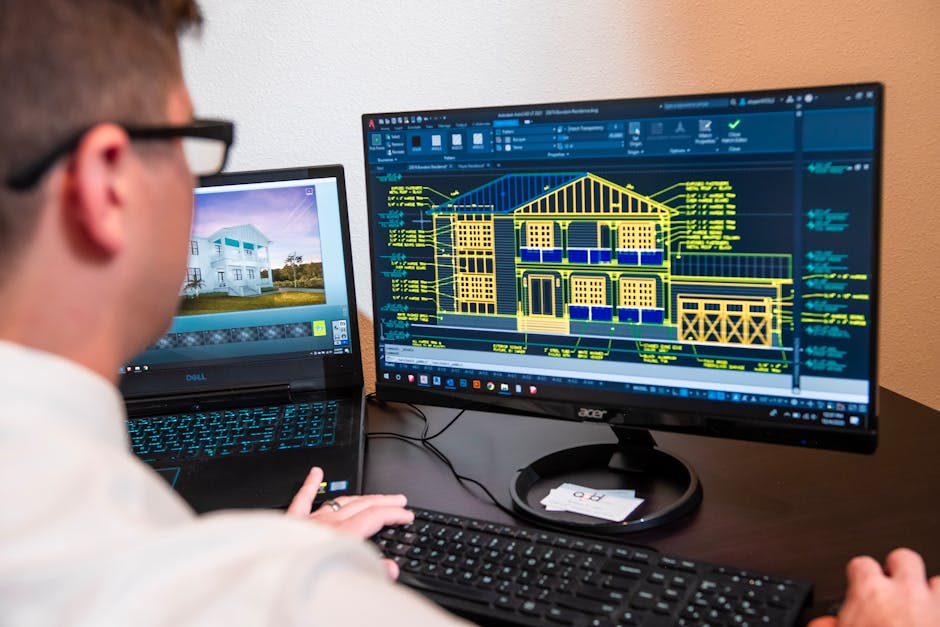
    Bearded male developer in headphones coding on a laptop in a modern office setting.

    How Much Does SaaS Development Cost in UK Europe by Complexity

    SaaS development pricing breaks into three tiers based on scope, not quality. A £10,000 product is not a worse version of a £100,000 product. It’s a different product solving a different problem.

    MVP / Validation Product: £2,000 to £15,000

    This is the smallest thing that proves your idea works. One core workflow, deployed and usable by real users. Authentication, a single feature set, basic UI. No admin dashboard, no integrations, no mobile app. Timeline: 3 to 6 weeks. In the UK, expect £8,000 to £15,000. In Poland, Portugal, or Romania, closer to £5,000 to £10,000. At Inqodo, we build MVPs from £2,000 because we scope them properly. If your MVP has 14 features, it is not an MVP.

    Mid-Range SaaS Product: £20,000 to £80,000

    This is a full product with multiple user roles, third-party integrations, payment processing, and a proper admin panel. Think Stripe billing, email notifications, role-based permissions, API access. Timeline: 2 to 4 months. UK agencies typically quote £50,000 to £80,000. Eastern European teams quote £25,000 to £50,000. The difference is not always quality. It’s labour cost and communication overhead.

    Enterprise / Complex SaaS: £100,000+

    Multi-tenancy, white-labelling, advanced security, compliance with GDPR or SOC 2, custom integrations with enterprise tools. Timeline: 6 to 12 months. UK pricing starts at £100,000 and climbs quickly. European teams start closer to £60,000. At this level, team quality matters more than geography.

    Team analyzing business reports and charts during a collaborative meeting.

    Key Cost Drivers in SaaS Development

    SaaS development cost is not random. It comes down to five variables. Understanding them means you can control your budget instead of watching it spiral.

    Feature Scope

    Every feature adds cost. Authentication, user roles, payment processing, email workflows, dashboards, reporting, integrations. A product with Stripe billing costs more than one without. A product with five user roles costs more than one with two. Most founders underestimate their MVP scope by roughly half. The fix is not better developers. It’s an honest scoping conversation before you write a line of code.

    Integrations

    Connecting to Stripe, Mailchimp, Slack, Zapier, or a custom API adds time. Simple integrations take a few days. Complex ones, especially with poorly documented APIs, can take weeks. Budget £1,000 to £5,000 per major integration depending on complexity.

    Design Complexity

    A custom design costs more than a pre-built UI kit. If your product needs a unique interface, expect to add 20% to 30% to the build cost. If you can work with a clean, component-based design system like Tailwind or Shadcn, you’ll save time and money without sacrificing quality.

    Team Location

    UK developer rates average £400 to £700 per day. In Western Europe (Germany, Netherlands, France), expect £300 to £500 per day. In Eastern Europe (Poland, Romania, Portugal), rates drop to £200 to £350 per day. Offshore teams in India or Southeast Asia quote £100 to £200 per day, but communication lag and time zone differences often add hidden costs.

    Compliance and Security Requirements

    GDPR compliance is table stakes in Europe. SOC 2, ISO 27001, or healthcare compliance (HIPAA equivalent in the UK) adds cost. Budget an extra 15% to 25% if your product handles sensitive data or serves regulated industries.

    Financial document with a calculator, pen, and glasses symbolizing data analysis.

    UK vs Europe Cost Comparison: What You Actually Get

    Geography affects cost, but not in the way most founders expect. A cheaper team is not always a better deal. Here’s what the trade-offs actually look like.

    Region Hourly Rate Communication Delivery Speed Quality
    UK £50–£90/hour Same timezone, fluent English Fast iteration cycles Consistently high
    Western Europe £40–£65/hour 1–2 hour time difference, strong English Fast with minor delays High
    Eastern Europe £25–£45/hour 2–3 hour difference, good English Slightly slower feedback loops High when vetted properly
    Offshore (India, Asia) £15–£30/hour Significant timezone gap Slower, async-heavy Variable, requires strong vetting

    The real cost is not just the hourly rate. It’s how many hours you waste in miscommunication, rework, and delayed feedback. A UK team at £70/hour that ships in 6 weeks often costs less than an offshore team at £20/hour that takes 14 weeks and requires constant clarification calls.

    We work with UK-based and European developers depending on the project. The decision is not about saving money. It’s about matching the team structure to the founder’s involvement level and timeline.

    A close-up view of vintage clocks and antique items on a shelf, creating a nostalgic feel.

    Timeline Estimates Tied to Project Scope

    Cost and timeline are linked. A faster timeline does not mean a better team. It usually means a smaller scope. Here’s what realistic timelines look like for each tier.

    • MVP / Validation Product (£2,000 to £15,000): 3 to 6 weeks. This assumes a tightly scoped feature set, no custom integrations, and a founder who responds quickly to design and feature questions.
    • Mid-Range SaaS (£20,000 to £80,000): 2 to 4 months. Includes payment processing, user roles, integrations, and a proper admin panel. Timeline stretches if you add features mid-build or if third-party APIs are poorly documented.
    • Enterprise SaaS (£100,000+): 6 to 12 months. Multi-tenancy, compliance, white-labelling, and enterprise integrations take time. Cutting corners here creates technical debt that costs more to fix later than to build right the first time.

    According to the Standish Group CHAOS Report, the average software project runs 45% over budget and 7% over time, most often due to scope creep and unclear requirements at the start.

    The fix is not a better developer. It’s a better scoping process. We scope every project before pricing it. If we can’t tell you roughly what something costs after 30 minutes, that’s on us, not you. Most agencies stretch this into a six-week discovery phase that costs £10,000 and produces a document nobody reads again.

    If you want to estimate your own project timeline and cost, try our SaaS Cost Calculator. It breaks down cost by feature, integration, and team location in about two minutes.

    Focused view of a modern data server rack with blinking lights in a blue-lit environment.

    Hidden Costs Beyond Development

    Most founders budget for development and forget everything else. Then month three arrives and the invoices start piling up. Here’s what you actually need to budget for after the product is built.

    Hosting and Infrastructure

    Expect £50 to £500 per month depending on traffic and database size. A small MVP on Vercel or Railway costs £20 to £50/month. A product with 10,000 users and heavy database usage costs £200 to £500/month. If you’re using AWS or Google Cloud, budget more. Serverless setups like Supabase keep costs predictable.

    Third-Party Services

    Stripe charges 1.5% + 20p per transaction in the UK. Email services like Postmark or SendGrid cost £10 to £100/month depending on volume. If you’re using AI features, API costs add up fast. Claude API usage costs roughly $0.01 to $0.10 per request depending on model and input size.

    Maintenance and Updates

    Budget 15% to 20% of the original build cost per year for maintenance. This covers bug fixes, security patches, dependency updates, and minor feature tweaks. If you skip maintenance, your product becomes a security risk within 12 months.

    Compliance and Security

    GDPR compliance is not optional in Europe. Budget for a privacy policy, cookie consent, data processing agreements, and regular security audits. If you’re handling payments, PCI compliance applies. If you’re in healthcare or finance, add another layer of regulatory cost.

    Post-Launch Support

    Users will find bugs. Features will need tweaking. Integrations will break when third-party APIs change. Budget £1,000 to £3,000 per month for ongoing support, or plan to handle it yourself if you have a technical co-founder. Not every founder needs a technical co-founder, but someone on the team needs to own the product after launch.

    Overhead view of a person analyzing business charts and graphs on paper.

    A Step-by-Step Budgeting Framework for Founders

    Most founders approach budgeting backwards. They pick a number they can afford, then try to fit the product into it. That’s how you end up with a half-built product that can’t ship. Here’s how to budget properly.

    Step 1: Define the One Thing Your Product Must Prove

    Your MVP is not your full product. It’s the smallest thing that answers the question: will people pay for this? Write down the one workflow that proves your idea works. Everything else is a distraction.

    Step 2: List the Features That Workflow Requires

    Authentication? Payment processing? A dashboard? An admin panel? Write them all down. Then cross out half of them. If your MVP still works without a feature, you don’t need it yet. We’ve written a full guide on MVP vs full product if you’re stuck on this step.

    Step 3: Get Three Quotes

    One from a UK agency, one from a Western European team, one from Eastern Europe. Compare not just the price, but the timeline, the team structure, and how they handle scope changes. A fixed-price quote with clear deliverables is better than an hourly rate with vague milestones.

    Step 4: Add 20% for Contingency

    Something will change. A feature will take longer than expected. An integration will be more complex than it looked. Budget an extra 20% and you’ll sleep better.

    Step 5: Budget for Post-Launch Costs

    Hosting, maintenance, third-party services, support. Add these up and multiply by 12. That’s your first-year operational cost. If you can’t afford it, your product is not viable yet.

    We’ve seen founders spend £50,000 on a beautifully coded product that nobody wanted. The fix is not better developers. It’s this framework, applied honestly, before you write a line of code.

    Cost-Saving Strategies That Don’t Sacrifice Quality

    Cutting cost is not the same as cutting corners. Here’s how to build a great product without burning through your budget.

    Use Proven Tech Stacks

    Next.js, Supabase, Stripe, Vercel. These tools are popular because they work. Custom-built authentication costs £5,000. Supabase Auth costs £0 and works better. We’ve written a full guide on the best tech stack for SaaS startups if you want specifics.

    Start with a UI Kit

    A custom design costs 20% to 30% more than a component library. Tailwind UI, Shadcn, or Chakra give you a professional-looking product without the custom design cost. Save the bespoke design for version two when you have paying users.

    Build Features After Launch, Not Before

    Most MVPs ship with features nobody uses. Build the core workflow, launch it, get feedback, then build what users actually ask for. This is not lazy. It’s how good products get built.

    Negotiate Fixed-Price Milestones

    Hourly billing is fine for ongoing work. For a fixed-scope project, negotiate a flat fee. You’ll know exactly what you’re spending and the agency has an incentive to work efficiently.

    Hire for the Right Geography

    If your product is complex and needs constant iteration, hire UK or Western Europe. If your scope is clear and you can work asynchronously, Eastern Europe delivers high quality at a lower cost. We’ve compared custom development versus no-code if you’re still deciding whether to build custom at all.

    Frequently Asked Questions

    How much does it cost to build a SaaS product in the UK?

    A basic MVP costs £8,000 to £15,000 in the UK, while a mid-range SaaS product with integrations, payment processing, and user roles costs £50,000 to £80,000. Enterprise-level SaaS with compliance, multi-tenancy, and advanced features starts at £100,000. The exact cost depends on feature scope, integrations, and timeline.

    What factors affect SaaS development cost in Europe?

    The main cost drivers are feature scope, integrations, design complexity, team location, and compliance requirements. A product with Stripe billing, multiple user roles, and GDPR compliance costs more than a simple single-feature MVP. Developer rates range from £25/hour in Eastern Europe to £90/hour in the UK, but communication overhead and timeline also affect total cost.

    How long does it take to develop a SaaS application?

    An MVP takes 3 to 6 weeks, a mid-range SaaS product takes 2 to 4 months, and an enterprise SaaS takes 6 to 12 months. Timeline depends on feature complexity, number of integrations, and how quickly the founder responds to design and scoping questions. Scope creep is the most common reason projects run over time.

    Is it cheaper to build SaaS in the UK or Eastern Europe?

    Eastern Europe is cheaper on hourly rates, typically £25 to £45/hour compared to £50 to £90/hour in the UK. However, total cost depends on communication efficiency and timeline. A UK team that ships in 6 weeks at £70/hour often costs less than an offshore team at £20/hour that takes 14 weeks due to miscommunication and rework.

    How much does an MVP SaaS cost?

    An MVP SaaS costs £2,000 to £15,000 depending on scope and team location. At the lower end, you get one core workflow with basic authentication and no integrations. At the higher end, you get a more polished product with payment processing and a simple admin panel. The key is scoping the MVP to prove one specific idea, not building a miniature version of the full product.

    How much does SaaS development cost in UK and Europe compared to offshore teams?

    UK teams charge £50 to £90/hour, Western Europe charges £40 to £65/hour, Eastern Europe charges £25 to £45/hour, and offshore teams in India or Asia charge £15 to £30/hour. The trade-off is not just cost but communication speed, timezone alignment, and quality consistency. Offshore teams often require more founder involvement to avoid miscommunication.

    What are the hidden costs of SaaS development?

    Beyond development, budget for hosting (£50 to £500/month), third-party services like Stripe and email (£50 to £200/month), maintenance (15% to 20% of build cost per year), compliance and security audits, and post-launch support (£1,000 to £3,000/month). These recurring costs are often overlooked and can double the first-year total cost of ownership.

    Ready to Get Started?

    SaaS development cost depends on what you’re actually trying to prove. A £10,000 MVP that gets you paying users is better than a £50,000 product that solves a problem adjacent to the one you have. We’ve built production-ready SaaS products from £2,000 because we scope them properly before we write a line of code.

    If you want an honest conversation about what your product will cost, get in touch with Inqodo today. We’ll tell you if your idea needs rethinking before you spend a penny.


  • Do You Need a Technical Co-Founder for Your SaaS in 2026?

    Do You Need a Technical Co-Founder for Your SaaS in 2026?

    You’re building a SaaS product. You can code a landing page, maybe even wire up a payment form, but the idea of architecting a production-ready backend makes you want to hide under a table. So you start asking around: do you need a technical co-founder for your SaaS?

    Not always. It depends on what you’re trying to prove. It depends on how fast you need to move. It depends on whether you can afford to split equity with someone who might not be the right fit. Most founders assume they need a technical co-founder because that’s what the startup mythology says. The truth is more specific than that.

    Young female barista pointing at netbook screen while talking to bearded male coworker in cafeteria

    When You Don’t Need a Technical Co-Founder for Your SaaS

    If your goal is to validate demand before you build anything complex, you don’t need a technical co-founder. You need a working product that proves people will pay for what you’re selling. That’s a different problem.

    Non-technical founders succeed when they focus on the market problem first. The best SaaS products don’t start with elegant code — they start with a founder who understands a painful problem deeply enough to know what solution people will actually pay for. If you can articulate that problem clearly, you can hire someone to build the first version. Or you can use no-code tools to validate it yourself.

    In 2026, tools like Bubble, Webflow, and Softr are genuinely capable of handling early-stage validation. They’re not toys anymore. You can build a working product, charge for it, and get real users without writing a line of code. The limitation isn’t at the start — it’s later, when you need custom logic, deeper integrations, or the ability to scale beyond what the platform allows.

    We’ve worked with founders who validated their idea with a no-code MVP, got paying customers, and then came to us to rebuild it properly when the limitations became expensive. That’s a smart path. The worst path is spending six months looking for a technical co-founder while your competitors ship.

    • If you’re testing demand, start with no-code or a simple build — you don’t need a co-founder for that
    • If you’ve validated the idea and have revenue, hire a development partner or agency to build the real product
    • If you’re building something technically complex from day one (deep AI, real-time infrastructure, compliance-heavy), you probably do need technical expertise in the founding team

    The question isn’t “do I need a technical co-founder” — it’s “what am I trying to prove right now, and what’s the fastest way to prove it?”

    Businessman's hand writing notes in a journal with black coffee beside, indoors setting.

    Why Market Validation Matters More Than Code

    The most expensive mistake in SaaS is building the wrong product beautifully. We’ve seen it dozens of times: a founder spends £50,000 on a perfectly architected platform that nobody wants. The code was great. The product was irrelevant.

    A technical co-founder can build anything you describe. They cannot tell you whether anyone will pay for it. That’s your job. If you don’t know the answer to that question yet, adding a technical co-founder doesn’t solve the problem — it just means two people are guessing instead of one.

    According to CB Insights, 42% of startups fail because there’s no market need for their product — not because the technology was weak.

    The founders who succeed without technical co-founders are the ones who validate demand first. They talk to potential customers, pre-sell the product before it exists, or build a rough version using tools they can control themselves. By the time they need serious technical work, they know exactly what to build because the market has already told them.

    This is why MVP development for startups focuses on the smallest thing that answers the question “will people pay for this?” An MVP is not a feature list. It’s a hypothesis test. If you’re not technical, your advantage is that you can’t over-engineer it — you’re forced to focus on the problem, not the code.

    • Validate the market problem before you validate the technical solution
    • Pre-sell the product if possible — paying customers are better validation than a prototype
    • Use simple tools to prove demand, then invest in the real build once you know it works

    If you can prove people will pay, finding someone to build it becomes easier. If you can’t prove that, a technical co-founder won’t save you.

    Yellow caution sign warning of speed bumps, placed in a park environment, overcast day.

    The Risks of Getting a Technical Co-Founder Wrong

    Finding the wrong technical co-founder is worse than not having one. You’ll give away 20–40% of your company to someone who might not be the right fit, might not stay committed, or might not have the skills your product actually needs. Equity is expensive. You don’t get it back.

    Most technical co-founder relationships fail because expectations weren’t aligned at the start. One founder thinks they’re building an MVP. The other thinks they’re building enterprise-grade infrastructure. One wants to ship fast. The other wants to architect it properly. Both are right in different contexts — but if you’re not aligned on which context you’re in, the partnership breaks.

    The other risk: hiring a technical co-founder who can code but has never shipped a product. Writing code and shipping a SaaS product are not the same skill. Shipping means dealing with deployment, user auth, billing integration, error handling, and all the boring work that makes something production-ready. A developer who has only worked in a corporate environment might not know how to do that — and you won’t find out until month four.

    • Equity splits should include vesting schedules — if someone leaves in month three, they shouldn’t keep 30% of your company
    • Agree on speed vs quality upfront — an MVP that ships in 6 weeks is better than perfect code that ships in 6 months
    • Make sure your technical co-founder has actually shipped products before, not just written code in a team

    If you’re unsure whether someone is the right technical co-founder, don’t make them a co-founder yet. Pay them as a contractor for the first three months. If it works, convert the relationship. If it doesn’t, you’ve spent money instead of equity. Money is cheaper.

    Close-up of a person working on a laptop with graphic design software.

    Hiring Developers vs Finding a Co-Founder

    Hiring developers is faster than finding a co-founder. It’s also more expensive upfront and less aligned long-term. The trade-off depends on where you are.

    If you have some budget and a validated idea, hiring a development agency or a senior freelance developer is often the better move. You keep full ownership, you get something built quickly, and you’re not locked into a partnership that might not work. The downside: once the project is done, they’re gone. If you need ongoing work, you’re paying for it every time.

    Freelancers are good for scoped work — “build this feature” or “fix this bug.” They’re risky for foundational work because if they disappear halfway through, you’re stuck with half a product and no one who understands the codebase. We’ve rebuilt several products where the original freelancer vanished and left behind code that nobody else could work with.

    Agencies are more reliable but more expensive. A good agency will scope the work properly, tell you what’s realistic, and deliver something that actually works. A bad agency will say yes to everything, deliver late, and charge you more when the scope inevitably grows. The difference is whether they’re honest with you upfront.

    If you’re trying to decide between hiring and co-founding, here’s the framework:

    • If you have budget and a clear product vision, hire an agency or senior developer — you’ll move faster
    • If you have no budget and a long runway, find a technical co-founder who believes in the idea enough to work for equity
    • If you’re still figuring out the product, don’t commit to either — use no-code tools and validate first

    At Inqodo, we work with non-technical founders who have validated their idea and need someone to build the real product. Most of our clients tried to find a technical co-founder first, couldn’t find the right fit, and decided it was faster to hire us and keep full ownership. That’s not the right path for everyone, but it’s often the right path for founders who know exactly what they want to build.

    Contemporary open office space with people collaborating and working together.

    When You Actually Do Need a Technical Co-Founder

    Some products genuinely need technical expertise in the founding team from day one. If you’re building something where the technology is the competitive advantage — not just the delivery mechanism — you probably need a technical co-founder.

    Examples: real-time infrastructure, custom AI models, deep integrations with legacy enterprise systems, anything involving compliance-heavy data processing. These aren’t products you can outsource easily because the technical decisions are the product decisions. A non-technical founder can’t evaluate whether the architecture will scale, whether the AI approach is sound, or whether the compliance strategy will hold up under audit.

    If your SaaS is built around AI, the question is whether the AI is a feature or the foundation. If it’s a feature — you’re using Claude or GPT-4 via API to add intelligence to a standard SaaS workflow — you don’t need a technical co-founder. If it’s the foundation — you’re training custom models, optimising inference costs, or building novel AI workflows — you probably do.

    The other scenario: you’re a repeat founder with a track record, and you’re raising venture capital. Investors expect to see a technical co-founder on the cap table because it signals commitment and reduces risk. A solo non-technical founder raising a seed round will get asked “who’s building this?” in every meeting. You can hire a team, but it’s harder to convince investors that the team will stay if they’re not equity-holders.

    • If the technology is the moat, you need technical expertise in the founding team
    • If you’re raising VC and the product is complex, investors will expect a technical co-founder
    • If the product is straightforward SaaS with standard features, you can hire the technical work and stay solo

    Most SaaS products are not technically novel. They’re solving a business problem with known technology. For those, you don’t need a technical co-founder — you need someone who can build it competently and ship it fast.

    Close-up of hands holding a red calculator, managing finances with documents and receipts.

    What It Actually Costs to Build Without a Co-Founder

    If you’re not giving away equity, you’re paying cash. Here’s what that looks like in 2026.

    A no-code MVP costs you time, not money. Bubble is free to start, and you can build and launch a working product for under £100/month in hosting and tools. The cost is your time learning the platform and the limitations you’ll hit later when you need custom features.

    A freelance developer costs £30–£80/hour depending on location and skill level. A simple SaaS MVP takes 80–150 hours if scoped tightly, so you’re looking at £2,400–£12,000. The risk is quality and reliability — some freelancers are excellent, some disappear halfway through.

    An agency like Inqodo charges from $2,000 for a tightly scoped MVP and $8,000–$15,000 for a full production-ready SaaS with auth, billing, and core features. You’re paying for reliability, speed, and something that actually works when it’s delivered. Most of our clients are non-technical founders who need the product built right the first time so they can focus on selling it.

    For context, if you gave a technical co-founder 30% equity and your company eventually exits at £1 million, that co-founder’s equity is worth £300,000. If you paid £15,000 to build the MVP instead and kept full ownership, you’ve saved £285,000. The math changes at different exit values, but the principle holds: equity is expensive if you don’t need it.

    You can estimate your SaaS build cost based on features, timeline, and complexity. Most founders overestimate how much the MVP should cost and underestimate how much the full product costs later. The MVP should be cheap and fast. The scale-up is where the real investment happens.

    • No-code MVP: £0–£500 depending on tools and hosting
    • Freelance developer MVP: £2,400–£12,000 depending on scope and hourly rate
    • Agency-built MVP: $2,000–$15,000 depending on features and production readiness
    • Technical co-founder equity: 20–40% of the company, worth £200k–£400k at a £1M exit

    The right choice depends on your budget, your timeline, and how much risk you’re willing to take on execution. If you have budget and need speed, hire someone. If you have time and no budget, find a co-founder or build it yourself. If you’re somewhere in between, start with no-code and upgrade later.

    Real Examples of Non-Technical Founders Who Succeeded

    Plenty of successful SaaS founders are non-technical. They didn’t write the code — they understood the problem deeply enough to know what to build and hired people who could build it.

    Stewart Butterfield, founder of Slack, is not a developer. He hired a technical team and focused on the product vision and market fit. Slack became one of the fastest-growing SaaS products in history because Butterfield understood what remote teams needed before anyone else did.

    Melanie Perkins, founder of Canva, is a designer, not an engineer. She spent years pitching the idea, found technical co-founders who could build it, and focused on the user experience and go-to-market strategy. Canva is now valued at over $40 billion.

    The pattern: these founders knew the problem intimately, communicated the vision clearly, and hired or partnered with people who could execute technically. They didn’t try to become developers. They stayed in their lane and built around their strengths.

    We worked with a founder who had built a working Custom GPT for generating environmental bid submissions for UK government contracts. She wasn’t technical, but she understood the problem — companies were spending days writing compliance documents that followed a repeatable structure. She validated the idea with the GPT, came to us, and we turned it into a production-ready B2B SaaS that companies now pay for monthly. She didn’t need to be technical. She needed to understand the problem and find someone who could build the solution properly.

    The lesson: if you know the problem well enough, you can succeed without being technical. The mistake is assuming you need to become technical or that a technical co-founder is the only path forward.

    Frequently Asked Questions

    Can a non-technical person start a SaaS company?

    Yes. Many successful SaaS founders are non-technical and focus on market validation, customer development, and hiring the right technical talent. Your job is to understand the problem deeply and articulate what needs to be built — not to write the code yourself. Tools like no-code platforms, agencies, and freelance developers make it possible to launch without technical skills.

    Do you need a technical co-founder for your SaaS?

    Not always. If you’re validating demand or building a standard SaaS product, you can hire developers or use no-code tools and keep full ownership. You need a technical co-founder if the technology itself is your competitive advantage, if you’re raising VC and investors expect it, or if the product requires deep technical decision-making from day one. For most SaaS products, hiring technical talent is faster and less risky than finding the right co-founder.

    How do I find a technical co-founder?

    Start by networking in communities where technical people solve real problems — hackathons, startup events, online forums like Indie Hackers or Y Combinator’s co-founder matching. Look for someone who has shipped products before, not just written code in a corporate job. Be clear about equity splits, vesting schedules, and expectations around speed vs quality. If you’re unsure about fit, work together on a paid project first before committing to a co-founder relationship.

    What should I build my SaaS MVP with if I’m not technical?

    If you’re validating demand, use no-code tools like Bubble, Webflow, or Softr — they’re capable enough to handle early users and payments. If you’ve validated the idea and need something production-ready, hire an agency or senior developer to build it properly. Most MVPs take 4–6 weeks and cost $2,000–$15,000 depending on scope. The goal is to prove people will pay, not to build the perfect product.

    Is it better to hire developers or find a co-founder?

    It depends on your budget and timeline. Hiring developers is faster and keeps you in full control, but costs cash upfront. Finding a co-founder costs equity but gives you a committed technical partner long-term. If you have budget and a validated idea, hiring is usually faster. If you have no budget and a long runway, finding a co-founder makes sense. The wrong co-founder is worse than no co-founder — equity is expensive and you don’t get it back.

    How much equity should a technical co-founder get?

    Typically 20–40% depending on their role, how early they join, and what they’re contributing beyond code. If they’re joining after you’ve validated the idea and secured customers, they should get less than if they’re joining on day one with equal risk. Always include a vesting schedule — usually 4 years with a 1-year cliff — so if they leave early, they don’t keep the full equity. A technical co-founder who joins after product-market fit is more like an early senior hire than a true co-founder.

    What are the risks of using freelancers to build my SaaS?

    The biggest risk is inconsistency — if a freelancer disappears mid-project, you’re left with half-built code that no one else understands. Freelancers are good for scoped tasks like adding a feature or fixing bugs, but risky for foundational architecture. If you hire a freelancer, make sure they document the code, use standard frameworks, and deliver in stages so you can test as you go. Agencies are more reliable because they have teams and processes, but cost more upfront.

    Ready to Build Your SaaS Without a Technical Co-Founder?

    If you’ve validated your SaaS idea and need someone to build it properly, we can help. We work with non-technical founders who know what problem they’re solving and need a production-ready product built fast. Most MVPs ship in 4–6 weeks. Pricing starts at $2,000 for a tightly scoped MVP.

    We’ll tell you if your idea needs rethinking before we write a line of code. We’d rather have that conversation upfront than take your money for something that won’t work. If you’re ready to move from idea to working product, {“@context”:”https://schema.org”,”@type”:”FAQPage”,”mainEntity”:[{“@type”:”Question”,”name”:”Can a non-technical person start a SaaS company?”,”acceptedAnswer”:{“@type”:”Answer”,”text”:”Yes. Many successful SaaS founders are non-technical and focus on market validation, customer development, and hiring the right technical talent. Your job is to understand the problem deeply and articulate what needs to be built — not to write the code yourself. Tools like no-code platforms, agencies, and freelance developers make it possible to launch without technical skills.”}},{“@type”:”Question”,”name”:”Do you need a technical co-founder for your SaaS?”,”acceptedAnswer”:{“@type”:”Answer”,”text”:”Not always. If you’re validating demand or building a standard SaaS product, you can hire developers or use no-code tools and keep full ownership. You need a technical co-founder if the technology itself is your competitive advantage, if you’re raising VC and investors expect it, or if the product requires deep technical decision-making from day one. For most SaaS products, hiring technical talent is faster and less risky than finding the right co-founder.”}},{“@type”:”Question”,”name”:”How do I find a technical co-founder?”,”acceptedAnswer”:{“@type”:”Answer”,”text”:”Start by networking in communities where technical people solve real problems — hackathons, startup events, online forums like Indie Hackers or Y Combinator’s co-founder matching. Look for someone who has shipped products before, not just written code in a corporate job. Be clear about equity splits, vesting schedules, and expectations around speed vs quality. If you’re unsure about fit, work together on a paid project first before committing to a co-founder relationship.”}},{“@type”:”Question”,”name”:”What should I build my SaaS MVP with if I’m not technical?”,”acceptedAnswer”:{“@type”:”Answer”,”text”:”If you’re validating demand, use no-code tools like Bubble, Webflow, or Softr — they’re capable enough to handle early users and payments. If you’ve validated the idea and need something production-ready, hire an agency or senior developer to build it properly. Most MVPs take 4–6 weeks and cost $2,000–$15,000 depending on scope. The goal is to prove people will pay, not to build the perfect product.”}},{“@type”:”Question”,”name”:”Is it better to hire developers or find a co-founder?”,”acceptedAnswer”:{“@type”:”Answer”,”text”:”It depends on your budget and timeline. Hiring developers is faster and keeps you in full control, but costs cash upfront. Finding a co-founder costs equity but gives you a committed technical partner long-term. If you have budget and a validated idea, hiring is usually faster. If you have no budget and a long runway, finding a co-founder makes sense. The wrong co-founder is worse than no co-founder — equity is expensive and you don’t get it back.”}},{“@type”:”Question”,”name”:”How much equity should a technical co-founder get?”,”acceptedAnswer”:{“@type”:”Answer”,”text”:”Typically 20–40% depending on their role, how early they join, and what they’re contributing beyond code. If they’re joining after you’ve validated the idea and secured customers, they should get less than if they’re joining on day one with equal risk. Always include a vesting schedule — usually 4 years with a 1-year cliff — so if they leave early, they don’t keep the full equity. A technical co-founder who joins after product-market fit is more like an early senior hire than a true co-founder.”}},{“@type”:”Question”,”name”:”What are the risks of using freelancers to build my SaaS?”,”acceptedAnswer”:{“@type”:”Answer”,”text”:”The biggest risk is inconsistency — if a freelancer disappears mid-project, you’re left with half-built code that no one else understands. Freelancers are good for scoped tasks like adding a feature or fixing bugs, but risky for foundational architecture. If you hire a freelancer, make sure they document the code, use standard frameworks, and deliver in stages so you can test as you go. Agencies are more reliable because they have teams and processes, but cost more upfront.”}}]}

  • B2B SaaS Development: What Founders Need to Know in 2026

    B2B SaaS Development: What Founders Need to Know in 2026

    B2B SaaS development is what founders need to know before they write a single line of code. Most B2B SaaS founders think the hard part is building the product. It’s not. The hard part is building the right product for the right market at the right time — then figuring out how to sell it before the money runs out. The code is the easy bit. The decisions before and after the code are what kill most projects.

    This guide covers what actually matters when you’re building B2B SaaS in 2026. Not theory. Not what worked in 2018. What works now — from someone who has shipped 30+ products and had the honest conversations most agencies avoid.

    A diverse team of professionals collaborating and discussing work in a modern office setting.

    1. What Founders Need to Know: Validate the Problem Before You Write a Line of Code

    Most B2B SaaS products fail because nobody wanted them. Not because the code was bad. Not because the UI was ugly. Because the founder built something nobody asked for and assumed they’d figure out the market later.

    Validation means talking to 10–15 people in your target market and hearing the same problem described in their words. Not “would you use this if it existed” — that question is useless. Ask what they do now, how much it costs them, and what they’ve already tried. If they’re not paying for a solution today, they won’t pay for yours tomorrow.

    We’ve turned down projects where the founder had a clear vision, a reasonable budget, and zero evidence that anyone wanted it. That’s not us being difficult. That’s us not wanting to take money for something that won’t work. Most agencies won’t say this — they’ll take the brief and build it anyway.

    According to CB Insights, 42% of startups fail because there’s no market need for their product — making it the single biggest cause of failure.

    A female engineer works on code in a contemporary office setting, showcasing software development.

    2. Pick Your Tech Stack Based on What You’ll Need in 18 Months, Not 18 Days

    The wrong tech stack doesn’t kill you at launch. It kills you at month 14 when you’re trying to scale, add enterprise features, or integrate with a client’s existing systems — and your no-code tool or legacy framework can’t do it.

    For most B2B SaaS products in 2026, the stack that works is: Next.js for the front end, Node.js for the back end, PostgreSQL for the database, and hosting on Vercel or AWS. This is not the only stack. It is the stack that won’t box you in when you need to move fast later.

    No-code tools like Bubble are fine for validation. They become a problem when you need custom logic, complex workflows, or white-label versions for enterprise clients. If your product is simple enough to stay in Bubble forever, you probably don’t have a defensible business. If it’s not, plan the migration before you’re forced into it. For a detailed breakdown of what it actually costs to build a SaaS product with the right stack, see our full cost guide for founders.

    Vivid stacked area chart and graphs on paper, showcasing data analysis.

    3. Track the Metrics That Actually Matter — and Ignore Vanity Numbers

    If you’re not tracking MRR, churn, CAC, and LTV, you’re flying blind. These are not nice-to-haves. They are the numbers that tell you whether your business works.

    • MRR (Monthly Recurring Revenue): the lifeblood of SaaS — how much predictable revenue you have each month
    • Churn rate: the percentage of customers who cancel — if this is above 5% monthly for B2B, something is broken
    • CAC (Customer Acquisition Cost): how much you spend to win one customer
    • LTV (Lifetime Value): how much a customer is worth over their entire relationship with you

    The ratio that matters most: LTV should be at least 3x CAC. If it’s not, you’re spending more to acquire customers than they’re worth. That’s not a business — it’s a subsidy programme.

    Sign-ups, page views, and social media followers are vanity metrics. They feel good. They don’t pay the bills. Focus on revenue, retention, and unit economics. Everything else is noise.

    Business meeting with three professionals collaborating in a modern conference room setting.

    4. Build a Founding Team That Can Actually Execute

    A solo founder can build an MVP. A solo founder cannot build a B2B SaaS business. You need at least two people — one who understands the market and can sell, one who can build the product. Ideally, you need three: someone technical, someone commercial, and someone who can manage operations without setting money on fire.

    The worst founding team is three people with the same skill set. Three developers, three salespeople, three “ideas people” — none of these work. You need complementary skills, not friendship. Hire for what you’re missing, not what makes you comfortable.

    If you’re non-technical and building alone, you have two options: learn enough code to be dangerous, or find a technical co-founder. Outsourcing development works for MVPs — we do this for founders all the time — but you can’t outsource your entire product roadmap forever. At some point, you need someone in-house who understands the codebase.

    Close-up of hands holding a product trend chart in a corporate office setting.

    5. Your Go-to-Market Strategy Matters More Than Your Product Features

    You can have the best product in your category and still lose to a worse product with better distribution. This is not fair. This is how markets work.

    B2B SaaS has three main go-to-market motions: product-led growth (free trial, self-serve), sales-led (outbound, demos, enterprise deals), and partner-led (integrations, resellers, referral networks). Most founders pick one and assume it’ll work. The right motion depends on your ACV (average contract value) and your buyer.

    If your ACV is under $500/month, you need self-serve. Nobody is getting on a sales call to buy a $29/month tool. If your ACV is over $2,000/month, you probably need sales — enterprise buyers want to talk to a human before they commit budget. If you’re somewhere in between, you need both, which is expensive and complicated.

    We’ve seen founders spend six months building features nobody asked for because they didn’t have a clear GTM plan. Build the simplest version that proves the concept, then figure out how to sell it. Not the other way around. For more on scoping and launching the right MVP, read our ultimate guide to MVP development.

    Chain-locked book, phone, and laptop symbolizing digital and intellectual security.

    6. Security and Compliance Are Not Optional for B2B

    If you’re building consumer SaaS, you can get away with basic security and fix it later. If you’re building B2B SaaS, you can’t. Enterprise buyers will ask about SOC 2, GDPR, data residency, and penetration testing before they sign. If your answer is “we’ll sort that out later,” you’ve lost the deal.

    The minimum security checklist for B2B SaaS in 2026: encrypted data at rest and in transit, role-based access control, audit logs, and a clear data processing agreement. If you’re selling into healthcare, finance, or government, add HIPAA, PCI-DSS, or Cyber Essentials depending on your region.

    This is not something you bolt on at the end. Security architecture decisions made in week one affect what you can promise in month twelve. We build this in from the start because retrofitting it later costs 10x more and delays enterprise deals by months.

    7. AI Integration Is Now Table Stakes — But Only If It Solves a Real Problem

    Every B2B SaaS pitch deck in 2026 mentions AI. Most of them shouldn’t. AI is not a feature — it’s a tool. The question is whether it solves a problem your users actually have.

    Good AI integration: automating repetitive tasks, surfacing insights from data, generating first drafts that humans refine. Bad AI integration: adding a chatbot because everyone else has one, slapping “AI-powered” on your homepage, or building a product that’s just a thin wrapper around ChatGPT.

    We use Claude for most AI features because its outputs are predictable and its reasoning is transparent. That matters when you’re building something a business depends on. If you’re integrating AI, know what happens when the model is wrong — because it will be wrong, and your users will notice. For more on how AI is reshaping SaaS, see our post on whether SaaS is being replaced by AI.

    8. Pricing Is a Product Decision, Not a Marketing One

    Most founders underprice their B2B SaaS because they’re scared nobody will pay. This is a mistake. B2B buyers are not price-sensitive in the way consumers are. They care about ROI. If your product saves them £10,000 a year, they’ll pay £2,000 for it without blinking.

    The three pricing models that work for B2B SaaS: per-seat (Slack, Notion), usage-based (AWS, Twilio), and flat-rate tiers (most vertical SaaS). Pick the one that aligns with how your customers get value. If value scales with team size, charge per seat. If it scales with usage, charge per API call or transaction. If value is consistent regardless of size, use flat tiers.

    Test pricing before you build. Put a landing page up with three pricing tiers and see which one people click. If nobody clicks the highest tier, you’ve priced too high. If everyone clicks it, you’ve priced too low. Adjust before you write the billing logic.

    9. Build an MVP That Proves One Thing — Not Everything

    An MVP is not a cheaper version of your final product. It is the smallest thing that answers the question: will people pay for this? If your MVP has 14 features, it is not an MVP. It is a full product you’re calling an MVP to feel better about the timeline.

    The best MVPs we’ve built do one thing well. A bid generator that writes government submissions. A workflow tool that automates onboarding. A data sync that connects two systems nobody else connects. One problem, one solution, no distractions.

    Most MVPs ship in 4–6 weeks if the scope is clear. If someone tells you it’ll take six months, they’re either building too much or they don’t know what they’re doing. We scope every project before we price it because taking money for something unscoped is how projects go wrong. For a full breakdown of realistic timelines, read our guide on how long it takes to build a SaaS product.

    10. Know When to Bootstrap and When to Raise

    Bootstrapping works if your product is simple, your market is clear, and you can get to revenue quickly. Raising works if you need to move fast, hire a team, or compete in a space where speed is the only moat.

    Most B2B SaaS founders raise too early. They raise a pre-seed round before they’ve validated the market, then spend 18 months building something nobody wants. The best time to raise is after you have 10–20 paying customers and clear evidence of product-market fit. Investors don’t fund ideas anymore. They fund traction.

    If you’re bootstrapping, keep your burn low. Use Inqodo to build the MVP instead of hiring a full-time developer you can’t afford yet. Use no-code tools for internal workflows. Outsource everything that isn’t core to the product. The goal is to get to $10k MRR before you run out of money. After that, the options open up.

    11. Your Roadmap Should Be Driven by Customers, Not Your Opinion

    The features you think are important are not the features your customers think are important. This is always true. The only way to know what to build next is to ask the people paying you.

    Set up a feedback loop from day one. A Slack channel, a shared Notion board, a monthly call with your top 10 customers. Ask them what’s broken, what’s missing, and what they’d pay more for. Build the thing that shows up in every conversation. Ignore the thing that one person mentioned once.

    We’ve seen founders spend three months building a feature nobody asked for because they thought it was cool. It shipped. Nobody used it. That’s three months and £15,000 you don’t get back. Build what customers will pay for, not what you think they should want.

    Frequently Asked Questions

    How long does it take to build a successful B2B SaaS?

    An MVP typically ships in 4–6 weeks if scoped properly. Getting to product-market fit and meaningful revenue usually takes 12–18 months. The timeline depends on how quickly you can validate the market, iterate based on feedback, and build a repeatable sales process. Most founders underestimate the go-to-market timeline, not the build timeline.

    What are the biggest mistakes B2B SaaS founders make?

    Building without validating the market first. Underpricing because they’re scared nobody will pay. Raising money too early before they have traction. Picking the wrong tech stack and getting boxed in later. Ignoring security and compliance until an enterprise buyer asks. Most of these are fixable if you catch them early — expensive if you don’t.

    How do you validate product-market fit in B2B SaaS?

    You have product-market fit when customers are pulling the product from you, not when you’re pushing it to them. Concrete signals: 10+ paying customers who renewed, organic inbound inquiries, word-of-mouth referrals, and a churn rate below 5% monthly. If you’re still convincing people to try it, you don’t have fit yet.

    What funding stages are best for B2B SaaS startups?

    Bootstrap until you have 10–20 paying customers and clear evidence of demand. Raise a pre-seed or seed round once you’ve proven the market and need capital to scale sales and product. Series A comes when you have repeatable revenue growth and want to dominate a category. Raising before you have traction wastes time and dilutes equity unnecessarily.

    How to price a B2B SaaS product?

    Price based on the value you deliver, not your costs. If you save a customer £10,000 a year, charge £2,000–£3,000. Use per-seat pricing if value scales with team size, usage-based if it scales with activity, or flat tiers if value is consistent. Test pricing with a landing page before you build billing logic. Most founders underprice out of fear — B2B buyers care about ROI, not sticker price.

    What is the most important thing about B2B SaaS development that founders need to know?

    The product is not the hard part. Validating the market, pricing it correctly, building a repeatable sales process, and managing cash flow are the hard parts. Most B2B SaaS products fail because the founder built the wrong thing for the wrong market — not because the code was bad. Get the strategy right before you write a line of code.

    Should I use no-code tools or custom development for my B2B SaaS?

    No-code tools like Bubble work for validation and simple use cases. They become a problem when you need enterprise features, complex workflows, or custom integrations. If your product will stay simple forever, no-code is fine. If you’re planning to scale or sell to enterprise buyers, plan for custom development from the start. The migration later is expensive and risky.

    Ready to Get Started?

    If you’re building B2B SaaS and want a team that will tell you the truth before taking your money, we should talk. We’ve built 30+ products, scoped hundreds of projects, and turned down the ones that wouldn’t work. We don’t do discovery phases that cost £10,000 and produce a PDF. We scope during the conversation and price it straight.

    MVPs start from $2,000 for a working product that proves the concept. Full B2B SaaS builds with auth, billing, and integrations typically run $8,000–$15,000 depending on scope. We’ll tell you what it costs after one call, not three meetings later. If you want an honest conversation about what you’re building and what it’ll take to ship it, get in touch with Inqodo.

  • How to Reduce SaaS Costs: 12 Proven Strategies for 2026

    How to Reduce SaaS Costs: 12 Proven Strategies for 2026

    Most companies waste 30% of their SaaS spend on licenses nobody uses, tools that overlap, and subscriptions everyone forgot existed. You can cut that waste without cutting capability. Learning how to reduce SaaS costs starts with visibility first, then decisions. The fix is simple: discover what you’re paying for, eliminate waste, and negotiate better terms. Here’s how to reduce SaaS costs without breaking what works.

    Close-up of professionals reviewing financial graphs at a business meeting.

    Discover Every SaaS Tool You’re Paying For

    You can’t reduce what you can’t see. Most companies have 40–60% more SaaS subscriptions than their finance team knows about. Someone signs up with a company card, the free trial converts, and it bills quietly for two years.

    Pull three sources: your finance system for recurring charges, your SSO provider for connected apps, and your IT team’s list of approved tools. Compare them. The gaps are where the waste is.

    If you don’t have SSO or centralised procurement, ask department heads to audit their teams. Set a two-week deadline. The tools nobody mentions are the ones costing you money for nothing.

    Once you have the full list, tag each tool by department, owner, and last verified date. That list is your baseline. Everything else builds on it.

    Close-up of a hand with pen analyzing financial rates on paper with a calculator and laptop nearby.

    How to Reduce SaaS Costs: Eliminate License Waste and Rightsize Subscriptions

    Most SaaS pricing is per-seat. Most companies pay for seats nobody uses. A team of 12 has 20 licenses because the company grew, then shrank, and nobody told the vendor.

    Pull usage data from each platform. Most SaaS tools show you who logged in during the last 90 days. Anyone who hasn’t logged in is a seat you can remove. Do this quarterly — people leave, roles change, tools get replaced.

    Downgrade where you can. If you’re paying for the enterprise tier because you needed SSO two years ago but you’re only using 30% of the seats, ask the vendor about moving to a mid-tier plan with fewer seats and the one feature you actually need. Most will negotiate rather than lose you entirely.

    The Standish Group reports that most software projects run over budget. SaaS subscriptions work the same way — you pay for capacity you thought you’d need, not capacity you use.

    Vibrant abstract image featuring overlapping colorful circles, creating a dynamic and modern visual.

    Consolidate Overlapping Apps and Rationalize Your Portfolio

    Three teams using three different project management tools means you’re paying three times for the same function. Slack, Teams, and Discord running in parallel is not collaboration — it’s chaos with a monthly bill.

    Map your tools by function. Group them: communication, project management, CRM, analytics, design. Anywhere you see more than one tool in a category, ask why. Sometimes the answer is legitimate — different workflows, different integrations. Often it’s just inertia.

    Pick one tool per function and migrate. Yes, migration is annoying. Paying $400/month for three tools when one $150 tool does the job is more annoying.

    When you consolidate, negotiate. Vendors know you’re cutting spend elsewhere. They will offer discounts to keep your business. We’ve seen companies cut 20–30% off their SaaS spend just by consolidating and asking for a better rate on the tools they kept.

    Detailed view of a hand writing a signature on an official document with a ballpoint pen.

    Negotiate Renewals Before They Auto-Renew

    Most SaaS contracts auto-renew 30 days before expiry. By the time you get the invoice, it’s too late to negotiate. Mark every renewal date in your calendar 90 days early. That’s when you have leverage.

    Contact the vendor. Tell them you’re reviewing all subscriptions and considering alternatives. Ask for a discount, a longer contract at a lower rate, or a downgrade to a cheaper tier. Most will offer something rather than lose the renewal.

    If usage has dropped, say so. If you’re not using half the features, say that too. Vendors can see your usage data. Pretending you’re getting value when you’re not just makes you easier to ignore.

    For tools you’re definitely keeping, ask about annual billing. Paying upfront usually gets you 15–20% off. If cash flow allows it, take the discount.

    Close-up view of colorful code on a laptop screen, showcasing programming concepts.

    Build Custom Tools for High-Volume, Low-Complexity Workflows

    Some workflows are expensive to run through SaaS platforms because you’re paying per-action or per-seat at scale. If you’re spending $800/month on a form builder because you process 10,000 submissions, you’re paying SaaS pricing for something that could be custom-built once and owned forever.

    We’ve worked with companies spending $15,000/year on workflow automation tools when the actual workflow was three steps and never changed. We built them a custom tool for $8,000. Year two onwards, their cost was hosting — $40/month.

    This only works when the workflow is stable and specific. If it changes every quarter, SaaS flexibility is worth the cost. If it’s been the same process for two years and you’re just paying for seats and scale, custom software is cheaper long-term.

    Not every company needs this. But if one tool is 30% of your SaaS budget and it does the same thing every time, it’s worth scoping a custom alternative.

    Boys listen intently to their soccer coach on a sunny soccer field.

    Train Teams to Use Tools Cost-Consciously

    Most SaaS waste comes from people not knowing what they’re signing up for. A designer tries a plugin, it auto-renews at $29/month, and nobody notices for 18 months. A developer spins up a staging environment on a cloud platform and forgets to shut it down. Small decisions add up.

    Set a policy: any SaaS subscription over $50/month needs approval. Under that, it needs to be logged in a shared tracker. Make it easy — a Slack command, a form, a two-minute process. The goal is visibility, not bureaucracy.

    Run a quarterly SaaS review with each team. Show them what they’re spending. Ask what they’re actually using. Most people don’t want to waste money — they just don’t see the bill.

    When someone requests a new tool, ask what it replaces or what it does that existing tools don’t. If the answer is “nothing, I just prefer this one,” the answer is no.

    Use SaaS Management Platforms to Automate the Work

    If you’re managing 50+ SaaS tools, doing this manually is a full-time job. SaaS management platforms like Torii, Productiv, or Zylo connect to your finance and IT systems, track usage automatically, flag unused licenses, and alert you to upcoming renewals.

    They cost money — usually $3,000–$10,000/year depending on scale. But if they save you 20% on a $100,000 SaaS budget, they pay for themselves in month one.

    These platforms also handle compliance and security. They show you who has access to what, which tools are shadow IT, and where your data is going. That matters more as your company grows.

    For smaller companies, a well-maintained spreadsheet works. For anything over 30 tools or 100 employees, automation is worth it.

    According to Gartner, SaaS spending is expected to grow 17% annually, but companies waste an average of 30% of that spend on unused or underutilised licenses. The fix is visibility and process, not just budget cuts.

    Consider Building Your Own SaaS Instead of Subscribing

    This one is not for everyone. But if your company is spending $50,000/year on a SaaS product and you keep hitting its limits — customisation, integrations, data ownership — it might be cheaper to build your own.

    We’ve worked with companies who were paying enterprise SaaS pricing for tools that didn’t quite fit their workflow. They were bending their process to match the software, not the other way around. We scoped and built them a custom SaaS product that did exactly what they needed. The build cost was equivalent to 18 months of their old subscription. Year three onwards, they owned it.

    This works when the workflow is core to your business, unlikely to change radically, and expensive to run through a third-party platform. It doesn’t work when you need constant updates, integrations with 20 other tools, or you’re still figuring out what you need.

    Before you build, ask: is this tool strategic, or is it just expensive? If it’s strategic, ownership might make sense. If it’s just expensive, negotiate harder or find a cheaper alternative.

    Frequently Asked Questions

    What is SaaS sprawl?

    SaaS sprawl is when a company accumulates too many software subscriptions without central oversight. It happens when teams sign up for tools independently, trials auto-convert to paid plans, and nobody tracks what’s actually being used. The result is overlapping tools, unused licenses, and inflated costs.

    How much do companies overspend on SaaS?

    Most companies waste 30% of their SaaS budget on unused licenses, redundant tools, and subscriptions nobody remembers signing up for. For a company spending $100,000/year on SaaS, that’s $30,000 in recoverable waste. The fix is visibility — knowing what you’re paying for — and regular audits to cut what you’re not using.

    What is the average SaaS spend per employee?

    The average company spends $5,000–$8,000 per employee per year on SaaS tools, though this varies widely by industry and company size. Tech companies and remote-first businesses tend to spend more. Tracking spend per employee helps you benchmark against industry norms and spot outliers.

    How do you manage SaaS renewals?

    Mark every renewal date 90 days before it auto-renews. That’s when you have leverage to negotiate, downgrade, or cancel. Contact the vendor, review your usage, and ask for a discount or better terms. Most vendors will offer something rather than lose the renewal. For high-value contracts, involve procurement early.

    What tools help optimize SaaS costs?

    SaaS management platforms like Torii, Productiv, and Zylo automate cost tracking, usage monitoring, and renewal alerts. They connect to your finance and IT systems to show you what you’re paying for, who’s using it, and where you can cut. For smaller companies, a well-maintained spreadsheet tracking subscriptions, owners, and renewal dates works fine.

    How to reduce SaaS costs without cutting capability?

    Start with visibility — list every tool you’re paying for. Remove unused licenses, consolidate overlapping tools, and negotiate renewals before they auto-renew. For stable, high-volume workflows, consider custom-built alternatives that you own instead of rent. The goal is to cut waste, not capability.

    Should I build custom software or keep paying for SaaS?

    If a SaaS tool is core to your business, expensive at scale, and unlikely to change much, building a custom version might be cheaper long-term. We’ve seen companies save 60% after year two by owning their software instead of renting it. But if you need constant updates, integrations, or flexibility, SaaS is usually the better choice. Compare the cost to build against three years of subscription fees before deciding.

    Ready to Get Started?

    If you’re spending serious money on SaaS tools that don’t quite fit your workflow, it might be time to build something that does. We’ve helped companies replace expensive subscriptions with custom-built tools they own — no per-seat pricing, no feature limits, no annual renewals.

    We scope the work upfront, price it flat, and ship working software in 4–6 weeks for most projects. If you’re spending $30,000/year on a tool that’s 80% right but 20% frustrating, let’s talk. We’ll tell you honestly whether building your own makes sense or whether you’re better off negotiating harder with your current vendor.

    Get in touch at inqodo.com and start reducing your software costs today. We’ll scope it properly before we price it.

  • SaaS Development Process: A Step-by-Step Guide for Success

    SaaS Development Process: A Step-by-Step Guide for Success

    Most SaaS projects don’t fail because of bad code. They fail because nobody treated development as a series of deliberate decisions — each one testable, each one reversible. The SaaS development process isn’t a checklist you follow blindly. It’s a framework that keeps you from building the wrong thing perfectly. This guide walks through every stage of the SaaS development process, from validating the idea to scaling post-launch, with the kind of specificity that actually helps you ship.

    Diverse team collaborating on a software project in a contemporary office setting.

    Stage 1: Ideation and Market Research

    An idea without validation is just an expensive guess. Before you write a line of code, you need to know three things: who has the problem, whether they’ll pay to solve it, and whether you can reach them.

    Start with competitor research. Not to copy — to understand what already exists and where it’s weak. Use tools like SimilarWeb or BuiltWith to see what tech stack competitors use, how much traffic they get, and where their users come from. Look at their pricing pages. Read their support forums. The complaints are free product research.

    Then talk to potential users. Not a survey — actual conversations. Ask what they’re using now, what frustrates them, and what they’ve tried to fix it. If they’re not frustrated enough to have tried something, they won’t pay for yours.

    The output of this stage should be a one-sentence description of the problem and the person who has it. If you can’t write that sentence, you’re not ready to build. Most founders skip this and realise six months in that they built for the wrong persona. MVP development for startups starts here, not in the code editor.

    A neat workspace featuring a sketchpad with wireframes, a smartphone, and a keyboard on a wooden desk.

    Stage 2: Planning and Requirements Definition for SaaS Development

    This is where most projects go wrong. Founders confuse a feature list with a plan. A plan answers: what is the smallest thing that proves this idea works?

    Write down every feature you think you need. Then cut it in half. Then cut it in half again. What’s left is your MVP. If your MVP has user roles, admin dashboards, analytics, integrations, and a mobile app, it is not an MVP — it’s three products pretending to be one.

    Define your core workflow. One user, one problem, one solution. If you’re building project management software, the core workflow might be: create a task, assign it, mark it done. Everything else — notifications, file uploads, time tracking — comes later, after you know people will use the core thing.

    Write user stories in this format: “As a [role], I want to [action] so that [outcome].” Not “the system shall allow users to” — that’s spec document language, and it leads to bloat. User stories force you to think about why a feature exists.

    Scope it properly before pricing it. We’ve seen founders get quotes that vary by £40,000 for the same brief because nobody defined what “dashboard” or “reporting” actually meant. At Inqodo, we scope during the first conversation. If we can’t give you a rough price after 30 minutes, that’s on us.

    A developer writing code on a laptop, displaying programming scripts in an office environment.

    Stage 3: UI/UX Design and Prototyping

    Design is not how it looks. Design is whether someone can use it without reading a manual. A beautiful interface that confuses users is a failure.

    Start with wireframes — low-fidelity sketches that show layout and flow. Tools like Figma or Excalidraw work. The goal is to test the logic of the interface before you commit to visual design. Can a user complete the core workflow in three clicks or fewer? If not, rethink the flow.

    Then move to high-fidelity mockups. This is where you define colours, typography, spacing, and component behaviour. Use a design system if you can — Material Design or Tailwind UI are solid starting points. Custom design is expensive and rarely worth it for an MVP.

    Prototype the key interactions. A clickable prototype in Figma lets you test whether users understand the flow before you build it. Show it to five people. If three of them get stuck in the same place, that’s not a user problem — it’s a design problem.

    Design handoff should include component specs, spacing rules, and interaction states (hover, active, disabled, error). Developers shouldn’t have to guess. A good design file has annotations. A great one has a design system.

    Open laptop displaying code next to a plush toy, set in a bright room with plants.

    Stage 4: Development and Technical Implementation

    This is where the plan becomes a product. Development should be iterative — build one feature, test it, then build the next. Waterfall development (build everything, then test everything) is how you end up rebuilding half the product in month four.

    Pick a stack that matches your team’s skills and your product’s needs. For most SaaS products, Next.js and Supabase are a strong default — fast to build with, easy to scale, and well-documented. If you’re adding AI features, Claude’s API is predictable and transparent, which matters when you’re building something a business depends on.

    Set up version control (Git), a staging environment, and a CI/CD pipeline from day one. Deploying manually is fine for a weekend project. For a SaaS product, it’s a liability. Use Vercel or Railway — both handle deploys automatically when you push code.

    Build authentication and billing early. Not because they’re exciting — because they’re foundational. If you wait until the end to add Stripe or user roles, you’ll be refactoring half your app to make them work. We integrate auth and billing in week one of every project.

    According to the Standish Group’s CHAOS Report, the average software project runs 45% over budget and 7% over time — most often because scope wasn’t fixed before development started.

    Write tests for critical paths. Not every function needs a test, but your signup flow, payment processing, and data exports do. A bug in your homepage is annoying. A bug in your billing logic is a legal problem.

    Diverse coworkers celebrate success by throwing papers in modern office setting.

    Stage 5: Testing, Deployment, and Launch

    Testing is not something you do at the end. It’s something you do continuously. But pre-launch testing is where you catch the things that would embarrass you in front of real users.

    Run functional tests on every user-facing feature. Can a user sign up, log in, complete the core workflow, and log out? Test on multiple browsers (Chrome, Safari, Firefox) and devices (desktop, mobile, tablet). A form that works on Chrome desktop and breaks on mobile Safari is a half-finished form.

    Load test if you expect traffic spikes. Tools like Artillery or k6 let you simulate 1,000 concurrent users and see where your app breaks. Most MVPs don’t need this. If you’re launching with press coverage or a Product Hunt feature, you do.

    Security audit the basics: SQL injection protection, CSRF tokens, rate limiting on API endpoints, and proper authentication checks. Run your app through OWASP’s checklist. If you’re handling payment data, make sure you’re PCI compliant (or use Stripe, which handles this for you).

    Deploy to production at least 48 hours before launch. This gives you time to catch DNS issues, SSL certificate problems, or environment variable misconfigurations. Launching and deploying on the same day is how you spend launch day fixing server errors instead of talking to users.

    Check out our SaaS product launch checklist for a full breakdown of what to verify before you go live.

    A laptop displaying an analytics dashboard with real-time data tracking and analysis tools.

    Stage 6: Post-Launch Monitoring and Iteration

    Launch is not the finish line. It’s the start of the real work. The first 30 days post-launch tell you whether you built the right thing.

    Set up analytics before launch. Google Analytics or Plausible for traffic. Hotjar or Microsoft Clarity for session recordings. PostHog or Mixpanel for event tracking. You need to know: where users drop off, which features they use, and which ones they ignore.

    Monitor errors in real time. Use Sentry or LogRocket to catch JavaScript errors and server exceptions as they happen. If your app throws an error for 10% of users and you don’t know about it until someone emails you, you’ve already lost those users.

    Talk to your first 20 users. Not a survey — actual calls. Ask what they expected, what confused them, and what they wish it did. Early users are forgiving if you’re responsive. They’re gone forever if you ignore them.

    Ship updates weekly for the first month. Not big features — fixes and small improvements based on what you’re seeing in the data and hearing in conversations. A product that improves visibly every week feels alive. A product that stays static for a month feels abandoned.

    Plan your roadmap based on usage data, not opinions. If 80% of users never touch a feature, don’t build more like it. If 90% of users hit a friction point in the same place, that’s your next sprint.

    Cost, Timeline, and Team Considerations

    Most guides skip this part. We won’t. A SaaS development process is useless if you don’t know what it costs or how long it takes.

    A typical MVP timeline is 4–6 weeks if the scope is clear and the team is focused. That assumes you’re building one core workflow, not a full-featured product. If someone quotes you 12 weeks for an MVP, ask what they’re building — it’s probably not an MVP.

    Cost depends on scope. At Inqodo, MVPs start from $2,000 for a single workflow product that proves the idea. A full MVP with auth, billing, and 3–4 core features typically runs $8,000–$15,000. If you’re adding AI features, complex integrations, or multi-tenancy, expect more. Read our full cost breakdown for building a SaaS product.

    Team roles matter. A solo developer can build an MVP. A scalable SaaS product needs a frontend developer, a backend developer, and a designer. Trying to save money by skipping design is how you end up with a product that works but nobody wants to use.

    Monetization strategy should be decided before launch. Will you charge per user, per feature tier, or usage-based? Stripe supports all three, but your pricing model affects your product architecture. Usage-based billing requires metering. Tiered pricing requires feature flags. Decide early.

    Legal and compliance basics: if you’re handling EU users, you need GDPR compliance (cookie consent, data export, right to deletion). If you’re in healthcare or finance, expect additional regulations. Budget for legal review — it’s cheaper than a lawsuit.

    Ready to Start Your SaaS Development Process?

    Building a successful SaaS product requires more than following steps — it requires a partner who understands the entire development process from validation to scale. At Inqodo, we’ve helped dozens of founders turn ideas into profitable SaaS products. We handle the technical complexity so you can focus on your users. Book a free consultation today and let’s build something that works.

  • Is SaaS Being Replaced by AI? Exploring the Future

    Is SaaS Being Replaced by AI? Exploring the Future

    Is SaaS being replaced by AI? No. SaaS is not being replaced by AI. It is being rebuilt by it. Traditional SaaS companies that treat AI as a feature bolted onto an existing product will struggle. Those that redesign their architecture, pricing, and user experience around AI will dominate the next decade. The question is not whether SaaS survives — it is which SaaS companies adapt fast enough.

    The shift is already happening. AI agents are replacing manual workflows, consumption-based pricing is replacing per-seat models, and agentic architectures are replacing static interfaces. IDC predicts that by 2028, 70% of SaaS vendors will have restructured their pricing models due to AI. This is not speculation. It is observable in how companies like Salesforce, HubSpot, and newer AI-native startups are building today.

    We build AI SaaS products at Inqodo. We have seen founders come to us with Custom GPTs that work but cannot scale, and we have rebuilt them into proper SaaS platforms with auth, billing, and multi-tenancy. The difference between a useful AI tool and a sellable AI SaaS product is not the model — it is the product around it.

    Close-up of a computer screen displaying ChatGPT interface in a dark setting.

    Is SaaS Being Replaced by AI Agents in Traditional Interfaces?

    Most SaaS products today require users to log in, click through menus, fill out forms, and manually execute workflows. AI agents remove that friction. Instead of a user opening a dashboard to generate a report, the agent generates the report when it detects the need — no login, no clicks.

    This is not theoretical. Companies like Adept and Dust are building agents that interact with existing SaaS tools on behalf of users. Salesforce has launched Einstein Copilot to automate CRM tasks. HubSpot is embedding AI agents into its marketing workflows. The interface is no longer a screen — it is a conversation or an automated trigger.

    The implication for SaaS companies is stark. If your product’s value is in the interface — the dashboard, the analytics view, the form builder — an AI agent can replicate that experience without your product. The defensible value is in the data, the integrations, and the workflows your product enables. The UI is now the least important part.

    For founders building new SaaS products, this means designing for agents from the start. Your product should have an API-first architecture, structured data outputs, and the ability to be triggered programmatically. If a user needs to log in to get value, you have built a legacy product in 2025.

    Three mature professionals in a business meeting discussing and signing documents in an office setting.

    Pricing Models Are Shifting From Per-User to Consumption-Based

    The per-seat pricing model made sense when SaaS products were used by humans clicking through interfaces. You paid for each user who logged in. AI agents break that model. An agent does not log in. It executes thousands of tasks per day on behalf of one user. Charging per seat no longer reflects the value delivered.

    Consumption-based pricing is the replacement. You pay for what the AI does — API calls, documents generated, workflows executed, outcomes achieved. OpenAI charges per token. Anthropic charges per input and output token. SaaS companies are following. Salesforce is experimenting with outcome-based pricing for Einstein. HubSpot is testing usage tiers for AI features.

    This shift is not just technical — it is financial. Per-seat pricing was predictable. Consumption-based pricing is variable. SaaS companies that rely on recurring revenue multiples for valuation will need to prove that consumption scales predictably. Investors are already asking for unit economics on AI features separately from legacy product revenue.

    For founders, this means rethinking how you price from day one. If your product uses AI to automate work, price it based on the work done, not the number of people using it. If you are building an MVP development strategy, test pricing models early. Usage-based billing is harder to implement than seat-based billing, and you need to know your unit costs before you scale.

    An architect reviews detailed house designs on dual monitors in a modern office setting.

    AI-Native SaaS Architectures and the Future of Software Design

    Traditional SaaS products were built around databases, user authentication, and CRUD operations. AI-native SaaS products are built around models, prompts, and inference pipelines. The architecture is fundamentally different.

    An AI-native product does not just add a chatbot to an existing app. It redesigns the core workflows around what AI can do. At Inqodo, we built a platform for a founder who had validated demand with a Custom GPT. The GPT worked, but it could not handle multiple users, store conversation history, or integrate with third-party APIs. We rebuilt it as a SaaS product with proper auth, billing, and model orchestration using Claude. The architecture was designed for AI from the start — not retrofitted.

    The technical components of an AI-native SaaS product include prompt management, model version control, fallback logic when the model fails, and structured output parsing. These are not features you bolt on. They are the product. If your architecture treats AI as a microservice that gets called occasionally, you have not built an AI-native product.

    For technical founders, this means choosing your stack carefully. Next.js and Supabase work well for AI SaaS because they handle auth and data storage while leaving the AI layer flexible. Avoid frameworks that lock you into a specific model provider. The best model today might not be the best model in six months.

    Person holding a notebook with planning details and graph for business strategy indoors.

    Real-World Transitions From Legacy SaaS to AI-First

    Most SaaS companies are not starting from scratch. They have existing products, existing customers, and existing revenue. The question is how to transition without breaking what already works.

    Salesforce is a useful case study. They did not replace their CRM with an AI agent. They embedded Einstein into existing workflows — lead scoring, email drafting, pipeline forecasting. Customers who want the traditional interface still have it. Customers who want AI augmentation can enable it. The product evolved without forcing a migration.

    Notion took a similar approach. They added Notion AI as an optional feature within the existing editor. Users who want to write manually still can. Users who want AI assistance have it in the same interface. The architecture underneath changed — they integrated language models and prompt engineering — but the user experience remained familiar.

    The lesson for smaller SaaS companies is that you do not need to rebuild everything at once. Start with one workflow that AI can improve. Validate that customers will pay for it. Then expand. We recommend this approach to founders who already have a working product and want to add AI. Rip-and-replace is expensive and risky. Incremental integration is survivable.

    For more on managing the SaaS development process step-by-step during a transition, start with the workflows that have the highest manual effort and the most predictable inputs. Those are the easiest to automate and the fastest to show ROI.

    Wooden letter tiles form the word 'Security' amidst scattered tiles on wood.

    Regulatory and Ethical Challenges of AI Agents in Enterprise

    AI agents that act autonomously on behalf of users introduce risks that traditional SaaS products do not. If an agent sends an email, who is liable for the content? If an agent makes a purchasing decision, who approved it? If an agent processes customer data, is that compliant with GDPR?

    Enterprise buyers are asking these questions before they adopt AI SaaS products. They want audit trails, approval workflows, and the ability to override agent decisions. They want to know where the data is stored, which model is being used, and whether the model was trained on their proprietary data.

    SaaS companies that ignore these concerns will not win enterprise contracts. The ones that build compliance into the product from the start will. This means logging every agent action, providing explainability for AI decisions, and offering on-premise or private cloud deployment options for customers who cannot send data to third-party APIs.

    For founders building AI SaaS for enterprise, this is not optional. You need a data processing agreement, a subprocessor list, and a security questionnaire ready before your first enterprise sales call. If you are using OpenAI or Anthropic APIs, you need to disclose that. If you are fine-tuning models on customer data, you need explicit consent.

    By 2028, 70% of SaaS vendors will have restructured their pricing models due to AI adoption, according to IDC research on software market transformation.

    Hands organizing business documents and pricing formula papers on an office desk.

    Cost-Benefit Analysis for SMBs vs Enterprises

    AI SaaS products cost more to build and run than traditional SaaS products. Every API call to a language model costs money. Every inference request adds latency. For SMBs with tight margins, this matters. For enterprises with complex workflows, the ROI is obvious.

    A small business using an AI SaaS tool to generate marketing copy might pay $50 per month and save 10 hours of work. That is a clear win. An enterprise using an AI agent to automate contract review might pay $5,000 per month and save 200 hours of legal work. That is also a clear win. The economics work at both ends — but the pricing and packaging need to match the customer.

    At Inqodo, we price AI SaaS projects based on the scope of automation and the expected usage volume. A product that generates 100 documents per month has different infrastructure costs than one that generates 10,000. Founders need to model their unit economics before they scale, or they will find themselves paying more for AI inference than they collect in revenue.

    Ready to build an AI-native SaaS product that’s designed for the future? At Inqodo, we help founders transform AI prototypes into scalable SaaS platforms with proper architecture, pricing models, and go-to-market strategy. Let’s build something that lasts.

  • How to Build a SaaS Product Without Coding: A Complete Guide

    How to Build a SaaS Product Without Coding: A Complete Guide

    Introduction

    In today’s fast-paced digital landscape, the idea of launching a Software as a Service (SaaS) product feels both exhilarating and daunting, especially for startup founders and non-technical entrepreneurs. The good news? You don’t need to be a coding whiz to bring your SaaS vision to life. In this guide, we’ll explore how to build a SaaS product without coding, leveraging powerful no-code tools and strategies that streamline the process and help you achieve your goals efficiently.

    Understanding the No-Code Movement

    The no-code movement has transformed how entrepreneurs approach product development. It empowers individuals to create fully functioning applications without writing a single line of code. According to a recent report by Statista, the no-code development market is projected to reach $21.2 billion by 2025. This growth highlights the potential of no-code solutions for startups, making them accessible and cost-effective for founders with budgets ranging from $10k to $100k.

    Identifying Your SaaS Idea

    Before diving into the development stage, it’s essential to clearly define your SaaS idea. Consider the following steps:

    • Problem Identification: What problem does your SaaS solution address? Conduct thorough market research to ensure there’s a demand for your idea.
    • Target Audience: Who are your ideal customers? Understanding your audience will shape your product features and marketing strategies.
    • Unique Selling Proposition (USP): What sets your product apart from competitors? Clearly articulate your USP to attract potential users.

    Choosing the Right No-Code Tools

    With a clear idea in hand, the next step is selecting the right no-code tools that suit your needs. Here are some popular platforms:

    • Bubble: Ideal for building web applications with a robust visual interface.
    • Webflow: Perfect for designing responsive websites without needing to code.
    • Airtable: Functions as a powerful database and can be integrated with other tools for project management.
    • Zapier: Automates workflows between your apps to streamline processes.

    These tools not only simplify development but also reduce the time to market. For a more comprehensive understanding of timelines, check out our Time to Market Guide.

    Designing Your Product

    The design phase is crucial for user experience (UX). While no-code tools simplify the development process, focusing on UX design is essential. Here are some design principles to keep in mind:

    • Simplicity: Keep the interface intuitive to encourage user engagement.
    • Consistency: Use consistent colors, fonts, and layouts throughout the application.
    • Feedback: Provide users with feedback on their actions to enhance interaction.

    Remember, first impressions matter. A well-designed product can significantly impact user adoption rates.

    Testing Your SaaS Application

    Once your application is designed, it’s time to test it rigorously. Here are some testing strategies:

    • Alpha Testing: Conduct internal testing with a small group to identify bugs and usability issues.
    • Beta Testing: Open your product to a select group of external users to gather feedback and uncover unforeseen issues.
    • Continuous Feedback: Implement a feedback loop to ensure ongoing improvements based on user experiences.

    “Testing your product thoroughly can reduce your churn rate by up to 30%.”

    Launching and Marketing Your SaaS Product

    With a tested product in hand, it’s time to launch. Here are some effective marketing strategies:

    • Content Marketing: Create valuable content that resonates with your target audience and establishes your authority in the niche.
    • Social Media: Utilize platforms like LinkedIn, Twitter, and Facebook to build a community around your product.
    • Email Marketing: Build an email list and engage your audience with updates, tips, and promotional offers.

    For a more detailed launch strategy, refer to our Essential SaaS Product Launch Checklist.

    Ready to Build?

    Building a SaaS product without coding is entirely possible with the right tools and mindset. At Inqodo, we’ve helped numerous entrepreneurs transform their ideas into functional products using no-code solutions. If you’re ready to take your SaaS concept to the next level, consider utilizing our SaaS cost calculator to estimate your project’s budget.

    For personalized guidance, don’t hesitate to reach out for a free consultation. Let’s make your SaaS vision a reality!

  • How Long to Build a SaaS Product? Time to Market Guide

    How Long to Build a SaaS Product? Time to Market Guide

    So, you’ve got a killer SaaS idea brewing. You see the market gap, the unmet need, and the potential for recurring revenue. But before you dive headfirst into coding, there’s a crucial question looming: how long does it take to build a SaaS product? The answer, unfortunately, isn’t a simple number. It’s a nuanced calculation influenced by features, complexity, team size, and a healthy dose of reality. This guide breaks down the factors to consider so you can realistically plan your time to market and avoid common pitfalls.

    Understanding the Scope: Defining Your MVP

    The biggest time suck in SaaS development is feature creep. Everyone wants a product packed with bells and whistles from day one, but that’s a recipe for delays and budget overruns. The key is to focus on your Minimum Viable Product (MVP). What’s the absolute minimum set of features that will deliver core value to your target user and allow you to gather feedback?

    • Simple MVP (1-3 core features): Think a basic task management app with user authentication and task creation/assignment. This could take 2-4 months with a small team (1-2 developers).
    • Moderate MVP (4-6 core features): Imagine a CRM with contact management, basic sales pipeline tracking, and reporting. Expect 4-7 months with a team of 2-3 developers.
    • Complex MVP (7+ core features): Picture a marketing automation platform with email campaigns, landing page builder, and analytics. This could easily take 7-12+ months with a larger team (4+ developers).

    Resist the urge to build everything at once. Launching a smaller, focused product allows you to validate your assumptions, gather user data, and iterate based on real-world usage. Remember, you can always add features later.

    The Team Matters: Size and Expertise

    The size and skill set of your development team significantly impact the timeline. A solo founder attempting to build a complex SaaS product will inevitably face delays. A dedicated team with the right expertise is essential.

    • Solo Founder: Be realistic. Building even a simple MVP will take significantly longer, potentially 6-12+ months. Consider outsourcing specific tasks or bringing on a co-founder with technical expertise.
    • Small Team (2-3 Developers): A good option for MVPs with moderate complexity. Ensure your team has a mix of front-end and back-end skills.
    • Medium Team (4-6 Developers): Suitable for more complex MVPs or faster development cycles. This allows for specialization and parallel development.

    Don’t underestimate the importance of project management. A dedicated project manager can keep the team on track, manage communication, and mitigate risks. At Inqodo, we’ve seen projects get significantly delayed due to poor project management, even with talented developers.

    Technology Choices: Frameworks and Infrastructure

    Your technology stack also plays a crucial role in determining the development timeline. Choosing the right frameworks and infrastructure can save you time and effort.

    • Frameworks: Popular frameworks like React, Angular, or Vue.js for the front-end and Node.js, Python (Django/Flask), or Ruby on Rails for the back-end can accelerate development.
    • Cloud Infrastructure: Leveraging cloud platforms like AWS, Azure, or Google Cloud provides scalability and reduces the need for managing servers.
    • No-Code/Low-Code Platforms: For very simple SaaS products with limited customization, no-code/low-code platforms can significantly reduce development time. However, be aware of the limitations in terms of scalability and flexibility.

    Choosing the right technology stack depends on your specific requirements and the expertise of your team. Consult with experienced developers to make informed decisions.

    Testing and Quality Assurance: Don’t Skimp!

    Testing is often overlooked, but it’s a critical part of the development process. Thorough testing ensures that your SaaS product is stable, reliable, and user-friendly. Allocate sufficient time for testing and quality assurance (QA).

    • Unit Testing: Testing individual components of the code.
    • Integration Testing: Testing how different components work together.
    • User Acceptance Testing (UAT): Letting real users test the product and provide feedback.

    Allocate at least 20-30% of your total development time for testing and QA. Rushing this process can lead to bugs, crashes, and a poor user experience, ultimately harming your chances of success. Inqodo always emphasizes the importance of rigorous testing in our projects.

    “The first 90 percent of the code accounts for the first 90 percent of the development time. The remaining 10 percent of the code accounts for the other 90 percent of the development time.” – Tom Cargill

    Budget Considerations: Balancing Speed and Cost

    Your budget directly impacts the speed at which you can build your SaaS product. A larger budget allows you to hire a bigger team, use more advanced tools, and potentially accelerate the development process. However, it’s important to balance speed with cost-effectiveness. Many founders in the USA and Europe start with budgets between $10k and $100k. Here’s a rough guide to what you can expect:

    • $10k – $30k: Likely limited to a very simple MVP built by a freelancer or small team. Expect a longer timeline (6-12+ months).
    • $30k – $60k: Allows for a more robust MVP with a small team (2-3 developers). Expect a timeline of 4-7 months.
    • $60k – $100k: Enables a more complex MVP with a larger team (4+ developers) and faster development cycles. Expect a timeline of 3-6 months.

    Remember to factor in ongoing costs such as server hosting, maintenance, and marketing. Use a SaaS cost calculator to get a better understanding of the overall expenses involved.

    Ready to Build?

    Estimating the development time for a SaaS product is a complex process that requires careful consideration of various factors. By defining your MVP, building a skilled team, choosing the right technology stack, and allocating sufficient time for testing, you can increase your chances of launching a successful SaaS product on time and within budget. Don’t hesitate to reach out for a free consultation. We can help you assess your specific needs and develop a realistic timeline for your SaaS project.