Tag: SaaS development

  • Cursor vs Windsurf: AI Coding Tools for SaaS Development 2026

    Cursor vs Windsurf: AI Coding Tools for SaaS Development 2026

    If you’re building a SaaS product in 2026, you’re probably using AI to write code. The question is which tool makes you faster without turning your codebase into something you can’t maintain. Cursor and Windsurf are the two editors that developers building production SaaS actually use. Both integrate Claude, GPT-4, and other models. Both promise to understand your entire codebase and write code that fits. The difference is how they do it, and whether that difference matters when you’re trying to ship auth, billing, and a working product in six weeks instead of six months.

    We’ve used both at Inqodo while building MVPs for founders who need production-ready SaaS, not prototypes. Here’s what actually matters when you’re choosing between them.

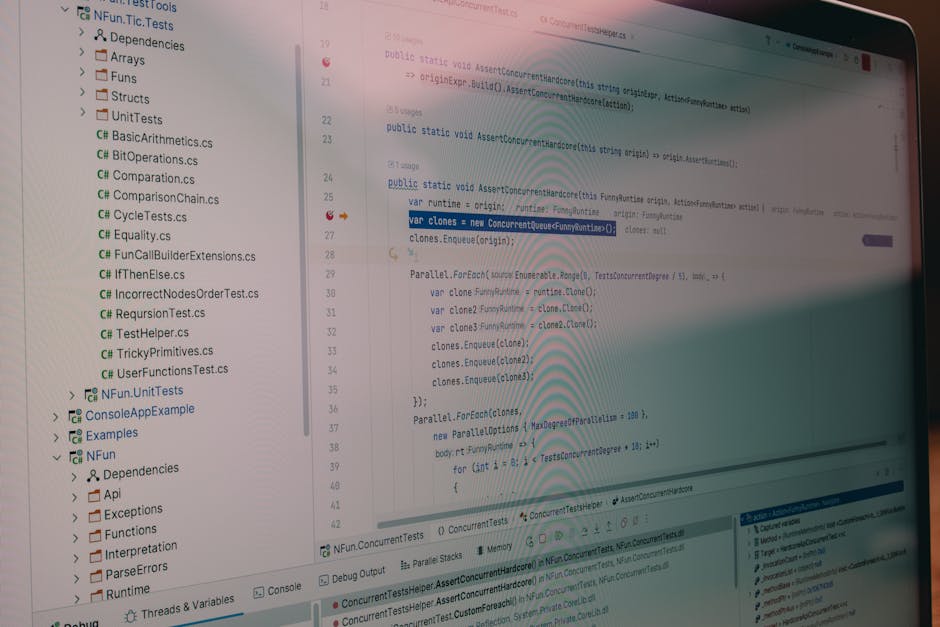
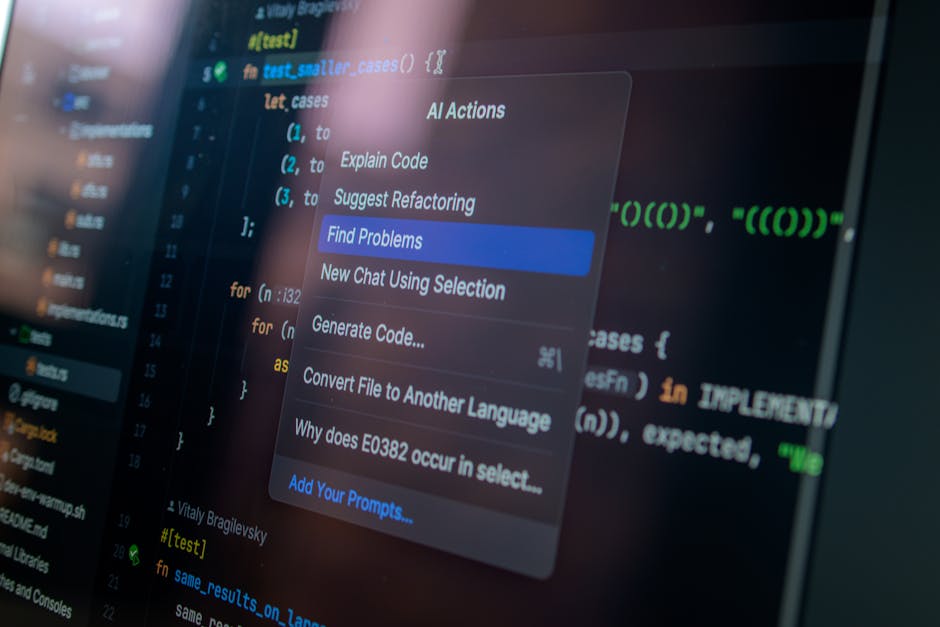
    A programmer with headphones focuses on coding at a computer setup with dual monitors.

    What Cursor and Windsurf Actually Are

    Cursor is a fork of VS Code built specifically for AI-assisted development. It keeps the familiar interface, adds native AI chat, and integrates context from your codebase directly into the editor. You write a prompt, it suggests code, you accept or reject. It’s designed to feel like VS Code with AI built in, not bolted on.

    Windsurf is Codeium’s AI-native editor. It’s built from scratch around what they call “agentic coding”, where the AI doesn’t just suggest lines of code but can autonomously edit multiple files, run commands, and execute multi-step workflows. The interface is less familiar if you’re coming from VS Code, but the autonomy is the selling point.

    Both tools let you use the same underlying models. Claude 3.5 Sonnet, GPT-4, and others. The model isn’t the differentiator here. The differentiator is how much of your codebase the tool can see at once, and how much it can do without you manually confirming every change.

    Professional analyzing data infographics on a laptop at an office desk, featuring documents and a pen.

    Codebase Context: How Much Does the AI Actually See?

    An AI that only sees the file you’re editing is basically autocomplete. An AI that sees your entire project structure, your database schema, your API routes, and your component library can write code that actually fits.

    Cursor’s Context Handling

    Cursor uses what it calls “Codebase Indexing”. It scans your project, builds an index, and pulls relevant files into the AI’s context window when you ask a question. You can manually add files using @-mentions, or let Cursor decide what’s relevant based on your prompt.

    In practice, this works well for projects up to medium complexity. If you’re building a SaaS MVP with 20–30 files, a few API routes, and a database schema, Cursor reliably pulls in the right context. When projects grow past 100 files or include multiple services, you start needing to manually specify which files matter. That’s not a dealbreaker, but it’s friction.

    Cursor also lets you reference documentation URLs directly in prompts. If you’re integrating Stripe or Supabase, you can point Cursor at the official docs and it will generate code that matches current API patterns. This matters more than it sounds like it would.

    Windsurf’s Context Handling

    Windsurf’s approach is more aggressive. It uses what Codeium calls “Cascade”, which is designed to understand the entire codebase structure and maintain that context across long conversations. Instead of re-indexing on every prompt, it keeps a persistent map of your project and updates it as you work.

    The advantage shows up in large codebases. If you’re working on a SaaS product with multiple services, shared libraries, or a monorepo structure, Windsurf is better at understanding how changes in one file affect another. It’s also better at multi-file edits, where a single prompt needs to update your API route, your database migration, your frontend component, and your TypeScript types.

    The downside is that Windsurf’s autonomy means it sometimes edits files you didn’t expect it to touch. That’s powerful when it’s right, and annoying when it’s not. You need to review diffs more carefully than you do with Cursor.

    Developers using AI-assisted coding tools report a 30–55% reduction in time spent on repetitive tasks like boilerplate generation, API integration, and CRUD operations, according to a 2026 GitHub survey of 500+ professional developers.
    A woman writes 'Use APIs' on a whiteboard, focusing on software planning and strategy.

    Autonomy: How Much Does the AI Do Without You?

    This is the biggest difference between the two tools, and it maps directly to how you work.

    Cursor: Suggest, Review, Accept

    Cursor’s default mode is suggestion-based. You write a prompt, it generates code, you review it, you accept or reject. It can write entire functions, but it doesn’t autonomously edit multiple files or run terminal commands unless you explicitly tell it to.

    This is safer. You’re always in control. The AI never does something you didn’t see coming. For solo founders building their first SaaS product, or developers who want to understand every line that goes into production, this is the right model.

    Cursor also has a Composer mode (added in late 2025) that allows multi-file edits in a more agentic way, but it’s still more manual than Windsurf’s default behaviour. You’re approving changes file by file, not letting the AI run loose across your project.

    Windsurf: Agentic by Default

    Windsurf is built around autonomous workflows. You give it a high-level task like “add user authentication with email and password”, and it will create the API route, update the database schema, build the frontend form, add error handling, and write the TypeScript types. All in one go.

    When this works, it’s faster than anything else available in 2026. When it doesn’t, you’re untangling changes across six files that you didn’t ask for. The model isn’t perfect, and neither is the tool’s ability to predict what you actually wanted.

    Windsurf also has a terminal integration that lets the AI run commands. It can install packages, run migrations, start dev servers, and execute tests. Cursor can do this too, but Windsurf makes it the default behaviour. That’s powerful if you trust it. It’s risky if you don’t.

    For small teams or agencies like Inqodo building multiple SaaS products in parallel, Windsurf’s autonomy is a net win. For founders who are still learning how their codebase works, Cursor’s review-first model is safer.

    A top-down view of analytical data sheets and a laptop, ideal for business analysis themes.

    Pricing: What You Actually Pay

    Both tools charge monthly subscriptions. Both let you bring your own API keys if you want to use your own Claude or GPT-4 credits. The difference is in how much you pay for the built-in model access.

    Cursor Pricing

    Cursor offers a free tier with limited AI requests, then charges $20/month for the Pro plan. That gets you 500 “fast” requests per month using GPT-4 or Claude 3.5 Sonnet, plus unlimited “slow” requests that use slightly older models or rate-limited access.

    If you run out of fast requests, you can either wait until next month, pay for additional credits, or bring your own API key from OpenAI or Anthropic. Most developers building a SaaS MVP full-time hit the 500-request limit within two weeks. After that, you’re either paying extra or using your own API key.

    For a solo founder building an MVP over 4–6 weeks, expect to spend $20–40 total on Cursor, plus another $30–50 on API credits if you’re using Claude heavily. That’s roughly $70–90 for the entire build. Not expensive, but not free either.

    Windsurf Pricing

    Windsurf is free during its beta period as of early 2026, but Codeium has indicated they’ll introduce a paid tier similar to Cursor’s pricing model. The free tier currently has no hard request limits, but does throttle heavy users during peak hours.

    Once pricing launches, expect something close to $20–30/month for unlimited access to fast models. Codeium’s business model historically relied on enterprise sales rather than individual subscriptions, so the free tier may remain more generous than Cursor’s.

    For now, Windsurf is the cheaper option. That won’t last, but if you’re trying to ship an MVP in the next few months, it’s worth considering.

    Software developer analyzing code on a tablet in a modern office workspace.

    SaaS-Specific Workflows: What Actually Matters When You’re Building a Product

    Most comparisons treat these tools like generic code editors. They’re not. If you’re building a SaaS product, you’re doing specific things repeatedly: setting up authentication, integrating Stripe, building admin panels, connecting APIs, writing database migrations. The tool that makes those tasks faster is the tool you should use.

    Authentication and User Management

    Both tools handle this well, but Cursor’s documentation integration gives it an edge. You can point Cursor at Supabase’s auth docs or NextAuth’s setup guide, and it will generate code that matches the current API. Windsurf can do this too, but you’re more likely to get boilerplate that needs manual adjustment.

    For a typical SaaS MVP, setting up auth with Cursor takes 20–30 minutes including email verification and password reset flows. Windsurf is faster if you’re comfortable reviewing multi-file changes, but the time savings are marginal.

    Stripe Integration and Billing

    Stripe integration is where Windsurf’s multi-file editing shines. A working billing system needs a webhook handler, a database table for subscriptions, frontend components for plan selection, and API routes for checkout sessions. Windsurf can scaffold all of this from a single prompt. Cursor will do it too, but you’re approving each file individually.

    We’ve built Stripe integrations with both tools. Windsurf is faster for the initial setup. Cursor is better when you’re debugging webhook failures or adding custom subscription logic, because you’re working file by file and the AI isn’t making assumptions about what else needs to change.

    Admin Panels and Internal Tools

    Admin panels are repetitive. User lists, search, filtering, role management, activity logs. Both tools generate this kind of CRUD interface quickly, but Windsurf’s autonomy means you can describe the entire panel in one prompt and get a working version in minutes.

    Cursor requires more back-and-forth. You’ll prompt for the user list, then the search functionality, then the role editor. It’s slower, but you’re less likely to end up with an admin panel that looks right but has broken state management or missing error handling.

    API Integrations and External Services

    If your SaaS connects to external APIs like Slack, HubSpot, or Google Calendar, both tools handle this, but context matters. Cursor’s ability to reference live documentation means it’s better at generating code that matches the current version of an API. Windsurf is faster at scaffolding the integration, but you’re more likely to need to fix deprecated endpoints or changed response formats.

    For a SaaS product that relies heavily on third-party integrations, Cursor’s doc-aware context is worth the extra manual approval steps.

    Three young people working on computers in a creative office with vibrant graffiti walls.

    Who Should Use Which Tool?

    This isn’t about which tool is better. It’s about which tool matches how you work and what you’re building.

    Use Cursor If:

    • You’re a solo founder building your first SaaS product and want to understand every line of code that goes into production.
    • You’re working on a project with complex business logic where autonomous edits across multiple files would create more problems than they solve.
    • You’re integrating third-party APIs frequently and need the AI to reference current documentation, not outdated examples.
    • You prefer a suggestion-based workflow where you review and approve changes file by file.
    • You’re coming from VS Code and don’t want to relearn keyboard shortcuts or lose your existing extensions.

    Use Windsurf If:

    • You’re building multiple SaaS products in parallel and need to move faster, even if that means reviewing diffs more carefully.
    • You’re working on a large codebase or monorepo where changes in one file often require updates in several others.
    • You’re comfortable with agentic AI workflows and trust yourself to catch mistakes in multi-file edits.
    • You want the AI to handle terminal commands, package installation, and migrations without manual approval.
    • You’re in the early prototyping phase and speed matters more than control.

    At Inqodo, we use both depending on the project. For MVPs where the founder is learning alongside us, Cursor’s review-first model makes collaboration easier. For internal tools or projects where we’re moving fast and the team knows the stack well, Windsurf’s autonomy saves hours per day.

    The choice isn’t permanent. Both tools work with the same codebases, and you can switch between them mid-project if your needs change. Most developers we know who build SaaS full-time in 2026 have both installed and use whichever fits the task.

    What About Other AI Coding Tools?

    GitHub Copilot, Tabnine, and Replit’s Ghostwriter all exist. They’re fine for autocomplete and single-file suggestions. They’re not competitive with Cursor or Windsurf for codebase-aware, multi-file SaaS development in 2026.

    Copilot is still the best inline autocomplete tool, and many developers use it alongside Cursor or Windsurf for line-level suggestions. But if you’re trying to scaffold an entire feature, integrate a payment provider, or refactor your database schema, Copilot isn’t built for that workflow.

    Replit is a different category entirely. It’s a browser-based IDE with AI built in, and it’s excellent for prototyping or learning. It’s not where you build a production SaaS product that needs to scale, handle real user data, or integrate with your own infrastructure.

    The two tools that matter for serious SaaS development in 2026 are Cursor and Windsurf. Everything else is either too limited or solving a different problem.

    The Real Cost: Time, Not Subscription Fees

    A $20/month tool that saves you 10 hours per week is worth $2,000/month if your time is worth $50/hour. The subscription cost is noise. The question is whether the tool makes you faster at the things that matter.

    For SaaS development, the things that matter are: setting up auth, integrating billing, building admin interfaces, connecting APIs, writing migrations, and deploying updates. Both Cursor and Windsurf make all of these faster than writing code manually. The difference is whether you value control or speed more.

    In our experience building MVPs for founders, AI coding tools reduce the time from idea to deployed product by 30–40%. That’s the difference between shipping in six weeks instead of ten, or spending $8,000 instead of $15,000 on development.

    If you’re trying to estimate what your SaaS will cost to build, the tool you use matters less than whether you’re building the right features. Most founders overestimate what they need in an MVP. A cost calculator helps, but an honest conversation about scope helps more.

    How to Choose: A Practical Framework

    Try both for a week. Build the same feature in both editors. Set up a simple CRUD interface, add authentication, integrate one external API. You’ll know within three days which workflow feels faster.

    Here’s what to test specifically:

    • Context accuracy: Ask both tools to generate code that references an existing function or component. Which one gets the details right without you manually specifying the file?
    • Multi-file edits: Prompt both tools to add a new database table and update the API routes, types, and frontend components that depend on it. Which one handles this in fewer steps?
    • Documentation integration: Try integrating a third-party API you haven’t used before. Which tool generates code that matches the current API documentation?
    • Error recovery: Introduce a bug intentionally and ask the AI to fix it. Which tool identifies the root cause faster?

    Most developers building SaaS products in 2026 end up preferring one tool by day three. The preference is usually obvious once you’ve used both on real work, not toy examples.

    If you’re a founder without a technical background, this matters less than finding a development partner who knows how to use these tools well. The tool doesn’t write good code by itself. A developer who knows what to ask for, how to review the output, and when the AI is confidently wrong is what makes these tools valuable.

    Frequently Asked Questions

    Which is better, Cursor or Windsurf for coding?

    Cursor is better if you want control and prefer reviewing changes file by file. Windsurf is better if you value speed and are comfortable with autonomous multi-file edits. Both use the same AI models, so the difference is workflow, not intelligence. Most developers building SaaS products full-time in 2026 have both installed and switch depending on the task.

    Is Windsurf better than Cursor for large codebases?

    Yes. Windsurf’s Cascade context system is designed for large codebases and maintains a persistent understanding of your project structure. It handles multi-file edits and cross-service changes better than Cursor, which requires more manual file specification as projects grow past 100 files. For monorepos or microservice architectures, Windsurf is the stronger choice.

    What is the difference between Cursor and Windsurf?

    Cursor is a VS Code fork with AI chat and codebase indexing built in. It suggests code and waits for your approval. Windsurf is an AI-native editor built around autonomous workflows, where the AI can edit multiple files and run terminal commands without manual confirmation. Cursor prioritises control, Windsurf prioritises speed. Both integrate Claude, GPT-4, and other models.

    Which AI code editor is best for SaaS development?

    Cursor and Windsurf are the two tools that matter for production SaaS development in 2026. Cursor is better for founders who want to understand every change and are integrating third-party APIs frequently. Windsurf is better for experienced developers or agencies building multiple products in parallel. GitHub Copilot is good for autocomplete but not codebase-aware feature development.

    Can Cursor and Windsurf work with the same AI models?

    Yes. Both tools support Claude 3.5 Sonnet, GPT-4, and other leading models. You can use the built-in model access included in their subscriptions, or bring your own API keys from OpenAI or Anthropic. The model isn’t the differentiator, the context handling and autonomy are. Switching between tools mid-project is possible without losing model access.

    How do cursor windsurf ai coding tools for saas development 2026 compare on pricing?

    Cursor charges $20/month for 500 fast AI requests, with additional costs if you exceed that or bring your own API keys. Windsurf is currently free during beta but will likely introduce a $20–30/month paid tier in 2026. For a typical SaaS MVP built over 4–6 weeks, expect to spend $70–90 total on Cursor including API costs. Windsurf is cheaper now, but that advantage is temporary.

    Do AI coding tools reduce SaaS development costs?

    Yes. AI coding tools reduce development time by 30–40% for repetitive tasks like authentication setup, API integrations, CRUD interfaces, and boilerplate generation. For a SaaS MVP, that translates to shipping in 4–6 weeks instead of 8–10 weeks, or spending $8,000 instead of $12,000 on development. The cost of the tool itself is negligible compared to the time saved.

    Ready to Get Started?

    Choosing between Cursor and Windsurf matters, but it matters less than choosing the right features to build. Most SaaS MVPs fail because they built the wrong thing, not because they used the wrong editor.

    If you’re a founder trying to figure out what to build first, or whether your feature list is realistic for your budget and timeline, we’ll tell you honestly. Before we write a line of code. That’s the conversation that actually determines whether your SaaS succeeds, not which AI tool wrote the authentication logic.

    We build production-ready SaaS products and MVPs for founders who want to ship quickly without cutting corners on architecture. Most MVPs ship in 4–6 weeks. Pricing starts at $2,000 for validation builds, $8,000–$15,000 for full MVPs with auth, billing, and core features.

    Get in touch at inqodo.com if you want to talk through what you’re building and whether it’s scoped correctly. We’ll tell you if it’s not.


  • Multi-Tenant SaaS Architecture Explained: Complete Guide

    Multi-Tenant SaaS Architecture Explained: Complete Guide

    Multi-tenant SaaS architecture explained: it’s a design pattern where a single application instance serves multiple customers (tenants) from shared infrastructure. Each tenant’s data is logically isolated. None of them know the others exist. That’s multi-tenancy, and it’s the architectural pattern that makes SaaS economics work. Without it, you’d need to deploy separate infrastructure for every customer. With it, you share the cost across everyone and scale without rebuilding the product for each new signup.

    If you’re building a SaaS product in 2026, you’re almost certainly building a multi-tenant one. The question isn’t whether to use multi-tenancy. It’s how to implement it without creating security holes, performance bottlenecks, or a deployment nightmare six months in.

    A programmer working on code with a laptop and monitor setup in an office.

    What Is Multi-Tenant SaaS Architecture Explained?

    Multi-tenant SaaS architecture is a design pattern where a single application instance serves multiple customers (tenants) from shared infrastructure. Each tenant’s data is logically isolated, but the underlying database, application servers, and codebase are shared.

    The word “tenant” comes from property rental. Multiple tenants live in the same building, use the same utilities, but have separate locked apartments. In SaaS, multiple companies use the same software, run on the same servers, but see only their own data.

    This is different from single-tenant architecture, where each customer gets their own dedicated instance of the application. Slack, Notion, and most modern SaaS products are multi-tenant. Enterprise software sold as “private cloud” is often single-tenant.

    The core technical challenge is isolation. You need to ensure that Tenant A can never see, modify, or delete Tenant B’s data, even though both are stored in the same database and processed by the same application code. Get this wrong and you have a data breach. Get it right and you have a scalable SaaS business.

    We build multi-tenant architectures for every SaaS product we ship at Inqodo. It’s not optional. It’s the foundation that makes the rest of the product work.

    Steel framework cabinets housing servers networking devices and cables in contemporary equipped data center

    How Multi-Tenancy Works: Shared Infrastructure with Logical Isolation

    Multi-tenant architecture works by adding a tenant identifier to every piece of data and every request. When a user logs in, the system identifies which tenant they belong to. Every database query, every API call, every file upload is scoped to that tenant ID. The application enforces this boundary in code.

    Here’s what happens when a user from Company A logs into your SaaS product:

    • They authenticate. The system checks their email against the users table and finds their tenant ID (say, tenant_123).
    • The session stores that tenant ID. Every subsequent request includes it.
    • When they request a list of projects, the query filters by tenant_123. They see only their company’s projects.
    • When they create a new project, the system automatically assigns tenant_123 to that record.
    • If they try to access a project from tenant_456 (Company B), the query returns nothing. The application doesn’t throw an error. It just filters them out.

    This pattern repeats for every feature. Invoices, users, files, API keys. Everything is scoped by tenant. The database doesn’t care that it’s storing data for 500 companies. It’s just rows with a tenant_id column. The application code enforces the boundaries.

    The alternative is single-tenant architecture, where each customer gets their own database, their own application instance, sometimes their own server. That model works for enterprise customers who demand it (and pay for it). For most SaaS products, it’s too expensive to operate and too slow to scale. If you’re building a SaaS product with AI or targeting small-to-midsize businesses, multi-tenancy is the default.

    Hands holding financial documents with calculator and laptop on office desk, business analysis scene.

    Why Multi-Tenant Architecture Matters: Cost and Scale

    Multi-tenant architecture exists because it’s cheaper to run and faster to scale than single-tenant alternatives. The economics are simple. One database costs less than 100 databases. One deployment pipeline is faster than 100 deployment pipelines. One codebase is easier to maintain than 100 forks.

    Here’s what that looks like in practice. A single-tenant SaaS product with 50 customers might require 50 separate database instances, 50 sets of environment variables, 50 deployments every time you push a bug fix. A multi-tenant product with 50 customers requires one database, one deployment, one set of infrastructure. The operational cost difference is not 50x, but it’s significant.

    This model also makes scaling predictable. When you add customer 51, nothing changes. The same database handles the new tenant. The same application servers process their requests. You don’t provision new infrastructure until you hit actual resource limits, which typically happens in the hundreds or thousands of tenants, not the tens.

    According to the 2025 SaaS Infrastructure Benchmark Report by Bessemer Venture Partners, multi-tenant SaaS companies achieve 60% lower infrastructure costs per customer than single-tenant equivalents at scale.

    The cost savings matter most in the early stages. When you’re building your MVP or trying to reach your first 100 customers, you don’t have the revenue to justify dedicated infrastructure per customer. Multi-tenancy lets you serve 10 customers or 1,000 customers from the same architecture. That’s why nearly every SaaS MVP we build is multi-tenant from day one.

    A living room setup featuring a tablet, smartphone, and TV with remote control.

    Single-Tenant vs Multi-Tenant: When to Use Each

    Single-tenant architecture makes sense in three situations. First, when a customer requires it for compliance or security reasons. Healthcare, finance, and government customers often demand isolated infrastructure. Second, when a customer is large enough to justify the operational cost. If one customer represents 40% of your revenue, giving them a dedicated instance is a reasonable trade. Third, when you’re selling to enterprises who expect customisation at the infrastructure level, not just the application level.

    For everyone else, multi-tenant is the right choice. It’s faster to build, cheaper to run, and easier to maintain. The tradeoff is complexity. You need to design for isolation from the start. You need to test that a bug in Tenant A’s account doesn’t affect Tenant B. You need to handle noisy neighbour problems, where one tenant’s heavy usage slows down everyone else.

    Here’s a practical comparison:

    • Multi-tenant: Shared database, shared application, logical isolation. Lower cost per customer, faster to deploy, harder to customise per tenant. Best for most SaaS products targeting SMBs or mid-market.
    • Single-tenant: Dedicated database, dedicated application, physical isolation. Higher cost per customer, slower to deploy, easier to customise per tenant. Best for enterprise customers with compliance requirements or large contracts.
    • Hybrid: Some tenants on shared infrastructure, some on dedicated. Common in mature SaaS companies. Adds operational complexity but lets you serve both markets.

    Most founders don’t need to choose on day one. Start multi-tenant. If an enterprise customer demands single-tenant later, that’s a good problem. It means you have revenue to justify the complexity. Optimising for that scenario too early is one of the common SaaS startup mistakes we see repeatedly.

    Close-up view of a computer screen displaying code in a software development environment.

    How to Implement Multi-Tenant Architecture: Database Design Patterns

    There are three common ways to implement multi-tenancy at the database level. Each has tradeoffs. The right choice depends on your isolation requirements, scale expectations, and how much operational complexity you’re willing to manage.

    Row-level tenancy (shared schema): All tenants share the same database and the same tables. Every table has a tenant_id column. Queries filter by tenant_id. This is the simplest model and the one we use for most projects. It scales well into the thousands of tenants, keeps infrastructure costs low, and makes migrations straightforward. The risk is a missing WHERE tenant_id = clause in a query, which could expose data across tenants. That’s preventable with good testing and query abstractions.

    Schema-level tenancy: Each tenant gets their own database schema within a shared database instance. Tenant A’s data lives in schema_tenant_a, Tenant B’s in schema_tenant_b. This provides stronger isolation than row-level tenancy and makes it easier to restore a single tenant’s data without affecting others. The tradeoff is operational complexity. Migrations need to run across every schema. Monitoring needs to track per-schema metrics. This model works well when you have tens or low hundreds of tenants, not thousands.

    Database-level tenancy: Each tenant gets their own dedicated database instance. This is the strongest isolation model and the most expensive to operate. It’s effectively single-tenant infrastructure with a multi-tenant application layer. Use this only when compliance requires it or when you’re serving very large enterprise customers who demand it contractually.

    For most SaaS products, row-level tenancy is the right starting point. It’s what we use at Inqodo unless a project has specific requirements that justify the added complexity of schema- or database-level isolation. You can always migrate to a more isolated model later if a customer demands it. Starting there is premature optimisation.

    A group of coworkers engaged in a creative brainstorming session with colorful Post-it notes and a digital display.

    Operational Concerns: Noisy Neighbours, Quotas, and Observability

    The hardest part of multi-tenant architecture isn’t building it. It’s operating it. You need to prevent one tenant from degrading performance for everyone else, enforce usage limits fairly, and diagnose problems at the tenant level without exposing cross-tenant data.

    The “noisy neighbour” problem is real. One tenant runs a bulk import that locks the database. Another tenant’s user writes an API script that hits your endpoints 10,000 times per minute. A third tenant uploads 50GB of files in an hour. If you don’t design for this, one tenant’s behaviour affects everyone else’s experience. The fix is rate limiting, resource quotas, and query timeouts. Every API endpoint should have per-tenant rate limits. Every background job should have execution time limits. Every file upload should check against a per-tenant storage quota.

    Observability in a multi-tenant system means tagging everything by tenant. Logs, metrics, traces. When a customer reports a bug, you need to filter your monitoring dashboard to their tenant ID and see exactly what happened. When query performance degrades, you need to identify which tenant’s queries are slow. When an error rate spikes, you need to know if it’s affecting all tenants or just one. Without tenant-scoped observability, debugging multi-tenant systems is guesswork.

    Tenant provisioning is another operational concern. When a new customer signs up, what happens? In a well-designed multi-tenant system, nothing. The application creates a new tenant record, assigns a tenant ID, and the user starts working. No manual setup, no infrastructure provisioning, no deployment. If onboarding a new tenant requires engineering work, your architecture isn’t truly multi-tenant yet.

    These concerns don’t appear in the first week of building a SaaS product. They appear in month three when you have 20 customers and one of them is using 80% of your database connections. Planning for them early is cheaper than retrofitting them later. When we scope a SaaS project, we factor in rate limiting, tenant quotas, and observability from the start. It’s not optional infrastructure. It’s how you keep a multi-tenant product running reliably as it scales.

    Is Multi-Tenant Architecture Secure?

    Multi-tenant architecture is secure if you design it to be secure. The risk isn’t the pattern itself. The risk is a missing tenant filter in a query, a broken access control check, or a poorly scoped API key. These are implementation problems, not architectural ones.

    The most common security mistake in multi-tenant systems is a query that forgets to filter by tenant_id. A developer writes SELECT * FROM projects WHERE user_id = 123 instead of SELECT * FROM projects WHERE user_id = 123 AND tenant_id = ‘tenant_abc’. That query returns projects across all tenants, not just the user’s tenant. If that data reaches the frontend, you have a data leak.

    The fix is to enforce tenant scoping at the framework level, not the query level. Use an ORM or database abstraction layer that automatically adds tenant filters to every query. In our projects, we use row-level security policies in Supabase or middleware in Next.js that injects the tenant context into every request. That way, forgetting to add the tenant filter isn’t possible. The framework enforces it.

    Another risk is cross-tenant data exposure through shared resources. If two tenants upload files to the same S3 bucket without proper key prefixing, one tenant could theoretically guess another tenant’s file URL. The fix is to scope every shared resource by tenant. Files go into /tenant_abc/filename.pdf, not /filename.pdf. API keys include the tenant ID. Sessions store the tenant ID and validate it on every request.

    Multi-tenant SaaS products are used by millions of businesses globally. Slack, Notion, Salesforce, and most modern SaaS tools are multi-tenant. The architecture is proven. The security concerns are real but solvable. If you’re deciding between custom software development and no-code tools, one advantage of custom development is that you control the tenant isolation logic. No-code platforms handle it for you, which is fine until you need custom isolation rules or compliance certifications.

    Choosing the Right Multi-Tenant Model for Your SaaS

    If you’re building a SaaS product that serves multiple customers, you need multi-tenancy. The question is which implementation model fits your product, your customers, and your operational capacity.

    Start with row-level tenancy unless you have a specific reason not to. It’s the simplest to build, the cheapest to run, and the easiest to maintain. If you’re building an MVP or trying to reach product-market fit, this is the right choice. You can always migrate to schema-level or database-level tenancy later if a customer demands it or compliance requires it.

    Plan for tenant-scoped observability from day one. Tag your logs, metrics, and traces by tenant ID. When a customer reports a bug, you need to see what happened in their account without exposing data from other accounts. This isn’t a feature you add later. It’s infrastructure you build into the foundation.

    Enforce tenant isolation at the framework level, not the application level. Use middleware, ORM policies, or database-level row security to ensure every query is scoped by tenant. Relying on developers to remember to add tenant filters is how data leaks happen.

    The cost difference between multi-tenant and single-tenant architecture matters most in the early stages. If you’re trying to figure out how much SaaS development costs, multi-tenancy reduces your infrastructure spend significantly. That lets you focus budget on product features instead of operational overhead.

    We’ve built multi-tenant SaaS products for 30+ founders. The architecture works. The tradeoffs are predictable. The mistakes are avoidable if you design for isolation from the start. If you’re not sure which model fits your product, use our SaaS cost calculator to estimate the cost of different approaches, or get in touch and we’ll scope it with you.

    Frequently Asked Questions

    What is multi-tenant SaaS architecture?

    Multi-tenant SaaS architecture is a design pattern where a single application instance serves multiple customers (tenants) from shared infrastructure. Each tenant’s data is logically isolated using tenant identifiers, but the database, application servers, and codebase are shared. This model reduces infrastructure costs and makes scaling predictable compared to single-tenant architectures where each customer gets dedicated resources.

    What is the difference between single-tenant and multi-tenant architecture?

    Single-tenant architecture gives each customer a dedicated instance of the application, including separate databases and servers. Multi-tenant architecture serves all customers from a shared instance with logical data isolation. Single-tenant costs more to operate but offers stronger physical isolation. Multi-tenant costs less and scales faster but requires careful design to prevent cross-tenant data exposure. Most modern SaaS products use multi-tenant architecture.

    How does multi-tenancy work in SaaS?

    Multi-tenancy works by adding a tenant identifier to every piece of data and every request. When a user logs in, the system identifies their tenant and scopes all database queries, API calls, and file operations to that tenant ID. The application enforces this boundary in code, ensuring users can only access data belonging to their tenant. This happens automatically through middleware or ORM-level filters that inject tenant context into every operation.

    What are the benefits of multi-tenant architecture?

    Multi-tenant architecture reduces infrastructure costs by sharing resources across customers, makes scaling predictable because adding new customers doesn’t require new infrastructure, and simplifies operations by maintaining a single codebase and deployment pipeline. According to Bessemer Venture Partners, multi-tenant SaaS companies achieve 60% lower infrastructure costs per customer than single-tenant equivalents at scale. This model is especially valuable for early-stage SaaS products where minimising operational overhead is critical.

    Is multi-tenant architecture secure?

    Multi-tenant architecture is secure when implemented correctly. The main risk is a missing tenant filter in a query that could expose data across tenants. This is preventable by enforcing tenant scoping at the framework level using middleware, ORM policies, or database row-level security. Major SaaS platforms like Slack, Notion, and Salesforce use multi-tenant architecture and serve millions of users securely. The architecture itself is proven, the security concerns are real but solvable through proper isolation design.

    How do you implement multi-tenant SaaS architecture explained for developers?

    Implementation typically uses one of three database patterns: row-level tenancy where all tenants share tables and every row has a tenant_id column, schema-level tenancy where each tenant gets a separate database schema, or database-level tenancy where each tenant gets a dedicated database. Row-level is simplest and most common for startups. The key is enforcing tenant filters automatically through your ORM or middleware so developers can’t accidentally write queries that leak data across tenants.

    When should you use single-tenant instead of multi-tenant architecture?

    Use single-tenant architecture when a customer requires it for compliance or security reasons (common in healthcare, finance, and government), when one customer is large enough to justify dedicated infrastructure costs, or when you’re selling to enterprises who expect infrastructure-level customisation. For most SaaS products targeting small-to-midsize businesses, multi-tenant is the right choice. You can always offer single-tenant as an enterprise option later once you have the revenue to support the operational complexity.

    Ready to Get Started?

    Building a multi-tenant SaaS product means making architectural decisions that affect security, cost, and scalability from day one. Get them right and you have a foundation that scales with your business. Get them wrong and you’re refactoring in production six

  • How Much Does SaaS Development Cost in UK & Europe? 2026

    How Much Does SaaS Development Cost in UK & Europe? 2026

    If you’re planning to build a SaaS product, understanding how much SaaS development cost in UK Europe will be is critical. Most pricing guides give you a range so wide it’s useless. “Anywhere from £10,000 to £500,000” doesn’t help you budget. It doesn’t tell you what you’re getting at £10,000 versus £50,000. And it definitely doesn’t explain why a UK agency quotes £80,000 while a team in Poland quotes £35,000 for what looks like the same thing.

    This guide breaks down SaaS development costs in the UK and Europe with actual numbers, real timelines, and the trade-offs that matter. We’ll cover what drives cost, where Europe sits versus the UK, what you get at each price tier, and the hidden costs most founders don’t budget for until month three.

    Bearded male developer in headphones coding on a laptop in a modern office setting.

    How Much Does SaaS Development Cost in UK Europe by Complexity

    SaaS development pricing breaks into three tiers based on scope, not quality. A £10,000 product is not a worse version of a £100,000 product. It’s a different product solving a different problem.

    MVP / Validation Product: £2,000 to £15,000

    This is the smallest thing that proves your idea works. One core workflow, deployed and usable by real users. Authentication, a single feature set, basic UI. No admin dashboard, no integrations, no mobile app. Timeline: 3 to 6 weeks. In the UK, expect £8,000 to £15,000. In Poland, Portugal, or Romania, closer to £5,000 to £10,000. At Inqodo, we build MVPs from £2,000 because we scope them properly. If your MVP has 14 features, it is not an MVP.

    Mid-Range SaaS Product: £20,000 to £80,000

    This is a full product with multiple user roles, third-party integrations, payment processing, and a proper admin panel. Think Stripe billing, email notifications, role-based permissions, API access. Timeline: 2 to 4 months. UK agencies typically quote £50,000 to £80,000. Eastern European teams quote £25,000 to £50,000. The difference is not always quality. It’s labour cost and communication overhead.

    Enterprise / Complex SaaS: £100,000+

    Multi-tenancy, white-labelling, advanced security, compliance with GDPR or SOC 2, custom integrations with enterprise tools. Timeline: 6 to 12 months. UK pricing starts at £100,000 and climbs quickly. European teams start closer to £60,000. At this level, team quality matters more than geography.

    Team analyzing business reports and charts during a collaborative meeting.

    Key Cost Drivers in SaaS Development

    SaaS development cost is not random. It comes down to five variables. Understanding them means you can control your budget instead of watching it spiral.

    Feature Scope

    Every feature adds cost. Authentication, user roles, payment processing, email workflows, dashboards, reporting, integrations. A product with Stripe billing costs more than one without. A product with five user roles costs more than one with two. Most founders underestimate their MVP scope by roughly half. The fix is not better developers. It’s an honest scoping conversation before you write a line of code.

    Integrations

    Connecting to Stripe, Mailchimp, Slack, Zapier, or a custom API adds time. Simple integrations take a few days. Complex ones, especially with poorly documented APIs, can take weeks. Budget £1,000 to £5,000 per major integration depending on complexity.

    Design Complexity

    A custom design costs more than a pre-built UI kit. If your product needs a unique interface, expect to add 20% to 30% to the build cost. If you can work with a clean, component-based design system like Tailwind or Shadcn, you’ll save time and money without sacrificing quality.

    Team Location

    UK developer rates average £400 to £700 per day. In Western Europe (Germany, Netherlands, France), expect £300 to £500 per day. In Eastern Europe (Poland, Romania, Portugal), rates drop to £200 to £350 per day. Offshore teams in India or Southeast Asia quote £100 to £200 per day, but communication lag and time zone differences often add hidden costs.

    Compliance and Security Requirements

    GDPR compliance is table stakes in Europe. SOC 2, ISO 27001, or healthcare compliance (HIPAA equivalent in the UK) adds cost. Budget an extra 15% to 25% if your product handles sensitive data or serves regulated industries.

    Financial document with a calculator, pen, and glasses symbolizing data analysis.

    UK vs Europe Cost Comparison: What You Actually Get

    Geography affects cost, but not in the way most founders expect. A cheaper team is not always a better deal. Here’s what the trade-offs actually look like.

    Region Hourly Rate Communication Delivery Speed Quality
    UK £50–£90/hour Same timezone, fluent English Fast iteration cycles Consistently high
    Western Europe £40–£65/hour 1–2 hour time difference, strong English Fast with minor delays High
    Eastern Europe £25–£45/hour 2–3 hour difference, good English Slightly slower feedback loops High when vetted properly
    Offshore (India, Asia) £15–£30/hour Significant timezone gap Slower, async-heavy Variable, requires strong vetting

    The real cost is not just the hourly rate. It’s how many hours you waste in miscommunication, rework, and delayed feedback. A UK team at £70/hour that ships in 6 weeks often costs less than an offshore team at £20/hour that takes 14 weeks and requires constant clarification calls.

    We work with UK-based and European developers depending on the project. The decision is not about saving money. It’s about matching the team structure to the founder’s involvement level and timeline.

    A close-up view of vintage clocks and antique items on a shelf, creating a nostalgic feel.

    Timeline Estimates Tied to Project Scope

    Cost and timeline are linked. A faster timeline does not mean a better team. It usually means a smaller scope. Here’s what realistic timelines look like for each tier.

    • MVP / Validation Product (£2,000 to £15,000): 3 to 6 weeks. This assumes a tightly scoped feature set, no custom integrations, and a founder who responds quickly to design and feature questions.
    • Mid-Range SaaS (£20,000 to £80,000): 2 to 4 months. Includes payment processing, user roles, integrations, and a proper admin panel. Timeline stretches if you add features mid-build or if third-party APIs are poorly documented.
    • Enterprise SaaS (£100,000+): 6 to 12 months. Multi-tenancy, compliance, white-labelling, and enterprise integrations take time. Cutting corners here creates technical debt that costs more to fix later than to build right the first time.

    According to the Standish Group CHAOS Report, the average software project runs 45% over budget and 7% over time, most often due to scope creep and unclear requirements at the start.

    The fix is not a better developer. It’s a better scoping process. We scope every project before pricing it. If we can’t tell you roughly what something costs after 30 minutes, that’s on us, not you. Most agencies stretch this into a six-week discovery phase that costs £10,000 and produces a document nobody reads again.

    If you want to estimate your own project timeline and cost, try our SaaS Cost Calculator. It breaks down cost by feature, integration, and team location in about two minutes.

    Focused view of a modern data server rack with blinking lights in a blue-lit environment.

    Hidden Costs Beyond Development

    Most founders budget for development and forget everything else. Then month three arrives and the invoices start piling up. Here’s what you actually need to budget for after the product is built.

    Hosting and Infrastructure

    Expect £50 to £500 per month depending on traffic and database size. A small MVP on Vercel or Railway costs £20 to £50/month. A product with 10,000 users and heavy database usage costs £200 to £500/month. If you’re using AWS or Google Cloud, budget more. Serverless setups like Supabase keep costs predictable.

    Third-Party Services

    Stripe charges 1.5% + 20p per transaction in the UK. Email services like Postmark or SendGrid cost £10 to £100/month depending on volume. If you’re using AI features, API costs add up fast. Claude API usage costs roughly $0.01 to $0.10 per request depending on model and input size.

    Maintenance and Updates

    Budget 15% to 20% of the original build cost per year for maintenance. This covers bug fixes, security patches, dependency updates, and minor feature tweaks. If you skip maintenance, your product becomes a security risk within 12 months.

    Compliance and Security

    GDPR compliance is not optional in Europe. Budget for a privacy policy, cookie consent, data processing agreements, and regular security audits. If you’re handling payments, PCI compliance applies. If you’re in healthcare or finance, add another layer of regulatory cost.

    Post-Launch Support

    Users will find bugs. Features will need tweaking. Integrations will break when third-party APIs change. Budget £1,000 to £3,000 per month for ongoing support, or plan to handle it yourself if you have a technical co-founder. Not every founder needs a technical co-founder, but someone on the team needs to own the product after launch.

    Overhead view of a person analyzing business charts and graphs on paper.

    A Step-by-Step Budgeting Framework for Founders

    Most founders approach budgeting backwards. They pick a number they can afford, then try to fit the product into it. That’s how you end up with a half-built product that can’t ship. Here’s how to budget properly.

    Step 1: Define the One Thing Your Product Must Prove

    Your MVP is not your full product. It’s the smallest thing that answers the question: will people pay for this? Write down the one workflow that proves your idea works. Everything else is a distraction.

    Step 2: List the Features That Workflow Requires

    Authentication? Payment processing? A dashboard? An admin panel? Write them all down. Then cross out half of them. If your MVP still works without a feature, you don’t need it yet. We’ve written a full guide on MVP vs full product if you’re stuck on this step.

    Step 3: Get Three Quotes

    One from a UK agency, one from a Western European team, one from Eastern Europe. Compare not just the price, but the timeline, the team structure, and how they handle scope changes. A fixed-price quote with clear deliverables is better than an hourly rate with vague milestones.

    Step 4: Add 20% for Contingency

    Something will change. A feature will take longer than expected. An integration will be more complex than it looked. Budget an extra 20% and you’ll sleep better.

    Step 5: Budget for Post-Launch Costs

    Hosting, maintenance, third-party services, support. Add these up and multiply by 12. That’s your first-year operational cost. If you can’t afford it, your product is not viable yet.

    We’ve seen founders spend £50,000 on a beautifully coded product that nobody wanted. The fix is not better developers. It’s this framework, applied honestly, before you write a line of code.

    Cost-Saving Strategies That Don’t Sacrifice Quality

    Cutting cost is not the same as cutting corners. Here’s how to build a great product without burning through your budget.

    Use Proven Tech Stacks

    Next.js, Supabase, Stripe, Vercel. These tools are popular because they work. Custom-built authentication costs £5,000. Supabase Auth costs £0 and works better. We’ve written a full guide on the best tech stack for SaaS startups if you want specifics.

    Start with a UI Kit

    A custom design costs 20% to 30% more than a component library. Tailwind UI, Shadcn, or Chakra give you a professional-looking product without the custom design cost. Save the bespoke design for version two when you have paying users.

    Build Features After Launch, Not Before

    Most MVPs ship with features nobody uses. Build the core workflow, launch it, get feedback, then build what users actually ask for. This is not lazy. It’s how good products get built.

    Negotiate Fixed-Price Milestones

    Hourly billing is fine for ongoing work. For a fixed-scope project, negotiate a flat fee. You’ll know exactly what you’re spending and the agency has an incentive to work efficiently.

    Hire for the Right Geography

    If your product is complex and needs constant iteration, hire UK or Western Europe. If your scope is clear and you can work asynchronously, Eastern Europe delivers high quality at a lower cost. We’ve compared custom development versus no-code if you’re still deciding whether to build custom at all.

    Frequently Asked Questions

    How much does it cost to build a SaaS product in the UK?

    A basic MVP costs £8,000 to £15,000 in the UK, while a mid-range SaaS product with integrations, payment processing, and user roles costs £50,000 to £80,000. Enterprise-level SaaS with compliance, multi-tenancy, and advanced features starts at £100,000. The exact cost depends on feature scope, integrations, and timeline.

    What factors affect SaaS development cost in Europe?

    The main cost drivers are feature scope, integrations, design complexity, team location, and compliance requirements. A product with Stripe billing, multiple user roles, and GDPR compliance costs more than a simple single-feature MVP. Developer rates range from £25/hour in Eastern Europe to £90/hour in the UK, but communication overhead and timeline also affect total cost.

    How long does it take to develop a SaaS application?

    An MVP takes 3 to 6 weeks, a mid-range SaaS product takes 2 to 4 months, and an enterprise SaaS takes 6 to 12 months. Timeline depends on feature complexity, number of integrations, and how quickly the founder responds to design and scoping questions. Scope creep is the most common reason projects run over time.

    Is it cheaper to build SaaS in the UK or Eastern Europe?

    Eastern Europe is cheaper on hourly rates, typically £25 to £45/hour compared to £50 to £90/hour in the UK. However, total cost depends on communication efficiency and timeline. A UK team that ships in 6 weeks at £70/hour often costs less than an offshore team at £20/hour that takes 14 weeks due to miscommunication and rework.

    How much does an MVP SaaS cost?

    An MVP SaaS costs £2,000 to £15,000 depending on scope and team location. At the lower end, you get one core workflow with basic authentication and no integrations. At the higher end, you get a more polished product with payment processing and a simple admin panel. The key is scoping the MVP to prove one specific idea, not building a miniature version of the full product.

    How much does SaaS development cost in UK and Europe compared to offshore teams?

    UK teams charge £50 to £90/hour, Western Europe charges £40 to £65/hour, Eastern Europe charges £25 to £45/hour, and offshore teams in India or Asia charge £15 to £30/hour. The trade-off is not just cost but communication speed, timezone alignment, and quality consistency. Offshore teams often require more founder involvement to avoid miscommunication.

    What are the hidden costs of SaaS development?

    Beyond development, budget for hosting (£50 to £500/month), third-party services like Stripe and email (£50 to £200/month), maintenance (15% to 20% of build cost per year), compliance and security audits, and post-launch support (£1,000 to £3,000/month). These recurring costs are often overlooked and can double the first-year total cost of ownership.

    Ready to Get Started?

    SaaS development cost depends on what you’re actually trying to prove. A £10,000 MVP that gets you paying users is better than a £50,000 product that solves a problem adjacent to the one you have. We’ve built production-ready SaaS products from £2,000 because we scope them properly before we write a line of code.

    If you want an honest conversation about what your product will cost, get in touch with Inqodo today. We’ll tell you if your idea needs rethinking before you spend a penny.

  • Stripe Integration Guide for SaaS Founders: Complete Setup

    Stripe Integration Guide for SaaS Founders: Complete Setup

    This Stripe integration guide for SaaS founders walks you through the complete setup process in 4–6 hours using prebuilt components. You’ll learn how to configure products, integrate Stripe Checkout, handle webhooks, and avoid common pitfalls. Most SaaS founders can get a working integration running quickly. The challenge isn’t the technical setup—it’s configuring your pricing model correctly before you start.

    This guide covers the complete setup process, from creating your first product in the Stripe dashboard to handling webhooks and testing your integration properly. We’ve built this into 30+ SaaS products. Here’s what actually matters.

    Person using laptop with payment failure message on screen and plant beside it.

    Set Up Your Stripe Account and Products

    Before you integrate anything, you need products and prices defined in Stripe. A product is what you’re selling — “Pro Plan” or “Enterprise Access.” A price is how much it costs and how often you bill it.

    Log into your Stripe dashboard and go to the Products section. Create a product for each tier in your SaaS. For each product, add at least one price. Most SaaS products use recurring prices — monthly or annual subscriptions. Stripe lets you attach multiple prices to one product, which is useful if you want to offer both monthly and annual billing for the same plan.

    One mistake we see often: founders create a new product for every billing interval. Don’t do that. One product (“Pro Plan”) can have two prices (monthly and annual). This keeps your dashboard clean and makes reporting easier later.

    Set your currency and billing interval. If you’re billing annually, decide whether you want to charge upfront or in instalments — Stripe supports both. Once your products and prices are live, copy the price IDs. You’ll need them when you build your checkout flow.

    Eye-catching image of torn yellow paper revealing the words 'Discount Price.'

    Choose Your Integration Approach

    Stripe offers three main ways to integrate: Checkout, Payment Links, and a custom integration using the API. Your choice depends on how much control you need and how much time you want to spend building.

    Stripe Checkout is a hosted payment page. You redirect users to Stripe, they enter their payment details, and Stripe redirects them back to your app. This is the fastest option — you can have it running in under an hour. It handles PCI compliance, mobile optimisation, and localisation automatically. Most MVPs should start here.

    Payment Links are even simpler. You generate a link in the Stripe dashboard and share it via email or embed it on your site. No code required. This works if you’re validating demand before building a full product, but it’s not a real integration — users don’t stay inside your app, and you have less control over the experience.

    A custom integration using Stripe Elements gives you full control over the UI and flow, but it takes longer to build and maintain. You’re responsible for the form, the styling, and handling errors. We only recommend this if Checkout doesn’t support something you genuinely need — like a multi-step onboarding flow with payment as the final step.

    For most SaaS founders, Checkout is the right starting point. You can always migrate to a custom flow later if the product demands it.

    Close-up of JavaScript code on a laptop screen, showcasing programming in progress.

    Stripe Integration Guide for SaaS Founders: Integrate Checkout Into Your Product

    Once you’ve chosen Checkout, the integration has three parts: creating a checkout session, redirecting the user to Stripe, and handling the redirect back to your app.

    In your backend, you’ll create a checkout session by calling Stripe’s API. Here’s what that looks like in Node.js:

    According to Stripe’s documentation, Checkout supports over 40 payment methods and automatically adapts based on the customer’s location — meaning you don’t need to manually configure each method for different regions.

    Your server creates the session, Stripe returns a session ID, and you redirect the user to the Stripe-hosted checkout page using that ID. When the user completes payment, Stripe redirects them back to a success URL you specify — usually a “Welcome” page or a dashboard.

    On the frontend, you’ll need the Stripe.js library. Load it from Stripe’s CDN, initialise it with your publishable key, and call stripe.redirectToCheckout() with the session ID your backend returned. That’s the entire frontend integration — three lines of JavaScript.

    If you’re building in React or Next.js, use Stripe’s official React library. It wraps the same functionality but handles the script loading and initialisation for you. We use this in most projects at Inqodo because it’s less error-prone than manually managing the Stripe.js script.

    Close-up of a smartphone displaying a bank alert notification on a wooden table.

    Handle Webhooks for Subscription Events

    Stripe sends webhooks when something important happens — a payment succeeds, a subscription is cancelled, a card expires. Your app needs to listen for these events and update your database accordingly. Without webhooks, your app has no idea what’s happening on the Stripe side.

    Set up a webhook endpoint in your backend — a route that Stripe can POST to. In the Stripe dashboard, go to Developers → Webhooks and add your endpoint URL. Stripe will send events to that URL whenever something changes.

    The most critical events for SaaS are checkout.session.completed, customer.subscription.updated, and customer.subscription.deleted. When a user completes checkout, Stripe fires checkout.session.completed. Your webhook should create or update the user’s subscription record in your database at that point.

    One thing that trips up most developers: webhooks are asynchronous. The user completes payment, gets redirected to your success page, but the webhook might not have fired yet. Your success page should not assume the subscription is already in your database. Either poll for it, or show a “processing” state until the webhook completes.

    Always verify the webhook signature. Stripe signs every webhook with a secret key. If you don’t verify it, anyone can POST fake events to your endpoint and grant themselves free access. The Stripe SDK has a built-in method for this — use it.

    Detailed view of code and file structure in a software development environment.

    Test Your Integration Properly

    Stripe has a test mode with fake card numbers and a full sandbox environment. Use it. Do not test payments with real cards, even your own — Stripe flags that as suspicious activity and it messes up your analytics.

    The test card number 4242 4242 4242 4242 always succeeds. Use any future expiry date and any three-digit CVC. Stripe also provides test cards that simulate specific failure scenarios — declined cards, expired cards, cards that require 3D Secure authentication. Test all of them.

    Trigger a successful payment and confirm the webhook fires. Check your database — did the subscription record get created? Check your app — can the user access the features they paid for? Then test a failed payment. Does your app handle it gracefully, or does it break?

    If you’re using webhooks, use Stripe CLI to forward webhook events to your local development environment. This lets you test the full flow without deploying to a public server. Run stripe listen --forward-to localhost:3000/webhooks and Stripe will send events directly to your machine.

    Most integration bugs happen in webhook handling, not in the checkout flow itself. Spend more time testing edge cases — what happens if the webhook fires twice? What if it arrives out of order? What if the user closes the tab mid-checkout? These scenarios happen in production. Test for them now.

    Call center agent wearing headphones working on a laptop in a modern office setting.

    Handle Common Integration Issues

    The most common issue we see: the checkout session succeeds, but the user doesn’t get access. This happens when the webhook hasn’t fired yet, or when the webhook failed silently and nobody noticed. Always log webhook events and monitor them. If a webhook fails, Stripe retries it — but only for 72 hours. After that, you need to manually reconcile the data.

    Another frequent problem: testing in production by accident. Stripe has separate API keys for test mode and live mode. If you accidentally use a live key in your test environment, you’ll create real charges. Store your keys in environment variables and never commit them to your repo. Use STRIPE_SECRET_KEY_TEST and STRIPE_SECRET_KEY_LIVE so it’s obvious which one you’re using.

    If you’re migrating from another payment processor — PayPal, Braintree, or a custom solution — you’ll need to migrate your existing subscribers to Stripe. Stripe has an API for importing customers and subscriptions, but you’ll need to handle proration and billing cycles carefully. Most founders underestimate how long this takes. If you have more than 100 active subscribers, expect migration to take a full week of development time.

    One more thing: Stripe’s error messages are generally good, but webhook failures often fail silently. Set up monitoring — either Stripe’s built-in alerts or a tool like Sentry — so you know when webhooks are failing. A failed webhook means a paying customer doesn’t have access. That’s a support ticket waiting to happen.

    If you’re building this for the first time and want it done properly, we scope and build Stripe integrations as part of most SaaS development projects at Inqodo. Typical timeline: 4–6 weeks for a full MVP with billing included.

    Understand the Costs and Fees

    Stripe charges 2.9% + 30¢ per successful card charge in the US. UK and EU rates are similar — 1.4% + 20p for UK cards, 2.5% + 20p for EU cards. If you’re doing high volume (over $1 million annually), you can negotiate custom rates, but most SaaS founders won’t hit that threshold in year one.

    Stripe Billing — the subscription management layer — is free. You only pay the transaction fees. Compare that to tools like Chargebee or Recurly, which charge a percentage of revenue on top of Stripe’s fees. For most early-stage SaaS products, going direct to Stripe is cheaper.

    One cost people miss: failed payment retries. Stripe automatically retries failed payments using a smart retry schedule, but if a card keeps failing, you’re still paying the transaction fee on each retry attempt. This adds up if you have poor payment hygiene — expired cards, insufficient funds, etc. Monitor your failed payment rate and email users proactively when their card is about to expire.

    If you’re trying to estimate the full cost of building and running your SaaS — including payment processing, hosting, and development — use our SaaS cost calculator. It breaks down the real costs most founders overlook.

    Frequently Asked Questions

    How long does Stripe integration take?

    Most SaaS founders can get a working Stripe Checkout integration running in 4–6 hours if they’re using prebuilt components. A full custom integration with webhook handling, subscription management, and proper error handling typically takes 1–2 weeks of development time. The timeline depends more on your app’s complexity than on Stripe itself.

    What is the best Stripe integration for SaaS?

    Stripe Checkout is the best starting point for most SaaS products. It’s hosted by Stripe, handles PCI compliance automatically, and supports subscriptions, trials, and metered billing out of the box. You can integrate it in under an hour and migrate to a custom solution later if needed. Payment Links work for very early validation, but they’re not a real product integration.

    Is Stripe easy to integrate?

    Yes — if you use Stripe Checkout and follow the official documentation. The hosted checkout flow requires minimal code and handles most edge cases automatically. The harder part is webhook handling and subscription state management in your own database. Most integration bugs happen there, not in the checkout flow itself.

    How much does Stripe integration cost?

    Stripe charges 2.9% + 30¢ per transaction in the US (rates vary by region). There’s no monthly fee, no setup fee, and Stripe Billing is included. If you’re hiring a developer or agency to build the integration, expect to pay $2,000–$5,000 for a complete setup including checkout, webhooks, and subscription management. At Inqodo, we typically include Stripe integration as part of a full MVP build, which starts from $8,000.

    Where can I find a complete Stripe integration guide for SaaS founders?

    Stripe’s official documentation is the best technical resource, but it’s written for developers, not founders. This guide is designed specifically for SaaS founders who need to understand the full process — from product setup to webhook handling — in plain language. If you need a working integration built for you, we handle this as part of standard MVP development at Inqodo.

    Do I need a developer to integrate Stripe into my SaaS?

    If you’re using Payment Links, no — you can set those up entirely in the Stripe dashboard. For a proper integration with Stripe Checkout or a custom flow, yes, you’ll need a developer. The integration itself isn’t complicated, but you need someone who can handle webhooks, database updates, and error handling properly. Most no-code tools like Bubble support Stripe via plugins, but you’ll hit limitations quickly if your billing model is anything beyond basic monthly subscriptions.

    What happens if a Stripe webhook fails?

    Stripe automatically retries failed webhooks for up to 72 hours using an exponential backoff schedule. If the webhook still fails after that, Stripe stops trying and you’ll need to manually reconcile the data. This is why monitoring webhook failures is critical — a failed webhook often means a paying customer doesn’t have access to your product. Set up alerts in the Stripe dashboard or use a monitoring tool like Sentry to catch these issues early.

    Ready to Get Started?

    Stripe integration is one of those things that looks simple until you start handling edge cases — failed webhooks, proration, tax compliance, dunning. Most founders can get a basic integration working in a few hours. Getting it production-ready takes longer.

    If you’re building a SaaS product and want the payment layer done properly from the start, we build Stripe integrations as part of most projects at Inqodo. We’ve integrated Stripe into 30+ products. We know where the edge cases are, and we’ll tell you if your pricing model is going to cause problems before you launch.

    Typical timeline: 4–6 weeks for a full MVP with billing, auth, and your core feature set. Starting price: $8,000–$15,000 depending on scope. We’ll tell you the exact number after a 30-minute scoping call. Get in touch at inqodo.com if you’d rather ship a working product than spend three months debugging webhooks.

  • How to Build a SaaS Product with AI in 2026: Complete Guide

    How to Build a SaaS Product with AI in 2026: Complete Guide

    Building a SaaS product with AI in 2026 means combining modern AI tooling with a disciplined MVP process. Most founders now ship working products in 4–6 weeks using AI coding assistants, pre-built boilerplates, and API-based models like Claude or GPT-4. The fastest path is not building everything from scratch. It’s scoping one core workflow, integrating AI where it solves a real problem, and shipping something users can pay for immediately. This guide walks through how to build a SaaS product with AI in 2026: from choosing the right AI tools to integrating features, deploying, and scaling without burning budget on features nobody asked for.

    A developer writing code on a laptop, displaying programming scripts in an office environment.

    How to Build a SaaS Product with AI: Choose Your Development Stack First

    The stack you choose determines how fast you ship and how much you spend getting there. In 2026, the default for most SaaS builds is Next.js for the frontend, Supabase or Firebase for backend and auth, and Claude or OpenAI APIs for AI features. Next.js handles server-side rendering and API routes in one framework. Supabase gives you a Postgres database, authentication, and real-time subscriptions without managing infrastructure.

    AI coding assistants like Cursor, GitHub Copilot, and v0 by Vercel speed up development significantly. Cursor is particularly strong for full-file edits and multi-file refactoring. v0 generates React components from text prompts. These tools don’t replace developers — they replace the repetitive parts of coding. A founder with basic technical knowledge can now build faster than a junior developer could three years ago.

    SaaS boilerplates like Shipfast, Supastarter, and Makerkit provide pre-built authentication, billing (Stripe integration), and deployment pipelines. They cost $200–$400 upfront and save 2–3 weeks of setup work. If you’re building an MVP, that time saving is worth more than the cost.

    Close-up of AI-assisted coding with menu options for debugging and problem-solving.

    Decide Whether You’re Building AI-Native or AI-Enhanced

    AI-native products are built around an AI capability as the core feature. An AI writing assistant, a contract analysis tool, or an automated bid generator are AI-native. The AI is not a feature — it is the product. These products live or die on prompt quality, model selection, and how well the output matches user expectations.

    AI-enhanced products use AI to improve an existing workflow. A project management tool that auto-generates task descriptions, or a CRM that suggests follow-up emails. The product works without the AI. The AI makes it better. Most SaaS products in 2026 are AI-enhanced, not AI-native.

    The distinction matters because AI-native products require more upfront work on prompt engineering, model evaluation, and output validation. AI-enhanced products can ship faster because the core workflow already works. If you’re a first-time founder, AI-enhanced is the safer bet. If you’ve identified a problem that only AI can solve, AI-native is the only option. We’ve built both — the decision depends on whether users would pay for the product if the AI feature disappeared tomorrow.

    Red-haired woman writing on a whiteboard with sticky notes in a modern office setting.

    Scope the Smallest Thing That Proves the Idea

    Most founders overestimate what an MVP needs. An MVP is not a feature-light version of your full product. It is the smallest thing that answers the question: will people pay for this? If your MVP has 14 features, it is not an MVP.

    Start by writing down the one workflow your product must do. Not the three workflows it could do — the one it must do to be useful. A founder came to us wanting to build a marketplace with buyers, sellers, payments, messaging, and ratings. That is four separate products. The one workflow they needed to validate was: can a buyer find a seller and request a quote? We scoped that. It cost $9,500 and took 6 weeks. They had paying users by week 8.

    AI features should follow the same rule. If you’re adding AI-generated summaries, auto-complete, or recommendations, ask whether the product works without them. If it does, ship without them first. Add AI once you have users who can tell you whether the AI output is actually useful. The most expensive mistake is building the wrong product perfectly. For a detailed breakdown of what different scopes actually cost, see our SaaS cost calculator.

    Detailed close-up of a hand-drawn wireframe design on paper for a UX project.

    Integrate AI Features Using API-First Models

    Most AI SaaS products in 2026 use API-based models rather than self-hosted ones. OpenAI’s GPT-4, Anthropic’s Claude, and Google’s Gemini all offer API access with usage-based pricing. You send a prompt, get a response, and pay per token. This is faster and cheaper than training your own model unless you’re operating at significant scale.

    Claude is our default for most projects because its outputs are more predictable and its reasoning is more transparent than alternatives. For tasks like document analysis, structured data extraction, or multi-step workflows, Claude handles context better. GPT-4 is stronger for creative generation and conversational interfaces. The model you choose should match the task — not the brand.

    Cost scales with usage. A typical API call to Claude costs $0.01–$0.05 depending on input and output length. If your product generates 1,000 AI responses per day, expect $10–$50 daily in API costs. At 10,000 responses, you’re at $100–$500 per day. This is why AI-native products need usage limits or tiered pricing from day one. Running an unlimited free tier with AI features is how you spend $10,000 in a weekend. We’ve seen it happen.

    According to Anthropic’s 2025 usage data, the average AI SaaS product spends 15–25% of revenue on API costs in the first year, dropping to 8–12% after optimisation and caching strategies are implemented.

    Detailed view of a computer screen displaying code with a menu of AI actions, illustrating modern software development.

    Build, Test, and Deploy in Phases

    The development process for an AI SaaS product in 2026 typically runs in three phases: core build, AI integration, and production deployment. Each phase has a clear deliverable. Most projects take 4–6 weeks total if scoped correctly.

    Phase one is the core build. Authentication, database schema, basic UI, and the primary user workflow without AI. This should take 1–2 weeks using a boilerplate and modern tooling. You should be able to sign up, log in, and complete the main action your product enables. No AI yet. If this phase takes longer than two weeks, the scope is too large.

    Phase two is AI integration. Connect your API, write and test prompts, handle edge cases where the AI output is wrong or incomplete, and add retry logic. This takes 1–2 weeks. The most common mistake here is assuming the first prompt you write will work in production. It will not. Prompt engineering is iterative. Test with real data, not the happy-path example you wrote in the design doc.

    Phase three is deployment and scaling. Set up CI/CD pipelines, configure environment variables, add monitoring for API usage and errors, and deploy to production. Vercel, Netlify, and Railway handle this with minimal configuration. Most projects deploy in under a day once the code is ready. If you’re wondering how long this typically takes, the answer depends entirely on how well you scoped phase one.

    A high-tech command center with illuminated digital screens in a futuristic setting.

    Plan for AI-Specific Costs and Compliance

    AI adds two cost categories most founders miss: API usage and data compliance. API costs scale with users. If each user generates 10 AI requests per session and you have 1,000 daily active users, that is 10,000 API calls per day. At $0.02 per call, you are spending $200 daily or $6,000 monthly. This is why tiered pricing exists — unlimited AI usage is not financially viable for most early-stage products.

    Data compliance is more complex in 2026 than it was two years ago. GDPR applies if you have EU users. California’s CPRA applies if you have US users. Both require clear disclosure about how user data is processed, stored, and whether it is used to train models. Most API providers (OpenAI, Anthropic) offer zero-retention options where your data is not used for training. Enable this. It costs slightly more per call but eliminates a significant legal risk.

    If your AI product processes sensitive data — healthcare records, financial information, legal documents — you will need SOC 2 or ISO 27001 certification eventually. This is not a day-one requirement, but it is a six-month requirement if you are selling to enterprises. Budget $15,000–$40,000 for initial compliance work. Inqodo has worked with founders navigating this process — the earlier you plan for it, the less expensive it is to implement.

    Common Mistakes and What Actually Goes Wrong

    Most AI SaaS products that fail do not fail because of bad code. They fail because the AI output was not good enough to replace the manual process, or because the founder built a feature and called it a product. A Custom GPT that works for you is not a product someone else will pay for. A product is authentication, billing, multi-tenancy, error handling, and a workflow that works when the AI gets it wrong.

    Another common mistake is over-reliance on AI for tasks it handles poorly. AI is excellent at summarisation, classification, and generation from structured prompts. It is weak at tasks requiring real-time data, multi-step reasoning with external validation, or outputs that must be 100% accurate. If your product requires the AI to be right every time, you are building on a fragile foundation. Build in human review, confidence scores, or manual override options.

    The third mistake is underestimating prompt drift. A prompt that works in testing may degrade in production as edge cases appear. Users will input data you did not anticipate. The AI will return outputs you did not expect. Monitoring and logging every AI interaction is not optional — it is how you catch problems before they become support tickets. If you are considering whether to build without coding or hire developers, this is where the difference shows. No-code tools handle the happy path. Developers handle what happens when the path is not happy.

    Ready to Get Started?

    Building a SaaS product with AI in 2026 is faster and cheaper than it has ever been — if you scope it correctly, choose the right tools, and ship the smallest version that proves the idea. Most founders spend too long planning and not enough time testing with real users. The goal is not to build the perfect product. The goal is to build something good enough to learn whether anyone will pay for it.

    If you are ready to move from idea to working product, Inqodo builds AI SaaS products from $2,000. We scope before we price, we tell you when your feature list is too long, and we ship working software in 4–6 weeks. Get in touch if you want to talk through your idea with someone who has built this 30+ times before.

    Frequently Asked Questions

    What is the fastest way to build a SaaS with AI in 2026?

    Use a SaaS boilerplate like Shipfast or Supastarter for authentication and billing, integrate an API-based AI model like Claude or GPT-4, and deploy to Vercel or Railway. Most MVPs ship in 4–6 weeks using this approach. The speed comes from not building infrastructure from scratch.

    Which AI tools are best for non-technical founders building SaaS?

    Cursor and v0 by Vercel are the most accessible AI coding assistants for non-technical founders in 2026. Cursor handles full-file edits and can build features from text prompts. v0 generates React components visually. Both reduce the need for deep coding knowledge but still require someone who can review and test the output.

    How much does it cost to launch an AI SaaS product?

    A working MVP with AI features typically costs $8,000–$15,000 if built by a development team like Inqodo, or $2,000–$5,000 if you are building it yourself using boilerplates and AI coding tools. Ongoing costs include API usage ($200–$2,000 monthly depending on scale), hosting ($20–$100 monthly), and any compliance work required for your industry.

    What are the most profitable AI SaaS niches for 2026?

    Document analysis and workflow automation for regulated industries (legal, finance, healthcare) remain highly profitable because enterprises will pay for accuracy and compliance. AI-enhanced B2B tools that reduce manual work in sales, recruitment, and customer support also perform well. Consumer AI products face more competition and lower willingness to pay.

    How to build a SaaS product with AI in 2026 if I am not a developer?

    Start with a no-code tool like Bubble or Webflow to validate the core idea, then hire a developer or agency to rebuild it properly once you have paying users. Alternatively, use AI coding assistants like Cursor and a SaaS boilerplate to build a working product yourself. The second option is faster and gives you more control, but requires learning basic development concepts.

    Do I need to train my own AI model to build an AI SaaS product?

    No. Most AI SaaS products in 2026 use API-based models like Claude, GPT-4, or Gemini rather than training custom models. Training your own model costs $50,000–$500,000+ and only makes sense at significant scale or for highly specialised tasks. API-first models are faster, cheaper, and easier to integrate.

    What are the biggest risks when building an AI SaaS product?

    The three biggest risks are underestimating API costs as you scale, building a product where the AI output is not reliable enough to replace manual work, and failing to plan for data compliance requirements like GDPR. All three are avoidable with proper scoping and cost modeling before you start building.

  • How Long to Build a SaaS Product? Time to Market Guide

    How Long to Build a SaaS Product? Time to Market Guide

    So, you’ve got a killer SaaS idea brewing. You see the market gap, the unmet need, and the potential for recurring revenue. But before you dive headfirst into coding, there’s a crucial question looming: how long does it take to build a SaaS product? The answer, unfortunately, isn’t a simple number. It’s a nuanced calculation influenced by features, complexity, team size, and a healthy dose of reality. This guide breaks down the factors to consider so you can realistically plan your time to market and avoid common pitfalls.

    Understanding the Scope: Defining Your MVP

    The biggest time suck in SaaS development is feature creep. Everyone wants a product packed with bells and whistles from day one, but that’s a recipe for delays and budget overruns. The key is to focus on your Minimum Viable Product (MVP). What’s the absolute minimum set of features that will deliver core value to your target user and allow you to gather feedback?

    • Simple MVP (1-3 core features): Think a basic task management app with user authentication and task creation/assignment. This could take 2-4 months with a small team (1-2 developers).
    • Moderate MVP (4-6 core features): Imagine a CRM with contact management, basic sales pipeline tracking, and reporting. Expect 4-7 months with a team of 2-3 developers.
    • Complex MVP (7+ core features): Picture a marketing automation platform with email campaigns, landing page builder, and analytics. This could easily take 7-12+ months with a larger team (4+ developers).

    Resist the urge to build everything at once. Launching a smaller, focused product allows you to validate your assumptions, gather user data, and iterate based on real-world usage. Remember, you can always add features later.

    The Team Matters: Size and Expertise

    The size and skill set of your development team significantly impact the timeline. A solo founder attempting to build a complex SaaS product will inevitably face delays. A dedicated team with the right expertise is essential.

    • Solo Founder: Be realistic. Building even a simple MVP will take significantly longer, potentially 6-12+ months. Consider outsourcing specific tasks or bringing on a co-founder with technical expertise.
    • Small Team (2-3 Developers): A good option for MVPs with moderate complexity. Ensure your team has a mix of front-end and back-end skills.
    • Medium Team (4-6 Developers): Suitable for more complex MVPs or faster development cycles. This allows for specialization and parallel development.

    Don’t underestimate the importance of project management. A dedicated project manager can keep the team on track, manage communication, and mitigate risks. At Inqodo, we’ve seen projects get significantly delayed due to poor project management, even with talented developers.

    Technology Choices: Frameworks and Infrastructure

    Your technology stack also plays a crucial role in determining the development timeline. Choosing the right frameworks and infrastructure can save you time and effort.

    • Frameworks: Popular frameworks like React, Angular, or Vue.js for the front-end and Node.js, Python (Django/Flask), or Ruby on Rails for the back-end can accelerate development.
    • Cloud Infrastructure: Leveraging cloud platforms like AWS, Azure, or Google Cloud provides scalability and reduces the need for managing servers.
    • No-Code/Low-Code Platforms: For very simple SaaS products with limited customization, no-code/low-code platforms can significantly reduce development time. However, be aware of the limitations in terms of scalability and flexibility.

    Choosing the right technology stack depends on your specific requirements and the expertise of your team. Consult with experienced developers to make informed decisions.

    Testing and Quality Assurance: Don’t Skimp!

    Testing is often overlooked, but it’s a critical part of the development process. Thorough testing ensures that your SaaS product is stable, reliable, and user-friendly. Allocate sufficient time for testing and quality assurance (QA).

    • Unit Testing: Testing individual components of the code.
    • Integration Testing: Testing how different components work together.
    • User Acceptance Testing (UAT): Letting real users test the product and provide feedback.

    Allocate at least 20-30% of your total development time for testing and QA. Rushing this process can lead to bugs, crashes, and a poor user experience, ultimately harming your chances of success. Inqodo always emphasizes the importance of rigorous testing in our projects.

    “The first 90 percent of the code accounts for the first 90 percent of the development time. The remaining 10 percent of the code accounts for the other 90 percent of the development time.” – Tom Cargill

    Budget Considerations: Balancing Speed and Cost

    Your budget directly impacts the speed at which you can build your SaaS product. A larger budget allows you to hire a bigger team, use more advanced tools, and potentially accelerate the development process. However, it’s important to balance speed with cost-effectiveness. Many founders in the USA and Europe start with budgets between $10k and $100k. Here’s a rough guide to what you can expect:

    • $10k – $30k: Likely limited to a very simple MVP built by a freelancer or small team. Expect a longer timeline (6-12+ months).
    • $30k – $60k: Allows for a more robust MVP with a small team (2-3 developers). Expect a timeline of 4-7 months.
    • $60k – $100k: Enables a more complex MVP with a larger team (4+ developers) and faster development cycles. Expect a timeline of 3-6 months.

    Remember to factor in ongoing costs such as server hosting, maintenance, and marketing. Use a SaaS cost calculator to get a better understanding of the overall expenses involved.

    Ready to Build?

    Estimating the development time for a SaaS product is a complex process that requires careful consideration of various factors. By defining your MVP, building a skilled team, choosing the right technology stack, and allocating sufficient time for testing, you can increase your chances of launching a successful SaaS product on time and within budget. Don’t hesitate to reach out for a free consultation. We can help you assess your specific needs and develop a realistic timeline for your SaaS project.